Preview






Description
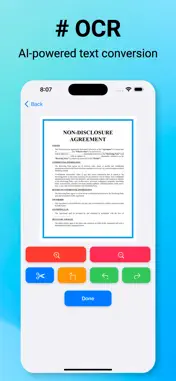
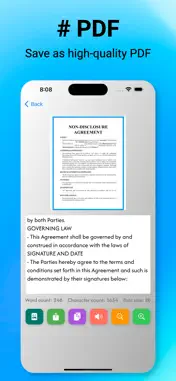
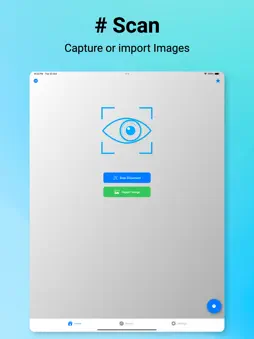
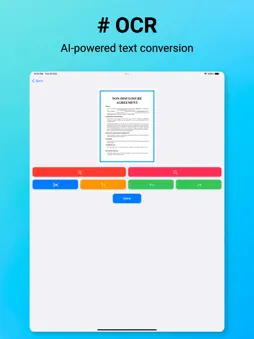
Experience seamless image-to-text conversion with the AI Image to Text OCR Scanner, a must-have scanner app for handling documents efficiently. This app allows users to convert images into text quickly, using advanced OCR technology for clear and accurate results. You can easily import photos from your gallery or capture new images using the in-app camera, making it perfect for converting photos to text in any scenario. — Whether you’re scanning documents, handwritten notes, or printed text, this OCR scanner ensures precise text extraction. Once extracted, you can edit the text directly within the app to refine content as needed. The app is designed to offer easy editing, so users can make adjustments before saving the scanned text as a high-quality PDF. This scanner also supports high-quality printing, allowing users to print documents with clarity and accuracy. — Perfect for students, professionals, and anyone who needs a reliable OCR scanner on the go, this app is the ideal tool for converting photos to text and managing documents. Save time by scanning multiple images at once, and enjoy clear, high-resolution output every time. With its efficient OCR processing and user-friendly interface, this scanner app stands out for its ability to convert photos to text, providing convenience and versatility in one package. — Get started with the AI Image to Text OCR Scanner today and discover how easy it is to turn images into text. The app's comprehensive features allow you to edit, convert, save, and print with precision—whether it’s for personal or professional use. Say goodbye to manual typing and embrace the convenience of digital document management. Convert photos to text and transform your workflow with the power of AI and OCR technology." — Key Features : Image Importing: Import photos from the gallery or capture new images. Advanced OCR Conversion: Extracts text from images with high accuracy. Editable Text: Easily modify extracted text within the app. PDF Saving: Convert edited text into high-quality PDF files. High-Quality Printing: Print documents with clear and sharp output. — Check Out: Privacy:https://laxoad.com/OCR/privacy.html Terms:https://laxoad.com/OCR/terms.html
Technical Analysis
Package Overview Basic metadata
Bundle ID
ocr.doc.scanner Current Version 1.5
Minimum iOS 15.0
Package Size App Store Size
Package Metadata 0 / 1 version records
Detailed binary, privacy manifest, framework, and Info.plist results have not been indexed for this package yet. The verified App Store and archive metadata above remains available.
Developer Information
Known Version Records
0 version records with stored package metadata • 1 known version records
Stored metadata does not guarantee a package is currently available to download.
| Details | Version / IDs | Version date | Action |
|---|---|---|---|
| Not archived | App Store ID: 869878279 | Unknown | Request Version |