Preview




Description
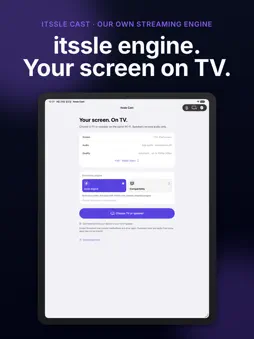
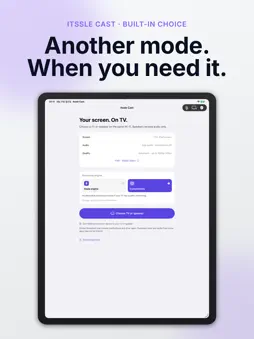
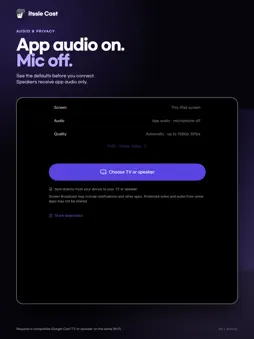
Your iPhone and iPad on TV, powered by the itssle engine. itssle Cast uses the itssle-designed real-time streaming engine to send your screen and capturable audio directly to a Google Cast-enabled TV on the same Wi-Fi. It shares streaming policies with the Mac version and uses Apple ReplayKit for user-authorized capture on iPhone and iPad. No Mac host or separate browser is required. Share photos, videos you have recorded, presentations and documents on a bigger screen. Choose the mode that works for you The itssle engine is selected by default. If your TV or network works better with another method, select Compatibility in the app's Streaming engine section. Your choice is saved and applies to the next broadcast. Connect in a few steps Connect your device and a compatible TV to the same Wi-Fi, then select the TV in itssle Cast. Confirm the system screen broadcast when the iOS sharing panel opens. System confirmation and the countdown are required. Stop using the app or the system recording indicator when you are finished. Picture and sound, together Share your screen with app audio, or send audio to a supported speaker. Enable the microphone when you want to include it. Video and audio capture depend on the source app and content permissions. Choose a quality setting Select a streaming resolution and keep that choice for your next launch. Actual quality and latency depend on the device, source screen, receiver and network. Not every setting is supported by every TV. Try it free first Try up to 3 connections for free, up to 3 minutes each. To keep using itssle Cast, buy the full version once in the app. The full version supports Family Sharing, and anyone who bought itssle Cast before keeps every feature with no extra purchase. Before you start • Requires iOS or iPadOS 17.4 or later. • Requires a Google Cast-enabled TV or compatible Cast receiver. Not all smart TVs are supported. • Devices must be able to communicate on the same Wi-Fi. Guest-network isolation or VPN settings can prevent discovery or connection. • Local network access and system screen broadcast permission are required. • DRM-protected content may appear black or prevent audio capture. The app does not remove these restrictions. • Streaming introduces latency and is not guaranteed to support latency-free gaming. • Video content and content-service subscriptions are not included. The app interface is available in English and Korean. Screen and audio travel over your local network; SnapWorks Lab does not receive or relay them. See the privacy policy for Google Cast SDK diagnostic-data handling.
What's New
Version 1.5 2026-11-02
Try itssle Cast for free before you buy the full version. • Try up to 3 connections for free, up to 3 minutes each. • Buy the full version once in the app, with...Try itssle Cast for free before you buy the full version. • Try up to 3 connections for free, up to 3 minutes each. • Buy the full version once in the app, with Family Sharing and Restore Purchase support. • If you bought itssle Cast before, every feature stays available with no extra purchase. Technical Analysis
Package Overview Basic metadata
Bundle ID
com.snapworkslab.itsslecast Current Version 1.5
Minimum iOS 17.4
Package Size App Store Size
Package Metadata 0 / 0 version records
Detailed binary, privacy manifest, framework, and Info.plist results have not been indexed for this package yet. The verified App Store and archive metadata above remains available.
Developer Information
Known Version Records
0 version records with stored package metadata
Stored metadata does not guarantee a package is currently available to download.
| Details | Version / IDs | Version date | Action |
|---|