
Preview




Description
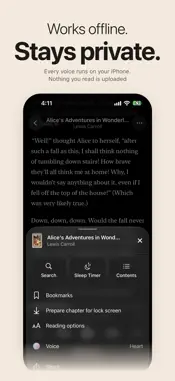
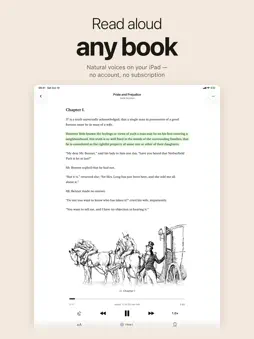
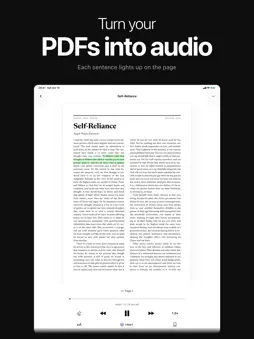
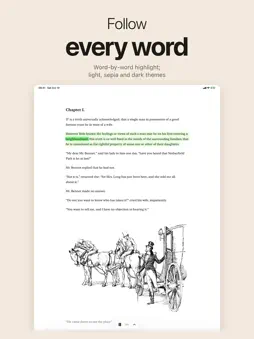
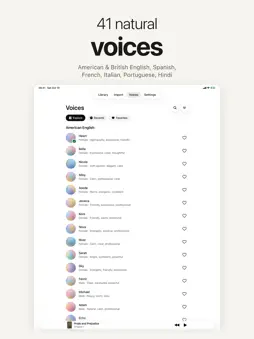
Sandbook reads books, documents and articles aloud in natural voices, entirely on your iPhone or iPad. Nothing you read is uploaded, and there is no account, no subscription and no ads. Press play, lock your screen, and Sandbook keeps reading, in your pocket or in the car with CarPlay. Found an article in Safari, Chrome or another app? Tap Save to Sandbook and it waits in your Listen Later queue. NATURAL VOICES, OFFLINE - 41 voices in American and British English, Spanish, French, Italian, Brazilian Portuguese and Hindi - A book in Spanish, French, Italian, Portuguese or Hindi opens with a voice in its language - Powered by the open-source Kokoro model, running locally; no internet connection needed - Follow along as each spoken word is highlighted - Speed from 0.5x to 2.5x; each book remembers its voice and speed - Pronunciations: tell Sandbook how to say a name or word, in every book or just one READ ALMOST ANYTHING - Import EPUB, PDF, Word (.docx), TXT, RTF, Markdown and HTML files - Add a web page by pasting a link, or save it from Safari, Chrome and other apps with Save to Sandbook in the share sheet - Scan printed pages with the camera, or pick a photo, and listen - Send files or selected text from any app with the share sheet, or type and paste your own - Open a document straight from the Files app with Open With, or set Sandbook as its default app - Browse a shelf of public-domain classics in English, Spanish, French, Italian, Portuguese and Hindi, and play a short sample before you download one LISTEN THE WAY YOU READ - Opens at the paragraph where you stopped - Keep listening when you leave the book, with a mini player at the bottom of the screen - Bookmarks, and search inside a book - Sleep timer: stop after a set time or at the end of the chapter - Passages you've already heard play back instantly - In a PDF, the sentence being read is highlighted on the page; tap any sentence to read from there - Reading options: light, sepia and dark themes, fonts, text size and line spacing - Appearance: light, dark or matching your system - See each book's length, listening time and the time left in the chapter - Keep listening with the screen locked or while you use other apps; the lock screen shows the chapter's progress, with 15-second skips - Listen Later: web pages and text you save wait at the top of your library and play one after another - CarPlay: continue your book, or pick one from your library or Listen Later, and change the speed from the car's screen - Widgets for the Home Screen and Lock Screen, and a Play Sandbook control for Control Center and the Action button - Continue Reading with Siri or the Shortcuts app - Export a chapter or a whole book as one M4A audio file with chapter markers, or any text you type ACCESSIBILITY - VoiceOver, Voice Control, Switch Control, larger text and contrast improvements - The app is available in English, Spanish, French, Italian, Portuguese (Brazil) and Hindi PRIVATE BY DESIGN Your books, text and voices stay on your device. Sandbook never sends what you read to a server. GOOD TO KNOW - Voices require iPhone 12 or later, or an iPad with an A14 or M1 chip or later. Sandbook also needs iOS 18.2 or later. Questions or ideas: [email protected]
What's New
Version 1.1.1 2026-10-28
Listen in the car with CarPlay, and pick up your book from new Home Screen and Lock Screen widgets or from Control Center. You can now export a chapter or a who... Technical Analysis
Package Overview Basic metadata
Bundle ID
com.mazzystar.sandbook Current Version 1.1.1
Minimum iOS 18.2
Package Size App Store Size
Package Metadata 0 / 3 version records
4.6 / 5.0 (23 ratings)
Detailed binary, privacy manifest, framework, and Info.plist results have not been indexed for this package yet. The verified App Store and archive metadata above remains available.
Developer Information
Known Version Records
0 version records with stored package metadata • 3 known version records
Stored metadata does not guarantee a package is currently available to download.
| Details | Version / IDs | Version date | Action |
|---|---|---|---|
| Not archived | App Store ID: 881037177 | Unknown | Request Version |
| Not archived | App Store ID: 874897049 | Unknown | Request Version |
| Not archived | App Store ID: 874670507 | Unknown | Request Version |