
Preview



Description
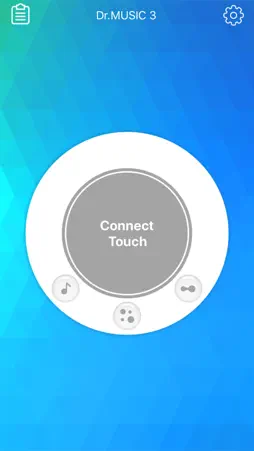
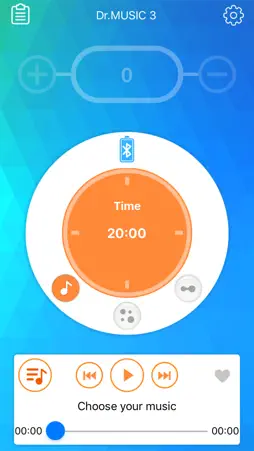
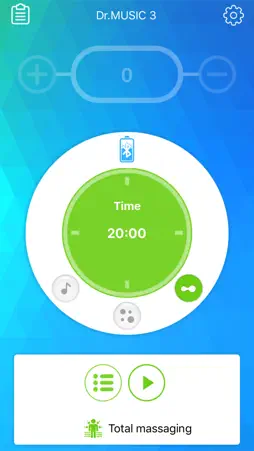
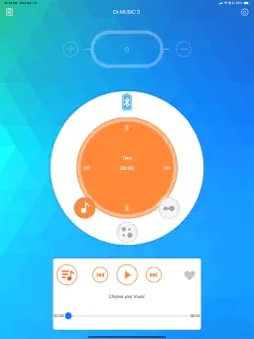
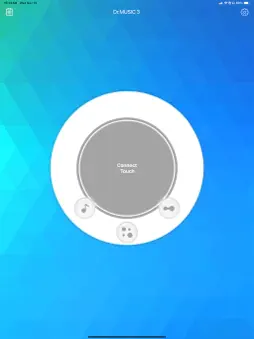
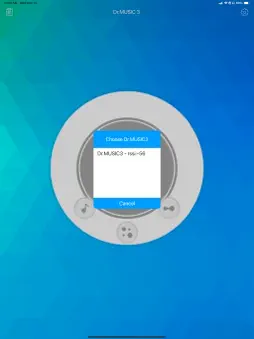
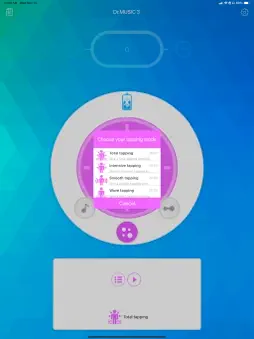
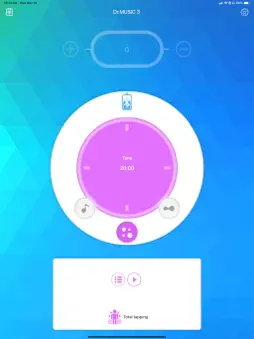
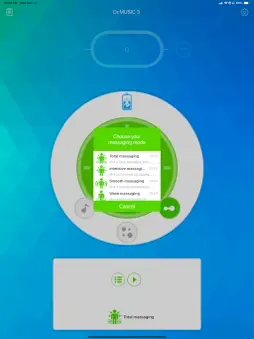
Dr.MUSIC 3: Product Introduction and User Guide • Product Introduction Dr.MUSIC 3 provides various electrical pulses for muscle and nerve stimulation through basic wave modes like Tapping and Kneading, as well as a unique Music Sync mode that syncs with your music. This stimulation can help relieve pain, soothe temporarily paralyzed areas, and provide massage and acupressure-like effects. With continuous use, the electrical stimulation, delivered transcutaneously (through the skin), can help alleviate pain in targeted areas. The device is especially convenient to use with a mobile app optimized for iOS devices, allowing easy access anytime, anywhere. Its slim and lightweight wireless design makes it easy to attach under clothing for discreet, on-the-go use. • Key Features 1. Design: A clean and stylish white color gives the device a modern, smart accessory look. 2. Uniqueness: The Music Sync mode lets you experience diverse stimulation that syncs with your favorite music. 3. Portability: Dr.MUSIC 3’s wireless design allows you to comfortably use the device during activities. 4. Efficiency: Compact yet capable of delivering strong yet gentle stimulation for satisfying results. 5. Convenience: Its slim, compact size makes it easy to store and carry, even when attached to its holder. 6. Safety: Automatically stops if separated from the body or if the electrodes become detached. 7. Ease of Use: Basic functions can be controlled on the device itself, and the mobile app provides simple wireless control for iOS devices. • How Dr.MUSIC 3 Works 1. TENS (Transcutaneous Electrical Nerve Stimulation): Sends electrical pulses through the skin to help relieve pain. 2. EMS (Electrical Muscle Stimulation): Uses electrical pulses to stimulate muscle contractions. 3. Dr.MUSIC 3 transmits pulses through hydrogel electrodes and uses a rechargeable battery. Users can operate the device via the mobile app or directly from the device itself to select the desired mode and settings. • Modes 1. Music Sync Mode: Provides stimulation that adjusts with the chosen music’s rhythm. - Pulse width: 50us ~ 150us - Pulse period: 700us ~ 900us 2. Tapping Mode: Provides short, low-frequency pulses to tap muscles. - Pulse width: 50us - Pulse period: 300us 3. Kneading Mode: Provides longer low-frequency pulses to knead muscles. • How to Use Dr.MUSIC 3 1. Using the Device Independently - Connect the detachable connector: Attach the detachable connector to the Micro USB charging port to use the device. - Connect the electrodes: Connect the low-frequency stimulation electrodes to the output port. - Attach electrodes to the body: Place the electrodes on the desired area (such as shoulders, legs, arms). - Turn on the device: Press and hold the power/mode button to turn it on. - Select mode: Press the power/mode button briefly to cycle through modes: Music Sync → Tapping → Kneading. - Adjust intensity: Use the intensity adjustment button to control the stimulation level. (Operation time is 15 minutes.) - Stop operation: Press the power/mode button to stop, and press the intensity button to restart if needed. 2. Using the Mobile App - Connect the detachable connector: Attach the detachable connector to the Micro USB charging port. - Connect the electrodes: Connect the low-frequency stimulation electrodes to the output port. - Attach electrodes to the body: Place the electrodes on the desired area. - Turn on the device: Press and hold the power/mode button to turn it on. - Launch the mobile app: Enable Bluetooth on your mobile device and open the app. - Pairing: Pair the device with the app. - End session: When finished, press HOME or BACK on your mobile platform to exit the app.
What's New
Version 1.3.2 2026-05-07
Fixed an issue where the timer would stop when the app entered the background during a massage session. Technical Analysis
Package Overview Basic metadata
Bundle ID
com.smd21.drmusic3 Current Version 1.3.2
Minimum iOS 13.0
Package Size App Store Size
Package Metadata 1 / 11 version records
Detailed binary, privacy manifest, framework, and Info.plist results have not been indexed for this package yet. The verified App Store and archive metadata above remains available.
Developer Information
Known Version Records
1 version record with stored package metadata • 11 known version records
Stored metadata does not guarantee a package is currently available to download.
| Details | Version / IDs | Version date | Action |
|---|---|---|---|
 Not archived | App Store ID: 885369467 | Unknown | Request Version |
| Not archived | App Store ID: 883816385 | Unknown | Request Version |
| Not archived | App Store ID: 883456624 | Unknown | Request Version |
| 13.16 MB | v1.2.6 App Store ID: 870359756Build: 24 | 2024-11-12 09:20:12 | Get Version |
| Not archived | App Store ID: 841567743 | Unknown | Request Version |
| Not archived | App Store ID: 822392903 | Unknown | Request Version |
| Not archived | App Store ID: 820400114 | Unknown | Request Version |
| Not archived | App Store ID: 818404183 | Unknown | Request Version |
| Not archived | App Store ID: 818116609 | Unknown | Request Version |
| Not archived | App Store ID: 816993600 | Unknown | Request Version |
| Not archived | App Store ID: 816531915 | Unknown | Request Version |