
Preview

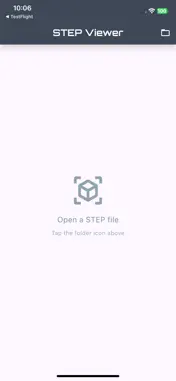


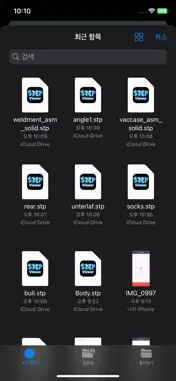


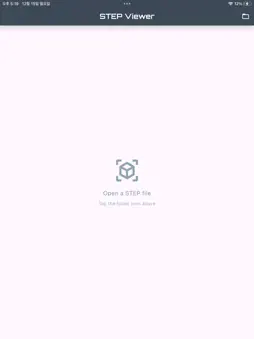
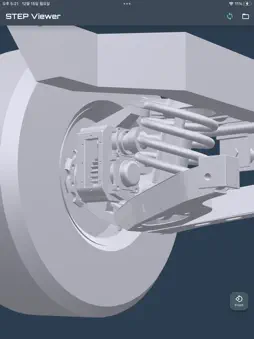

Description
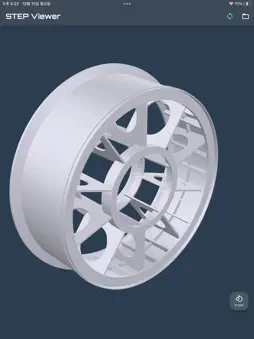
STEP Viewer opens STEP (.step, .stp) CAD files in 3D on your phone. No desktop CAD software needed. Everything is free. There are no in-app purchases. Credits only skip the ad; without credits you can still open every file after watching a short ad. Key features * Open .step and .stp files straight from your file manager - just tap the file * Measure your model: a bounding box with all three side lengths, in mm or m * Six fixed views (front, right, back, left, top, bottom), plus pinch to zoom, pan and rotate * Save the converted model as GLB whenever you need it * Large files show the estimated time and memory before conversion starts, and progress while it runs * If a file cannot be opened, the app tells you why instead of failing silently * Available in 12 languages, following your device settings Supported formats * Input: .stp, .step (STEP AP203, AP214) * Output: .glb (glTF Binary) How to use 1. Tap a .step file in your file manager, or open the app and tap the folder icon 2. Wait for the conversion - large files show progress and an estimate 3. Drag to rotate, pinch to zoom, tap the view button to switch sides License This app uses Open CASCADE Technology (LGPL-2.1). https://www.opencascade.com For questions or bug reports, please contact us by email.
What's New
Version 1.2.2 2026-09-04
• Select parts — pick the parts you want and highlight them in color • Measure the size of just the parts you selected • Fixed "Save as GLB" doing nothing on iO... Technical Analysis
Package Overview Basic metadata
Bundle ID
com.mindblown.stepfileviewer Current Version 1.2.2
Minimum iOS 13.0
Package Size App Store Size
Package Metadata 2 / 5 version records
0.0 / 5.0 (0 ratings)
Detailed binary, privacy manifest, framework, and Info.plist results have not been indexed for this package yet. The verified App Store and archive metadata above remains available.
Developer Information
Known Version Records
2 version records with stored package metadata • 5 known version records
Stored metadata does not guarantee a package is currently available to download.
| Details | Version / IDs | Version date | Action |
|---|---|---|---|
| 60.58 MB | v1.2.2 App Store ID: 890789217Build: 1.2.2 | 2026-09-04 08:40:12 | Get Version |
| Not archived | v1.1.3 App Store ID: 890554817Build: 1.1.3 | 2026-08-31 17:52:19 | Request Version |
| 60.58 MB | v1.2.2 App Store ID: 881144546Build: 1.2.2 | 2026-09-04 08:40:12 | Get Version |
| Not archived | v1.01 App Store ID: 881025047Build: 1.01 | 2025-12-31 08:08:52 | Request Version |
| Not archived | v1.0 App Store ID: 880653991Build: 1.0 | 2025-12-24 06:14:18 | Request Version |