
Preview







Description
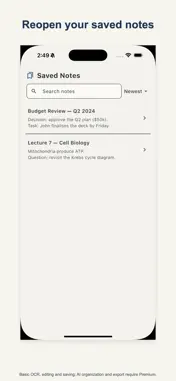
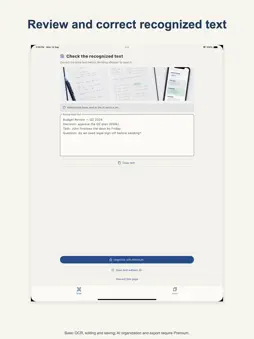
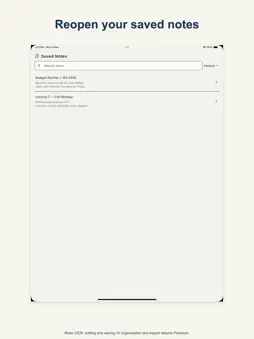
Turn photos of your handwritten pages into clear, editable notes. HandNote keeps each original page next to its text on your device, so you can check the handwriting at any time instead of typing everything again. • Current recognition supports handwriting written with the Latin alphabet. • Recognize a handwritten page for free and add up to 10 pages to one note. • While you review, words that may need checking are highlighted. • Corrections you make are remembered and applied automatically next time. • Saved notes keep the original photo next to the text, stored on your device. • Notes are grouped by date — today, this week, earlier — and you can sort them into notebooks. • Copy or share the text, share a designed image card with or without the original page, or save the card to Photos. • Export all your notes at once as a zip with text files and the original photos. • Your first AI organization is free: see the outline, key points, summary and study cards for one of your own notes. • Premium keeps organizing every page after that and adds PDF, Markdown or plain-text file export. How it works: 1. Photograph a handwritten page or choose one from your photo library, then add more pages if you need them. 2. Check the highlighted words and correct anything the recognition got wrong. 3. Save the note with its original page, share it as text or an image card, and organize it with AI — the first time is free. The app is free to download. Recognition, review, editing, saving with the original photo, multi-page notes, correction memory, notebooks, copying, sharing text and image cards, and exporting all notes as a zip are available without upgrading, and your first AI organization is free. HandNote Premium only adds AI organization after that (outline, key points, summary and study cards) and PDF, Markdown or plain-text file export, through an auto-renewing weekly subscription or a permanent purchase. Important: Handwriting recognition and AI-organized content may contain errors. Always check important information against the original page. Apple Standard Terms: https://www.apple.com/legal/internet-services/itunes/dev/stdeula/ Privacy Policy: https://handnote.skybringup.com/privacy/
What's New
Version 1.5.0 2026-10-24
• Notes can now hold up to 10 pages, and each page keeps its original photo next to the text. • Words that may need checking are highlighted while you review. •... Technical Analysis
Package Overview Basic metadata
Bundle ID
com.skybringup.handnote Current Version 1.5.0
Minimum iOS 15.5
Package Size App Store Size
Package Metadata 1 / 5 version records
Detailed binary, privacy manifest, framework, and Info.plist results have not been indexed for this package yet. The verified App Store and archive metadata above remains available.
Developer Information
Known Version Records
1 version record with stored package metadata • 5 known version records
Stored metadata does not guarantee a package is currently available to download.
| Details | Version / IDs | Version date | Action |
|---|---|---|---|
| 71.38 MB | v1.4.1 App Store ID: 887206531Build: 1.4.1 | 2026-09-25 23:22:55 | Get Version |
| Not archived | App Store ID: 885627541 | Unknown | Request Version |
| Not archived | App Store ID: 885214085 | Unknown | Request Version |
| Not archived | App Store ID: 884541224 | Unknown | Request Version |
| Not archived | App Store ID: 883571723 | Unknown | Request Version |