Preview







Description
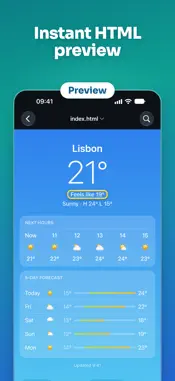
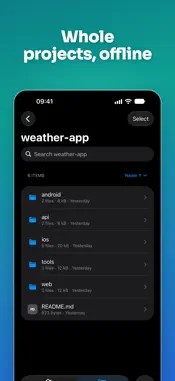
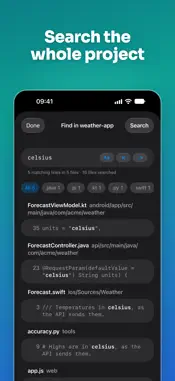
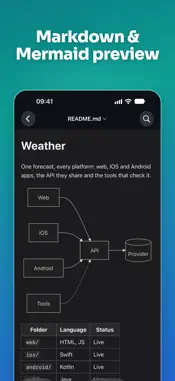
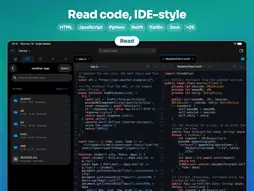
Read any code on your iPhone and iPad like in your IDE — and open the files developers get sent every day: Markdown, JSON, CSV, HTML, YAML, logs and notebooks. READ CODE • 25+ languages with Tree-sitter highlighting • Symbols, Go to Definition and Uses — tap a name to jump • Project search, Quick Open, Find in file • Import from GitHub, GitLab, Bitbucket, ZIP or Files; open files in place from iCloud Drive • Everything in your library works offline PREVIEW • Markdown with tables, task lists and Mermaid diagrams • JSON and YAML as a tree, CSV as a table • HTML, SVG, images, Jupyter notebooks and diffs EDIT • Fix a typo or a config value right in the file, with a diff before saving • Find & Replace (regex), auto-pairs, comment lines • Unsaved changes are kept as drafts PULL REQUESTS — GitHub, GitLab and Bitbucket • Syntax-highlighted diffs, line comments and suggested changes • Approve, request changes, merge, re-run CI • Commit and push, or open a pull request — no laptop needed • Explain Changes: a clear breakdown of big PRs with your own AI key Not an IDE: no build or run — made for reading, reviewing and quick fixes. FREE & PRO Reading, previews and editing are free, with no ads, and so are two repositories in your library. Code Viewer Pro adds unlimited and private repositories, your own themes and fonts, and the pull request workflow: line comments, approve and merge, push, GitLab and Bitbucket, AI explanations and notifications. Yearly with a free week, or once for life. Terms of Use: https://www.apple.com/legal/internet-services/itunes/dev/stdeula/ GitHub, GitLab and Bitbucket are trademarks of their respective owners. Code Viewer is not affiliated with or endorsed by them.
What's New
Version 3.2 2026-11-20
New in 3.2 • Display in the reader now has Font, Custom Theme and a profile for each language: try them on the file you're reading • Jupyter notebooks open high...New in 3.2 • Display in the reader now has Font, Custom Theme and a profile for each language: try them on the file you're reading • Jupyter notebooks open highlighted • Fixed a crash when opening Settings from the Mac menu bar • Bug fixes and improvements Technical Analysis
Package Overview Basic metadata
Bundle ID
com.skorokhod.objcViewer Current Version 3.2
Minimum iOS 18.0
Package Size App Store Size
Package Metadata 0 / 7 version records
3.3 / 5.0 (19 ratings)
Detailed binary, privacy manifest, framework, and Info.plist results have not been indexed for this package yet. The verified App Store and archive metadata above remains available.
Developer Information
Known Version Records
0 version records with stored package metadata • 7 known version records
Stored metadata does not guarantee a package is currently available to download.
| Details | Version / IDs | Version date | Action |
|---|---|---|---|
| Not archived | App Store ID: 841444711 | Unknown | Request Version |
| Not archived | App Store ID: 815655719 | Unknown | Request Version |
| Not archived | App Store ID: 586353122 | Unknown | Request Version |
| Not archived | App Store ID: 578152976 | Unknown | Request Version |
| Not archived | App Store ID: 244562753 | Unknown | Request Version |
| Not archived | App Store ID: 217652643 | Unknown | Request Version |
| Not archived | App Store ID: 150032635 | Unknown | Request Version |