
Preview


Description
We are building the first instant photo sharing App among friends that works entirely without any internet connection or friends subscription. Skip is the fastest way to share pictures of you and your friends right in the moment. Our technology recognizes the people you take pictures with and lets you share the pictures instantly with just one swipe. We’ve focused tremendously on simplicity and minimalism to ensure an appealing user experience.
HOW DOES SKIP WORK? If you’re new to Skip, here some basics to warm up. BE WITH FRIENDS! Skip is all about being together. It is made for taking and sharing pictures with friends right in the moment. Here is an example. Let’s say you are at a party with some friends and take cool pictures together. The next day, you always end up asking your friends to send over the pictures. But instead of bugging your friends and waiting for the pictures, you could have just used Skip that day and would have gotten all pictures right in the moment, right on your phone. Skip is the secret to get all the pictures your friends take. It doesn’t even require any internet connectivity, meaning sharing pictures is incredibly quick.
With Skip, you can “SHARE THE WOW. NOW” ... because all of us know that's NOW or never.
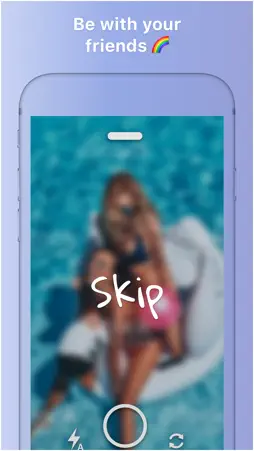
HOW TO “SKIP” PICTURES Skip is actually pretty simple to use. Just take a picture and decide what you want to do with it. Either you swipe it up and share it automatically with all friends next to you or you swipe it down and save it in your photo gallery just for yourself. To take a new picture you need to delete the existing one by swiping it away. HOW TO GET PICTURES
If you want to get the pictures your friends took you need to enter the so-called VIRTUAL GALLERY which is basically the place where all the pictures of you and your friends are stored. In this gallery, you can simply select the pictures you want to save by swiping down or pressing the “save” button. So how do you enter this virtual gallery? Well, guess what. It's really simple. When you are on the main screen of Skip, you just need to swipe down and you automatically see all the pictures of you and your friends. Here you can save the pictures you want and they will be directly saved to your phone’s camera roll. As soon as you’ve selected all the pictures you want, leave the virtual gallery and you can “skip” again. ABOUT US Skip means the world to us and we are really interested in your thoughts. We are working hard to improve the product every day.
If you have any questions feel free to contact us: [email protected] Cheers! Your Skip Team
What's New
Version 1.6.1 2018-04-09
- We improved our onboarding!! - We added some new animations - Performance improvements and bug fixes Technical Analysis
Package Overview Basic metadata
Bundle ID
com.skip.app.now Current Version 1.6.1
Minimum iOS 8.0
Package Size App Store Size
Package Metadata 1 / 6 version records
Detailed binary, privacy manifest, framework, and Info.plist results have not been indexed for this package yet. The verified App Store and archive metadata above remains available.
Developer Information
Known Version Records
1 version record with stored package metadata • 6 known version records
Stored metadata does not guarantee a package is currently available to download.
| Details | Version / IDs | Version date | Action |
|---|---|---|---|
| 114.85 MB | v1.6.1 App Store ID: 826606099Build: 1.6.1 | 2018-04-09 03:55:10 | Get Version |
| Not archived | App Store ID: 826387737 | Unknown | Request Version |
| Not archived | App Store ID: 826319393 | Unknown | Request Version |
| Not archived | App Store ID: 826285586 | Unknown | Request Version |
| Not archived | App Store ID: 826270014 | Unknown | Request Version |
| Not archived | App Store ID: 825345511 | Unknown | Request Version |