
Preview

Description
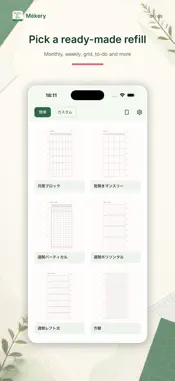
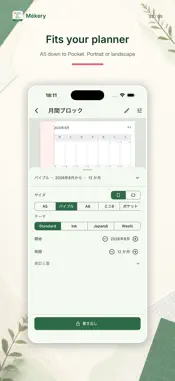
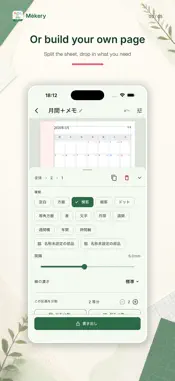
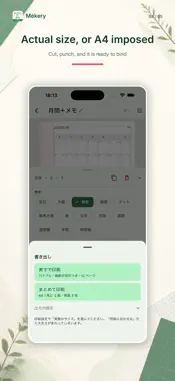
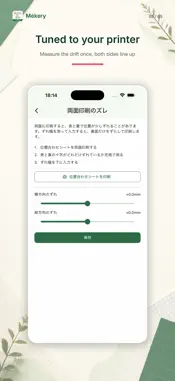
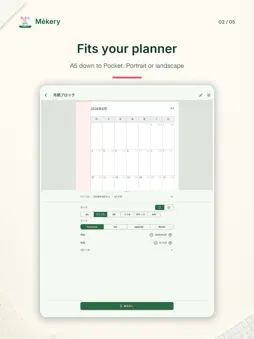
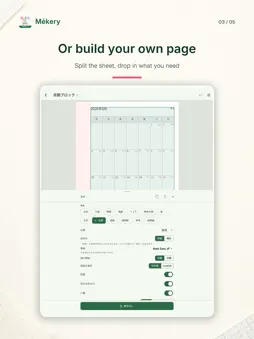
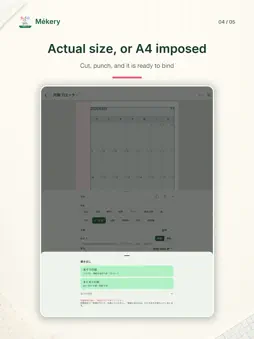
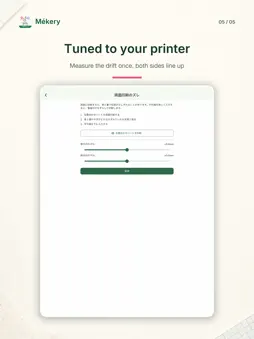
The refill you want isn't on the shelf. Mékery makes planner refills that fit the binder you already own, and prints them on the printer you already have. Pick a ready-made one, or split the page yourself and build it. ■ Fits your binder A5, Personal / Bible (95×170mm), A6, Mini 6 (80×126mm), Pocket, M5 (62×105mm). You can also use the paper sideways, which makes calendar cells much wider. The binding edge is reserved as a band, so the holes you punch never cut a rule. Its width moves in 0.1mm steps. Dial it in to the rings you have. ■ Ready-made pages Monthly block, Monthly spread, Weekly vertical, Weekly horizontal, Weekly left-side, Hourly schedule, Habit tracker, Year at a glance, To-do list, Chart grid, Grid, Dot grid, Isometric, Ruled, Vertical ruled, and more. - Monthly colors the public holidays of Japan, Korea or Taiwan, and can show rokuyo. Six rows every month, so the rules line up front and back - Weekly vertical runs midnight to midnight. The hours you actually use get the room; early morning and late night are compressed. Set the range with a two-handle slider Grid and rule spacing runs 2.5mm to 10mm, in 0.5mm steps. ■ Or build your own Split the page across or down. Split one of those blocks again. That is the whole operation. There is no cell merging - nesting does the same job. What you can drop into a block: - Grid / dots / isometric / ruled / vertical ruled / table / text / fill - Monthly block / weekly vertical / weekly horizontal / year / hourly schedule A calendar you drop in shrinks to fit its block. Left alone the text would be crushed, so you choose: reflow the layout only, scale the whole thing, or keep it at its original size. Save a combination you like as a "part", give it a name, and reuse it. Edit the part and every place you put it changes with it. Two-page spreads are supported, and pages can repeat by month or by week. ■ Choose a typeface Per block. Mincho, classic mincho, rounded gothic, textbook, brush, retro, pop. There are decorative Latin faces (script, inscriptional, display) and a Korean face. You download only the ones you use, so the app itself stays small, and once downloaded they work offline. ■ The language on the page Weekday, month and week headings come in Japanese or English, set per block, so one sheet can mix them. Weekdays can be MON / Mo / M. The Japanese era, holiday coloring and rokuyo each have their own switch, independent of the language. ■ Actual size, or several to a sheet The actual-size PDF carries trim marks, so there is no guessing when you cut. You can also export imposed onto A4, ordered so that front and back line up once you print double-sided and trim. ■ Tuned to your printer Home printers shrink the page a little. Print both sides and the two drift apart. Mékery corrects the binding margin, the paper height and the duplex drift in 0.1mm steps. Print the alignment sheet, measure with a ruler, and the correction applies to every template from then on. ■ Take your work with you Export designs and parts to a file, and import them on another device. Full backups too. ■ Share with a link Publish a refill and send the link. Whoever opens it gets their own copy in Mékery to change and print. They don't need an account to receive it. ■ Your pages stay on the device No account, no sign-in to make or print. Designs and PDFs are made on the device and are not uploaded, unless you choose to publish a refill as a share link (publishing asks you to sign in). Ads keep it free. They appear on the list and export screens only, never while you are editing a page. You can remove them with a one-time purchase - the editor, every size, PDF export and duplex calibration are free either way.
What's New
Version 1.23.0 2026-11-11
■ New • New templates are marked "NEW" and shown at the top of the template list. • Password tracker: fits as many accounts as each page size allows (5 on A5, 2...■ New • New templates are marked "NEW" and shown at the top of the template list. • Password tracker: fits as many accounts as each page size allows (5 on A5, 2 on M5). Technical Analysis
Package Overview Basic metadata
Bundle ID
works.skm.mekery Current Version 1.23.0
Minimum iOS 15.0
Package Size App Store Size
Package Metadata 0 / 0 version records
Detailed binary, privacy manifest, framework, and Info.plist results have not been indexed for this package yet. The verified App Store and archive metadata above remains available.
Developer Information
Known Version Records
0 version records with stored package metadata
Stored metadata does not guarantee a package is currently available to download.
| Details | Version / IDs | Version date | Action |
|---|