
Preview




Description
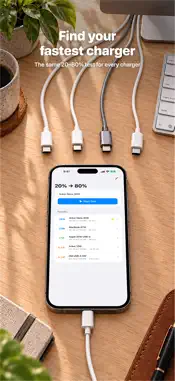
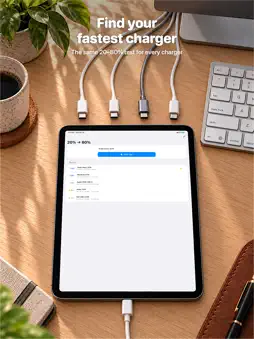
How fast is your charger? Plug in your iPhone or iPad and Watt Charging Speed estimates your charging speed in watts: the power reaching your battery. Tell a fast charger from a slow one, and see whether your cable keeps up. HOW IT WORKS, HONESTLY iPhone and iPad don't let apps read the charging power from the hardware. Watt works out the charging speed from how quickly your battery percentage rises, combined with your device's battery capacity. That means: • The figure is an estimate of the watts reaching the battery. That is less than the charger's rated output: a 20 W charger usually reads below 20 W, and that is expected • iOS reports the battery level in steps, so the first reading can take up to about 10% of charging. After that, the figure follows your charge • The longer a session runs, the steadier the estimate • If Watt doesn't know your device's battery capacity, it says so and uses a typical value WHAT YOU SEE • A watt estimate while you charge • Color-coded speed labels: Fast Charging, Charging, Slow Charging and Trickle Charge • A charging ring and a graph of the session • Estimated time until fully charged • A notice when charging seems to have paused, for example with Optimized Battery Charging COMPARE CHARGERS AND CABLES • Create benchmark tests for a battery range (for example 30% → 80%) and run one with each charger or cable • Compare the results for the same range • See which charger or cable performs best CHARGING HISTORY • Sessions are saved automatically with average watts, duration and battery range • Label each session with the charger you used • Compare sessions over time to spot a slow cable or an aging charger MADE FOR YOUR DEVICE • Has the battery size of every iPhone and iPad that runs iOS 18.6: from iPhone XS to iPhone 18 Pro Max and iPhone Duo, and from older iPads to the latest iPad Pro (M5) • On a few iPhone Pro models Watt asks once whether your iPhone has a SIM card tray, because the battery differs slightly. You can change the answer in Settings • On iPad and an open iPhone Duo, the charging ring and status stay on screen while you switch between Details and Benchmark PRIVATE, ONE PRICE • Pay once: no subscription, no ads, no account • No tracking. All data stays on your device • Works offline FEEDBACK Something looks off, or you have an idea? Tap Send Feedback in Settings or in How It Works. It opens an email with your app version, iOS version and device model filled in. GOOD TO KNOW iOS pauses apps in the background, so keep Watt Charging Speed open while it follows your charge. It keeps the screen awake during a session so nothing is interrupted. Perfect for testing a new charger, finding out why charging feels slow, or settling which of your cables belongs in the drawer.
What's New
Version 1.5 2026-10-26
New devices, a clearer first reading and a better iPad layout: • The first reading can take up to about 10% of charging, and Watt now says so while it waits • B... Technical Analysis
Package Overview Basic metadata
Bundle ID
ai.frekvens.Watt-Charging-Speed Current Version 1.5
Minimum iOS 18.6
Package Size App Store Size
Package Metadata 1 / 5 version records
Detailed binary, privacy manifest, framework, and Info.plist results have not been indexed for this package yet. The verified App Store and archive metadata above remains available.
Price History (USA store)
2 recorded price change points. These are historical observations, not a guarantee of the current price.
| Recorded at | Price | Currency |
|---|---|---|
| 2.99 | USD | |
| 1.99 | USD |
Developer Information
Known Version Records
1 version record with stored package metadata • 5 known version records
Stored metadata does not guarantee a package is currently available to download.
| Details | Version / IDs | Version date | Action |
|---|---|---|---|
| 2.2 MB | v1.3 App Store ID: 887808382Build: 1.3 | 2026-08-27 16:17:47 | Paid / Arcade |
| Not archived | App Store ID: 884775138 | Unknown | Paid / Arcade |
| Not archived | App Store ID: 883881978 | Unknown | Paid / Arcade |
| Not archived | App Store ID: 883383251 | Unknown | Paid / Arcade |
| Not archived | App Store ID: 883120193 | Unknown | Paid / Arcade |