Preview





Description
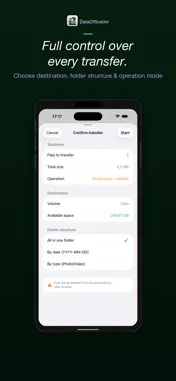
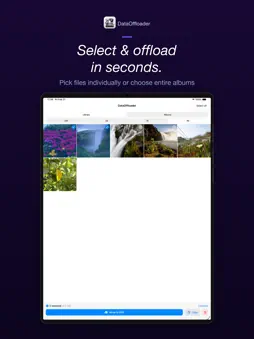
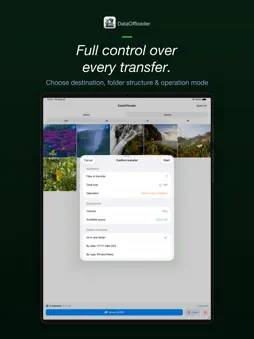
DataOffloader is the fastest way to move photos and videos from your iPhone to an external SSD. If you shoot a lot of content — whether for work, social media, or personal projects — your iPhone storage fills up fast. Especially with ProRes, 4K, and Cinematic Mode videos. DataOffloader gives you a simple, powerful workflow: browse, select, transfer, done. HOW IT WORKS Connect your external SSD to your iPhone via USB-C. Open DataOffloader. Select the media you want to offload. Tap Move or Copy. That's it. SMART BROWSING See all media from the last 24 hours, 3 days, or 7 days at a glance — or browse your entire library. Navigate your existing albums with built-in search. The default view shows your most recent content, so you can offload today's shoot in seconds. POWERFUL FILTERS Filter by media type: photos only, videos only, ProRes, RAW, Live Photos, Slow-Mo, Time-Lapse, Cinematic, or Screenshots. Sort by newest, oldest, largest file size, smallest, or video duration. Find exactly what you need, fast. FAST SELECTION Tap to select individual items. Swipe across the grid to select many at once. Select All to grab everything in your current view. A live counter shows how many items you've selected and their total size. MOVE, COPY, OR DELETE Move files to your external SSD to free up iPhone storage immediately. Copy files to keep them on both devices. Delete files you no longer need with a double-confirmation safety net. DataOffloader preserves original file quality — no compression, no conversion. BUILT FOR CREATORS Whether you're a filmmaker shooting ProRes on iPhone, a photographer managing RAW files, or a content creator clearing space between shoots — DataOffloader is the tool you've been missing. Requires an iPhone with USB-C connector and an external storage device.
Technical Analysis
Package Overview Basic metadata
Bundle ID
com.smontanari.DataOffloader Current Version 1.3.1
Minimum iOS 26.1
Package Size App Store Size
Package Metadata 1 / 1 version records
Detailed binary, privacy manifest, framework, and Info.plist results have not been indexed for this package yet. The verified App Store and archive metadata above remains available.
Known Version Records
1 version record with stored package metadata
Stored metadata does not guarantee a package is currently available to download.
| Details | Version / IDs | Version date | Action |
|---|---|---|---|
| 3.59 MB | v1.3.1 App Store ID: 882865569Build: 1.3.1 | 2026-03-09 13:00:24 | Paid / Arcade |