Preview


Description
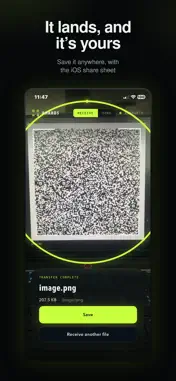
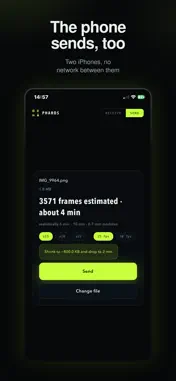
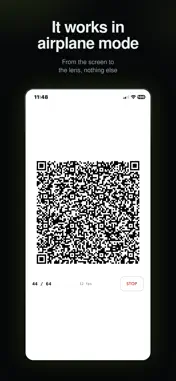
From screen to camera. No network, no account. Pharos moves a file from one device to another through light: one screen displays a sequence of QR codes, the other device's camera reads them and puts the file back together. No server in between, no cable, no account — and no connection, because none is needed. TWO WAYS, ONE CHANNEL • Between two iPhones with Pharos installed: one switches to SEND, the other stays on RECEIVE. The app does both halves, so either phone can send or receive. • From a computer, or from any device with a browser: open pharos.delivery and transmit from there. Nothing to install, no account. WHEN IT HELPS • Two phones that share no network and no compatible cable • Guest networks that block AirDrop and device-to-device traffic • Work computers where you cannot install anything or plug in external storage • A phone with no data, somewhere with no usable Wi-Fi • Machines deliberately kept off any network HOW IT WORKS 1. On the device holding the file: open Pharos and switch to SEND, or open pharos.delivery in a browser 2. Pick the file and press Send: the screen starts showing QR codes, one after another 3. On the other iPhone open Pharos, stay on RECEIVE, frame that screen and hold still The percentage climbs as codes are read; at the end the file name appears and you can save it wherever you like. These instructions live inside the app: the question mark in the top bar reopens the guide at any time, from either mode. Each code is not a fixed slice of the file but a combination of slices: the phone reads whichever ones it manages to read, in any order, and rebuilds the file as soon as it has collected enough. That is why no back channel is needed — and therefore no connection at all. WORTH KNOWING BEFORE YOU START • One file at a time, 10 MB maximum • It is an optical channel, so it is slow: around 19 KB per second at best • It needs line of sight between the two screens, and a steady hand: losing a few codes is normal, the phone catches up on the next pass • The transmitting side keeps its screen bright and awake: the app handles that itself • It does not work through video calls or screen recordings: video compression destroys the codes • No encryption: anyone who can see the screen with the app installed receives the same file PRIVACY No data collected, no account, no ads, no analytics, no network requests. The camera analyses frames in memory as they go by: no image is saved or sent anywhere.
Technical Analysis
Package Overview Basic metadata
Bundle ID
it.simoncode.pharos Current Version 1.0.0
Minimum iOS 16.4
Package Size App Store Size
Package Metadata 0 / 0 version records
Detailed binary, privacy manifest, framework, and Info.plist results have not been indexed for this package yet. The verified App Store and archive metadata above remains available.
Developer Information
Known Version Records
0 version records with stored package metadata
Stored metadata does not guarantee a package is currently available to download.
| Details | Version / IDs | Version date | Action |
|---|