
Preview


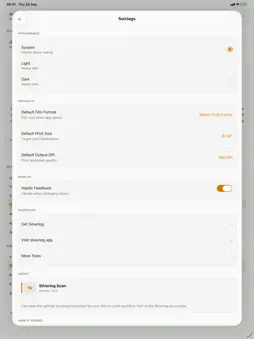


Description
Silverlog Scan calculates the scanning resolution (DPI) needed to achieve your desired print size and quality from your film format. HOW IT WORKS Select your film format (35mm, 120, 4x5, etc.), choose a print size and output quality, and see the minimum scanning DPI required. The calculator accounts for the enlargement factor from negative to print. FEATURES • All common film formats (35mm, 6x4.5, 6x6, 6x7, 6x9, 4x5, 8x10) • 13 standard print sizes from 4×6" to 40×60" (inches) • Output quality from 150 to 400 DPI • Required DPI calculation • Output resolution in megapixels and pixel dimensions • Estimated 8-bit and 16-bit file sizes • Quality indicators • Works offline — no internet connection needed • Clean, focused interface • Dark mode support USEFUL FOR • Setting up flatbed scanner resolution • DSLR scanning resolution planning • Understanding how much detail your film format captures • Choosing the right scanner for your print size needs • Optimising scan time vs quality tradeoffs Part of the Silverlog photography toolkit. No account required. No data collected.
What's New
Version 1.2.1 2026-09-29
Updated for iOS 27, with the latest version of the app's frameworks. Everything works as before. Technical Analysis
Package Overview Basic metadata
Bundle ID
app.silverlog.scan Current Version 1.2.1
Minimum iOS 16.4
Package Size App Store Size
Package Metadata 0 / 1 version records
Detailed binary, privacy manifest, framework, and Info.plist results have not been indexed for this package yet. The verified App Store and archive metadata above remains available.
Developer Information
Known Version Records
0 version records with stored package metadata • 1 known version records
Stored metadata does not guarantee a package is currently available to download.
| Details | Version / IDs | Version date | Action |
|---|---|---|---|
| Not archived | App Store ID: 882472166 | Unknown | Request Version |