
Preview


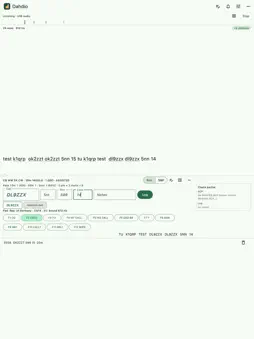


Description
Connect your radio's audio output to your iPhone or iPad and read the Morse code as it is sent. Use a USB audio interface or sound-card adapter, a radio with its own USB audio, or a cable into a headset input. Dahdio finds every CW signal in the audio and decodes them all at the same time. The station you are copying never changes on its own because a louder one turned up. EASY OR EXPERT TUNING, BEST OR ALL TEXT • Easy tuning: Dahdio finds the stations for you and shows them as marks on a tuning strip. Tap one to copy it. • Expert tuning: a waterfall with a marker on every channel. Tap a marker to copy that station, or tap the waterfall to pin a channel on that frequency; long-press a pin to let it go. Automatic channel finding can be turned off, so you choose every channel yourself. • Best text: the station you are copying, full screen. • All text: every station's copy at once, one row each with its frequency and speed, the station you are copying first. Tap a row to copy that station. BUILT FOR REAL BAND CONDITIONS, OVER A DIRECT AUDIO CONNECTION • Three decoders vote on every word: a signal-processing decoder, a neural network and a search decoder. Where they disagree, the vote decides. • Developed and tested on real off-air recordings, hand-checked against what was actually sent: fading, noise, interference, and hand-sent Morse with all its quirks, not just clean machine-generated code. • Follows each station's own speed and pitch automatically. • Stays quiet on noise and carriers instead of filling the screen with junk. Want to see everything anyway? One switch shows it. • A language model helps with common amateur-radio words and abbreviations. You choose how much it may help. • Prosigns shown as prosigns: AR, BT, KN, SK. • Text that may still change is shown dimmed until the decoder is sure. SEND AS WELL AS RECEIVE • A keyboard made for Morse: letters, numbers, prosigns and punctuation. • Send each letter as you type, each word when you press space, or compose a whole reply first. • Anything not yet sent can still be edited. A Correct key sends the usual spaced e's and the word again. • Works with a hardware keyboard too: Return sends, and F1–F12 send your stored messages. • Adjustable speed, sidetone pitch and volume. • Receive, send, or both on one screen: drag the divider or tap RX, RX+TX or TX. LOG AS YOU OPERATE • A logger for contests, POTA and SOTA activations and everyday QSOs, on the same screen as the decoder. • The callsign and exchange are filled in from what the decoder heard. Nothing is logged until you confirm it. • Dupe and worked-before checks. Export ADIF (with per-park POTA files) and Cabrillo. NO CABLE TO HAND? • The built-in microphone works for a quick try, but copy is much weaker than with a cable or USB interface. PRIVATE BY DESIGN • Decoding happens entirely on your device. No account, no sign-in, and no internet connection needed to decode. • Audio is decoded as it arrives and is never recorded or sent anywhere. • Your log stays on your device until you export it. Early access: everything is unlocked until 31 December 2026. After that, the free version decodes up to 4 stations at once, for 10 minutes per session and 30 minutes a day. Made by Ham and More, the makers of HaM.
Technical Analysis
Package Overview Basic metadata
Bundle ID
com.dahdio Current Version 0.1.3
Minimum iOS 15.0
Package Size App Store Size
Package Metadata 0 / 0 version records
Detailed binary, privacy manifest, framework, and Info.plist results have not been indexed for this package yet. The verified App Store and archive metadata above remains available.
Developer Information
Known Version Records
0 version records with stored package metadata
Stored metadata does not guarantee a package is currently available to download.
| Details | Version / IDs | Version date | Action |
|---|