Preview


Description
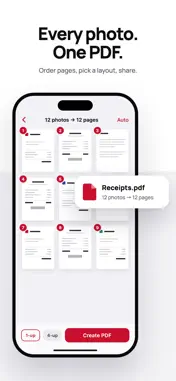
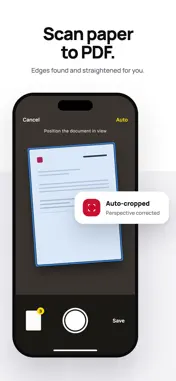
Turn photos into a clean PDF in three taps. Pick your images, drag them into the order you want, and share one document — no account, no upload, no watermark. CONVERT • JPG, PNG, HEIC and screenshots into a single PDF • Drag to reorder pages before you export • 1, 2, 4 or 9 photos per page, with a live preview of the finished page • Auto, Letter or A4 page size • Choose the file size: Original, Email-ready, or Small SCAN • Scan paper documents with automatic edge detection and perspective correction • Multi-page scanning in one session • Scans join the same flow as photos — reorder, lay out, export SIGN • Draw your signature once, place it where it belongs, and save a flat copy • The signature is written into the page, not added as a removable annotation MERGE AND COMPRESS • Combine PDFs top to bottom in the order you arrange them • Shrink an existing PDF to email size EVERYTHING STAYS ON YOUR IPHONE There is no account, no server and no analytics. Every PDF is made on your device and nothing is ever uploaded. That is why the App Privacy label says "Data Not Collected" — and why the app asks for no photo-library permission at all. FREE AND PRO Free covers unlimited PDFs of up to 10 pages, with no watermark and no ads. When a job is bigger than the free limit, the app tells you before it does any work and offers to split it into free PDFs or keep the first 10 pages — the paid option is never the only way forward. Merging PDFs is free twice a week. Pro unlocks long documents, 2/4/9-per-page layouts and unlimited merging: $19.99/year, $4.99/month or $1.99/week. There is no free trial. Payment is charged to your Apple Account at confirmation of purchase. Subscriptions renew automatically unless auto-renew is turned off at least 24 hours before the end of the current period. Your account is charged for renewal within 24 hours prior to the end of the current period. You can manage and cancel subscriptions in your Apple Account settings after purchase. Privacy Policy: https://github.com/Katsuchiyo/appoutliers/blob/main/privacy-policy-imagetopdf Terms of Use (EULA): https://www.apple.com/legal/internet-services/itunes/dev/stdeula/
What's New
Version 1.8 2026-10-14
Pro now comes as a weekly, monthly or yearly plan — pick what suits you. Plus minor improvements. Technical Analysis
Package Overview Basic metadata
Bundle ID
SSJ.ImageToPDF Current Version 1.8
Minimum iOS 18.0
Package Size App Store Size
Package Metadata 0 / 0 version records
Detailed binary, privacy manifest, framework, and Info.plist results have not been indexed for this package yet. The verified App Store and archive metadata above remains available.
Developer Information
Known Version Records
0 version records with stored package metadata
Stored metadata does not guarantee a package is currently available to download.
| Details | Version / IDs | Version date | Action |
|---|