
Preview



Description
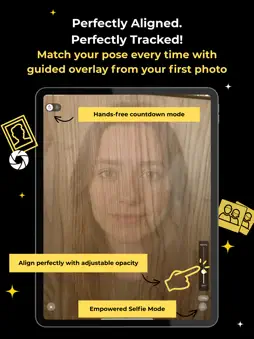
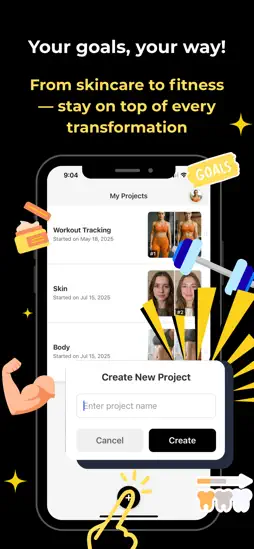
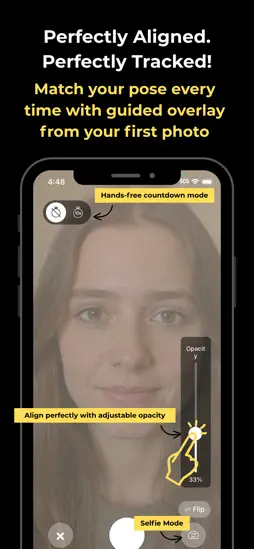
EZ Progress — Capture True Before-and-After Moments Stop guessing how to hold your phone each time you document progress. EZ Progress lets you pin a previous shot as a semi-transparent “anchor photo” right over the live camera view, so you can line up every detail—angle, distance, and lighting—in seconds. No grids or fancy guides, just a clear ghost image that makes perfect alignment feel effortless. Core Features (Version 1.0) Anchor-Photo Overlay – Choose any previous picture; it fades into your viewfinder, acting like a live reference layer while you shoot. Instant Side-by-Side Preview – Snap the shutter and immediately see the new image next to its anchor so improvements pop. Secure, On-Device Library – All photos are stored locally and organized by project; nothing leaves your phone unless you decide. Clean, Ad-Free Interface – A minimal design focused on one job: capturing consistent progress shots quickly. Why It Matters A few millimeters or degrees can make “progress” look exaggerated—or invisible. The anchor overlay keeps framing constant, so changes in your body transformation, skincare routine, medical recovery, or creative projects appear exactly as they are. Perfect For Fitness & body-recomposition tracking Skincare journeys and cosmetic treatments Post-surgery or physical therapy documentation Creative builds, DIY, or art projects that evolve over time Our Promise Your images stay private and under your control. We don’t analyze, upload, or share them unless you choose to export or back them up manually.
What's New
Version 1.1 2025-07-31
EZ Progress Version 1.1.0 - Complete Feature Update Major New Features 1. Custom Project Reordering Drag & drop interface - Intuitive 6-dot handle on the right ...EZ Progress Version 1.1.0 - Complete Feature Update Major New Features 1. Custom Project Reordering Drag & drop interface - Intuitive 6-dot handle on the right side of each project card Instant reordering - Organize projects by priority, progress, or personal preference Smooth animations - Cards glide seamlessly with real-time visual feedback Persistent rankings - Your custom order saves automatically and syncs across devices 2. Enhanced Project Management Swipe-to-delete functionality - Simply swipe left on any project card to reveal delete option Streamlined project removal - Quick and intuitive way to clean up completed or unwanted projects Confirmation safeguards - Prevents accidental deletions 3. Timeline View New timeline interface - Visual chronological view of your progress journey Progress tracking - See your transformation over time in an organized timeline format Enhanced photo organization - Better way to view and navigate through your progress photos 4. Profile Customization Custom profile pictures - Upload and set personalized avatar images Persistent avatars - Profile pictures remain after logout/login cycles Improved user experience - Make your progress journey truly personal 5. User Feedback System In-app feedback button - Direct channel for users to share suggestions and report issues Streamlined communication - Easy way for users to help improve the app Community-driven development - Your feedback shapes future updates 6. UI/UX Improvements Redesigned project cards - Cleaner, more modern layout with better visual hierarchy Optimized spacing and layout - More efficient use of screen space Enhanced visual design - Improved readability and aesthetic appeal Better touch targets - Easier interaction with all interface elements Technical Enhancements Performance & Reliability Optimistic UI updates - Instant visual feedback while background operations complete Error handling with rollback - Automatic recovery if operations fail Database optimizations - Faster loading and smoother performance Enhanced data persistence - More reliable saving and syncing User Experience Polish Gesture conflict resolution - Smooth interaction between drag, swipe, and tap gestures Dynamic layout calculations - Responsive design that adapts to different screen sizes Visual feedback improvements - Clear indicators for all user actions Perfect For: Fitness enthusiasts tracking workout progress and body transformations Home improvement projects documenting renovation stages and results Personal development monitoring any type of before/after progression Goal achievers who want organized, visual progress tracking Version 1.1.0 transforms EZ Progress into a comprehensive progress tracking platform with intuitive project management, personalized organization, and enhanced user control - making it easier than ever to document and celebrate your transformation journey! Version 1.0 2025-07-22
Technical Analysis
Package Overview Basic metadata
Bundle ID
com.ezprogress Current Version 1.1
Minimum iOS 15.1
Package Size App Store Size
Package Metadata 0 / 2 version records
Detailed binary, privacy manifest, framework, and Info.plist results have not been indexed for this package yet. The verified App Store and archive metadata above remains available.
Related Apps


Developer Information
Known Version Records
0 version records with stored package metadata • 2 known version records
Stored metadata does not guarantee a package is currently available to download.
| Details | Version / IDs | Version date | Action |
|---|---|---|---|
| Not archived | v1.1 App Store ID: 876682450Build: 1.1 | 2025-07-31 03:56:26 | Request Version |
| Not archived | v1.0 App Store ID: 876387838Build: 1.0 | 2025-07-22 20:43:11 | Request Version |