Preview




Description
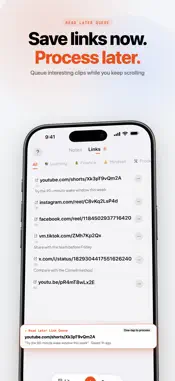
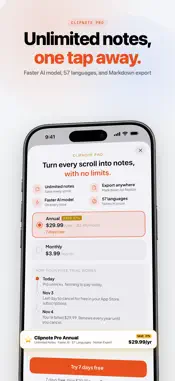
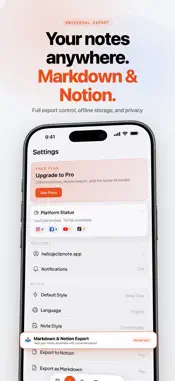
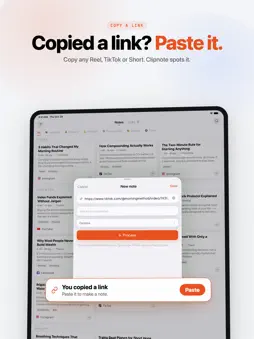
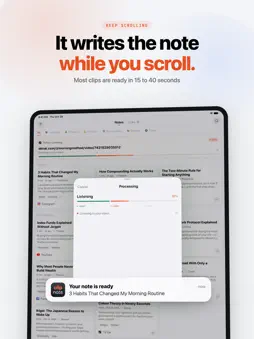
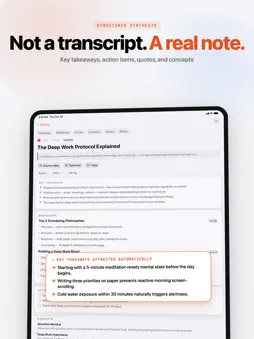
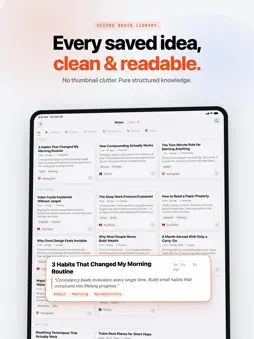
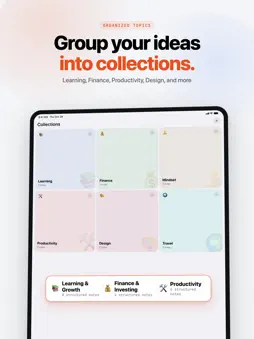
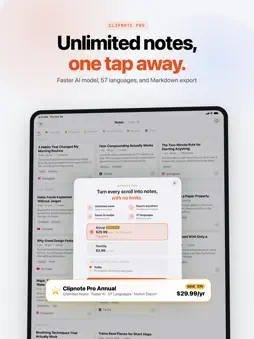
Keep the point of the videos worth remembering, as notes you will actually read. Share a Reel, a TikTok, a YouTube Short, or a Facebook video to Clipnote and get a structured note back: key takeaways, sections, action items, quotes, and the terms explained. Not a transcript. A real note. HOW IT WORKS 1. Tap Share on a video or link in Instagram, TikTok, YouTube, Facebook, Threads, X, Safari, or Photos. 2. Pick Clipnote in the share sheet. 3. Choose Process now, or save the link to read later. Clipnote transcribes the video and writes the note while you keep scrolling. A typical clip takes 15 to 40 seconds; longer videos take longer. WHAT'S IN A NOTE - Key takeaways: the points worth remembering - Sections that follow the video, whether it is a recipe, a tutorial, or a talk - Action items to act on - Quotes worth saving, word for word - Concepts: jargon and unfamiliar names explained - Questions to think about afterwards Pick Quick, Standard, or Deep notes, and write them in any of 57 languages. YOUR LIBRARY - Every note is saved on your phone and readable offline - Search, tags, and collections keep topics apart - Links: a read-later list for videos you have not processed yet - Works on iPhone and iPad CLIPNOTE PRO - Unlimited notes - Notes ready sooner, on the faster AI model - Export your whole library to Markdown or Notion The free plan includes 5 notes a month. PRIVACY Videos are deleted once they are transcribed. Your account keeps the note, its transcript, and a few still images from the video to illustrate it. Never the video itself. Terms of Use (EULA): https://clipnote.site/terms Privacy Policy: https://clipnote.site/privacy
What's New
Version 1.5.4 2026-11-11
- Share a note with anyone: tap "Share link" in the note's menu and send the link. It opens in any browser, no app or account needed, and you can stop sharing w...- Share a note with anyone: tap "Share link" in the note's menu and send the link. It opens in any browser, no app or account needed, and you can stop sharing whenever you like. - A note didn't work out? Tap Retry on the failed card in your Library to try it again. - On the free plan, the Library shows how many free notes you have left this month. - Settings now shows "Ends on" with the date when you've turned off auto-renew, instead of a renewal date that won't happen. - Rate Clipnote in Settings opens the App Store review page right away. - Clearer messages when a video can't be fetched, and the right Pro price in the Share Extension. Technical Analysis
Package Overview Basic metadata
Bundle ID
site.clipnote.app Current Version 1.5.4
Minimum iOS 17.0
Package Size App Store Size
Package Metadata 0 / 2 version records
Detailed binary, privacy manifest, framework, and Info.plist results have not been indexed for this package yet. The verified App Store and archive metadata above remains available.
Developer Information
Known Version Records
0 version records with stored package metadata • 2 known version records
Stored metadata does not guarantee a package is currently available to download.
| Details | Version / IDs | Version date | Action |
|---|---|---|---|
| Not archived | App Store ID: 885411038 | Unknown | Request Version |
| Not archived | App Store ID: 884374211 | Unknown | Request Version |