
Preview



Description
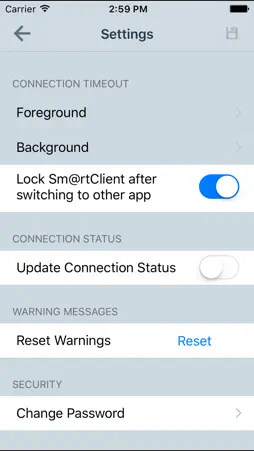
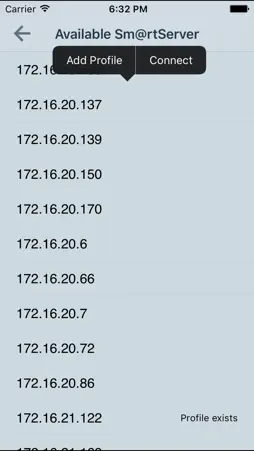
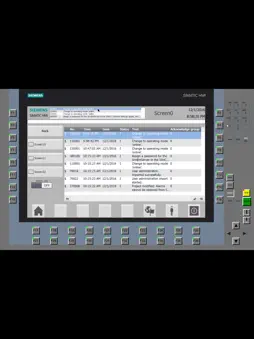
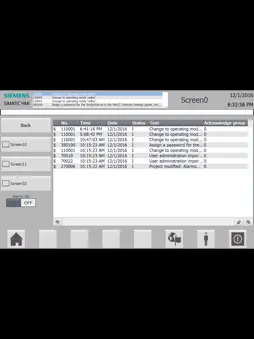
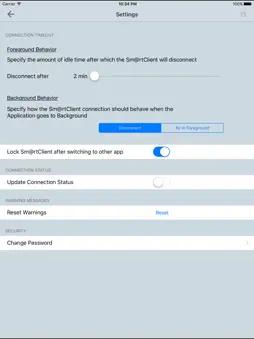
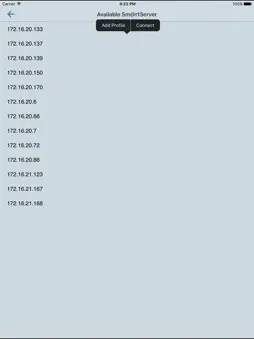
The SIMATIC WinCC Sm@rtClient App, in combination with the SIMATIC WinCC Sm@rtServer, allows remote mobile operation and observation of SIMATIC HMI-systems over Industrial Ethernet/WLAN (wireless). The app is available for SIMATIC HMI Comfort Panels and SIMATIC WinCC Runtime Ad-vanced. The scope of the Sm@rtClient concept allows an operation station to make its display available to the app. The station takes on the role of a Sm@rtServer, while the Smartphone/Tablet takes on the role of the Sm@rtClient. Sm@rtServer functionality can easily be activated with a single mouse click in the device’s configuration settings. The screen can be displayed on the Sm@rtClient by means of a Sm@rtClient display in "View only" mode, but a full-fledged, coordinated operation can be set up as well. "Coordinated operation" implies that at any one time only one user has the right of operation, i.e. either the operator station with Sm@rtServer function or the Sm@rtClient app. Additionally the app supports easy connection configuration by automatic HMI panel detection. Not only does the Sm@rtClient app show a selected display, but it additionally shows the complete layout of the station device, including any functional hardware buttons on the device. As such, device operation may be performed as if the user was directly in front of the device, only that the buttons aren’t actually pressed, but rather are activated with a press on the display of a Smartphone or tablet. SIMATIC WinCC Sm@rtServer: http://www.industry.siemens.com/topics/global/en/tia-portal/hmi-sw-tia-portal/wincc-tia-portal-options/simatic-wincc-smartserver/Pages/Default.aspx
What's New
Version 1.1.4 2019-12-04
Includes binary updates, new store screenshots, updated Changelog. Primary changes are some security updates. Technical Analysis
Package Overview Basic metadata
Bundle ID
com.siemens.plm.winccsmartclient Current Version 1.1.4
Minimum iOS 11.0
Package Size App Store Size
Package Metadata 1 / 5 version records
Detailed binary, privacy manifest, framework, and Info.plist results have not been indexed for this package yet. The verified App Store and archive metadata above remains available.
Developer Information
Known Version Records
1 version record with stored package metadata • 5 known version records
Stored metadata does not guarantee a package is currently available to download.
| Details | Version / IDs | Version date | Action |
|---|---|---|---|
 16.76 MB | v1.1.4 App Store ID: 833631924Build: 1.1.17 | 2019-11-18 12:21:08 | Get Version |
| Not archived | App Store ID: 827863174 | Unknown | Request Version |
| Not archived | App Store ID: 825709080 | Unknown | Request Version |
| Not archived | App Store ID: 823527512 | Unknown | Request Version |
| Not archived | App Store ID: 820860248 | Unknown | Request Version |