Preview




Description
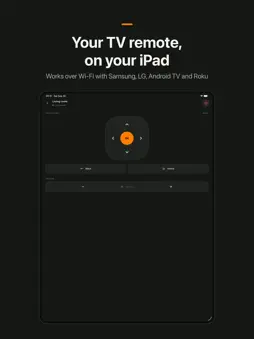
Couch Remote turns your iPhone into a simple Wi-Fi remote for the TV in your living room, and puts the same remote on your Apple Watch. Pair your TV once. After that it's one tap away: a big d-pad with OK, Back and Home, volume and power. WORKS WITH • Samsung Smart TVs (Tizen, 2016 and newer) • LG Smart TVs (webOS) • Android TV and Google TV • Roku TVs and Roku players HOW IT WORKS • Couch Remote looks for TVs on your Wi-Fi. If yours doesn't appear, add it by its IP address. • Pair once: Samsung and LG ask you to Allow on the TV screen, Android TV shows a 6-character code to type in, and Roku needs no pairing at all. • Paired TVs are remembered, so next time you go straight to the remote. ON YOUR APPLE WATCH (COUCH REMOTE PRO) • The TVs you paired on your iPhone, on your wrist. • D-pad, OK, Back, Home and power. • Turn the Digital Crown to change the volume, one click at a time. • The watch sends each press through your iPhone, so keep it nearby. FEATURES • D-pad, OK, Back, Home, volume and power • Hold an arrow or volume key to repeat it • Rename or remove saved TVs • English and Latvian • No account, no sign-up COUCH REMOTE PRO The phone remote is free for one TV, volume and power included. A one-time purchase unlocks the Apple Watch remote and unlimited saved TVs. No subscription, no ads. GOOD TO KNOW • Your iPhone and TV need to be on the same Wi-Fi network. • Turning a TV on from standby depends on the TV model and its network standby setting. • Couch Remote is an independent app and is not affiliated with Samsung, LG, Google or Roku.
What's New
Version 1.1.0 2026-10-23
Swipe remote A new touchpad layout: swipe to move, tap for OK. A long swipe keeps moving, so you can glide along a row. Switch between Buttons and Swipe right a... Technical Analysis
Package Overview Basic metadata
Bundle ID
lv.mbc.tv Current Version 1.1.0
Minimum iOS 13.0
Package Size App Store Size
Package Metadata 0 / 0 version records
Detailed binary, privacy manifest, framework, and Info.plist results have not been indexed for this package yet. The verified App Store and archive metadata above remains available.
Known Version Records
0 version records with stored package metadata
Stored metadata does not guarantee a package is currently available to download.
| Details | Version / IDs | Version date | Action |
|---|