Preview


Description
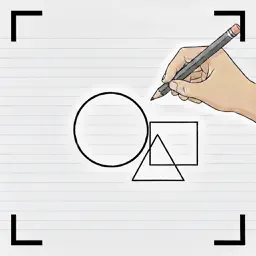
This app is a camera-based drawing assistant that helps you create precise geometric drawings and artwork even without tools like rulers or compasses. By overlaying semi-transparent guides such as circles, regular polygons, and star shapes onto the live camera view, you can easily draw accurate figures just by tracing along the lines on paper. It is useful in many situations, including mathematics, art, crafts, illustration, manga, model making, and DIY. <Features> ・Three geometric modes Supports three modes: circle, regular N-gon (3–12 sides), and star (pentagram). ・Fine control of side count Offers many options such as triangle, quadrilateral, pentagon, hexagon, octagon, decagon, and dodecagon. ・Precise sizing with scaling Adjust the figure size from 30% to 100%, from small shapes to large ones as needed. ・Perfect alignment Use the rotation slider to freely rotate the figure from 0° to 360° and project it onto the camera image at exactly the angle you want. ・Six guide-line colors (semi-transparent for easy tracing) Choose the best color for your drawing background from six options: white, yellow, light blue (cyan), magenta, green, and black. <How to use> 1. Select a shape mode Choose the shape that fits your purpose: circle, regular N-gon, or star. 2. Adjust sides and size For regular N-gons, select from 3 to 12 sides, then adjust the figure size with the slider. 3. Fine-tune the angle (non-circular shapes) Use the rotation slider to align the shape perfectly to the angle you want to draw. 4. Choose a color Select the most visible guide-line color to match your drawing background. 5. Draw along the camera guide Simply trace along the guide lines to complete your figure. With this app, you can create highly accurate geometric shapes even without traditional drawing tools. It is ideal for anyone who wants to draw precise geometric figures. This is a paid app, so no advertisements are shown at any time.
What's New
Version 1.2 2026-07-21
Multilingual support (Traditional Chinese, Italian, Dutch, Turkish, Swedish, Norwegian, Danish, and Brazilian Portuguese) Technical Analysis
Package Overview Basic metadata
Bundle ID
com.gmail-free.jackknife.FigureCamera Current Version 1.2
Minimum iOS 17.6
Package Size App Store Size
Package Metadata 1 / 3 version records
Detailed binary, privacy manifest, framework, and Info.plist results have not been indexed for this package yet. The verified App Store and archive metadata above remains available.
Developer Information
Known Version Records
1 version record with stored package metadata • 3 known version records
Stored metadata does not guarantee a package is currently available to download.
| Details | Version / IDs | Version date | Action |
|---|---|---|---|
| 1.15 MB | v1.2 App Store ID: 888442358Build: 1.2 | 2026-07-21 21:05:07 | Paid / Arcade |
| Not archived | App Store ID: 882315820 | Unknown | Paid / Arcade |
| Not archived | App Store ID: 882101667 | Unknown | Paid / Arcade |