
Preview


Description
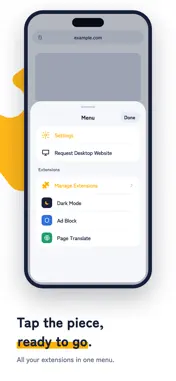
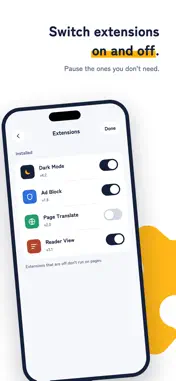
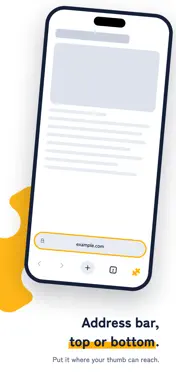
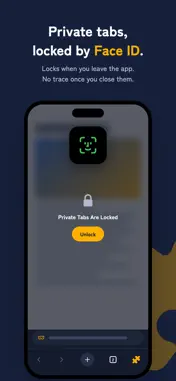
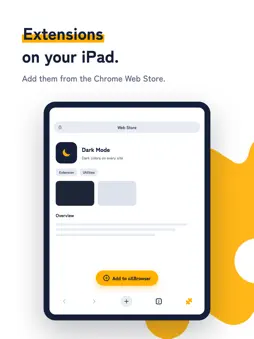
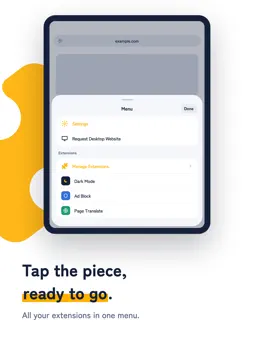
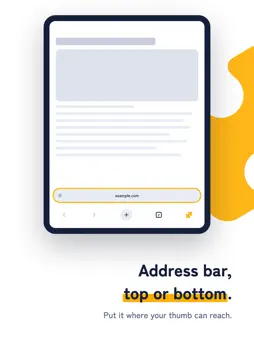
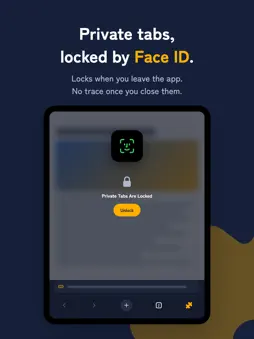
oXBrowser is a browser that runs extensions made for Chrome on your computer, on iPhone and iPad. Pick any extension from the Chrome Web Store and add it right away. ■ Add from the Chrome Web Store ・Open the Web Store in the app, pick an extension, and tap Add ・The Web Store is laid out to fit your phone's screen ・Supports extensions in the latest format (Manifest V3) ・Use your extensions from the toolbar button anytime ■ Fine-tune each extension ・Just like Chrome on your computer, choose where an extension can run: "On all sites", "On specific sites" or "On click" ・Turn off extensions you're not using without removing them ・If something doesn't work, check the extension's log and tips to find out why ■ A browser that's easy to use ・Put the address bar at the top or the bottom ・Bars hide as you scroll, giving the page more room ・See all your tabs in a two-column grid ・Your open tabs come back the next time you start the app ・Switch to the desktop version of any site ・Pull down to reload ■ Private tabs protected by Face ID ・Browse without saving history or cookies ・Private tabs lock when you leave the app and unlock with Face ID or Touch ID ・Only extensions you allow run in private tabs ■ oXBrowser Pro ・Unlimited extensions (up to 3 on the free plan) ・Private tabs ・No ads ・Cyberpunk theme Choose from monthly, yearly, or lifetime plans. Monthly and yearly plans include a 1-week free trial. Cancel during the trial and you won't be charged. About auto-renewing subscriptions ・Payment is charged to your Apple Account at confirmation of purchase. ・Subscriptions renew automatically unless auto-renew is turned off at least 24 hours before the end of the current period. ・Your account is charged for renewal within 24 hours before the end of the current period. ・You can manage your subscription and turn off auto-renew in Settings › Apple Account › Subscriptions after purchase. ・Any unused portion of a free trial is forfeited when you purchase a subscription. * Some features of certain extensions may not work on iPhone and iPad. * Chrome is a trademark of Google LLC. oXBrowser is not affiliated with Google. Terms of Use: https://shion.industries/apps/oxbrowser/terms/ Privacy Policy: https://shion.industries/apps/oxbrowser/privacy/
Technical Analysis
Package Overview Basic metadata
Bundle ID
industries.shion.oXBrowser Current Version 1.0.0
Minimum iOS 18.4
Package Size App Store Size
Package Metadata 0 / 0 version records
Detailed binary, privacy manifest, framework, and Info.plist results have not been indexed for this package yet. The verified App Store and archive metadata above remains available.
Developer Information
Known Version Records
0 version records with stored package metadata
Stored metadata does not guarantee a package is currently available to download.
| Details | Version / IDs | Version date | Action |
|---|