
Preview


Description
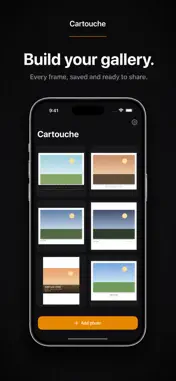
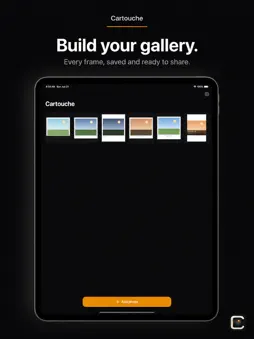
Cartouche turns your photos into clean, gallery-style framed prints — with the camera details baked right in. Pick a photo and Cartouche reads its EXIF data (camera, lens, focal length, aperture, shutter speed, ISO, and date) and stamps it into a beautifully designed frame. Choose a theme, fine-tune the border, background, and shadow, then export at full resolution — ready to share or print. FEATURES • Eight frame themes — from minimal borders to film-strip and poster styles • Automatic EXIF stamping — camera, lens, focal length, aperture, shutter, ISO, date • Adjustable border, background color, and soft drop shadow • Aspect-ratio presets — 1:1, 4:5, 9:16, 16:9, 3:2, or original • Add your @handle to every frame • Full-resolution export (HEIC or JPEG) — your image is never downscaled • Your own library — every creation is saved, easy to reopen and edit • Clean, dark gallery interface that keeps the focus on your photo Built for photographers who want their shots to look considered — whether you're posting to social or printing for the wall. No account required. No ads.
What's New
Version 1.1 2026-07-01
New in Cartouche 1.1: • Blurred Photo background — fill the frame with a soft, blurred version of your own photo instead of a solid color. You'll find it as th... Technical Analysis
Package Overview Basic metadata
Bundle ID
me.workwithpidugu.cartouche Current Version 1.1
Minimum iOS 17.0
Package Size App Store Size
Package Metadata 0 / 0 version records
Detailed binary, privacy manifest, framework, and Info.plist results have not been indexed for this package yet. The verified App Store and archive metadata above remains available.
Developer Information
Known Version Records
0 version records with stored package metadata
Stored metadata does not guarantee a package is currently available to download.
| Details | Version / IDs | Version date | Action |
|---|