Preview



Description
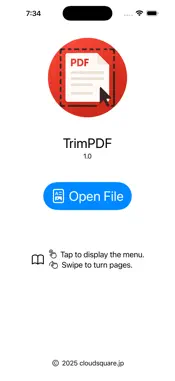
Are PDF margins getting in the way? TrimPDF is a simple PDF viewer designed to crop page margins while you read. When a PDF has large margins, the actual content can appear small even when the page fills the screen. With TrimPDF, you can crop the top, bottom, left, and right margins so the content appears larger and is easier to read. It is especially useful for technical books, manuals, e-books, documents, and other PDFs you read frequently. ■ Crop PDF margins while viewing Adjust the margins at the top, bottom, left, and right of each PDF page. TrimPDF does not modify the original PDF file. The margins are cropped only while viewing. ■ Separate settings for even and odd pages In scanned books and similar PDFs, the margin positions may differ between left and right pages. TrimPDF lets you set different crop margins for even and odd pages. ■ Choose the page-turn direction Set the page-turn direction to match the PDF you are reading. ■ Save settings and reading position TrimPDF saves margin settings and viewing state for each PDF. Once adjusted, you can reopen the PDF later and continue reading with the same settings. ■ A simple PDF viewer TrimPDF is focused on one thing: making PDFs easier to read by cropping unnecessary margins. There are no complicated editing features. If you want a simple way to make margin-heavy PDFs more comfortable to read on iPhone or iPad, TrimPDF is for you.
What's New
Version 1.1 2026-09-24
Icon updated Built with the latest OS SDK Technical Analysis
Package Overview Basic metadata
Bundle ID
jp.cloudsquare.ios.MarginsControlReader Current Version 1.1
Minimum iOS 26.0
Package Size App Store Size
Package Metadata 1 / 1 version records
0.0 / 5.0 (0 ratings)
Detailed binary, privacy manifest, framework, and Info.plist results have not been indexed for this package yet. The verified App Store and archive metadata above remains available.
Known Version Records
1 version record with stored package metadata
Stored metadata does not guarantee a package is currently available to download.
| Details | Version / IDs | Version date | Action |
|---|---|---|---|
| 4.22 MB | v1.0 App Store ID: 878507128Build: 1.0 | 2025-10-06 15:49:28 | Paid / Arcade |