Preview
Description
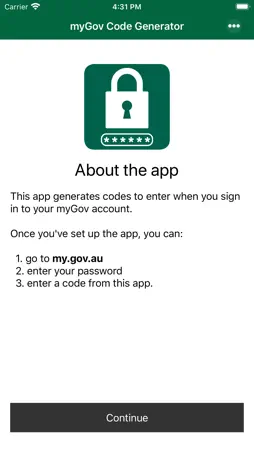
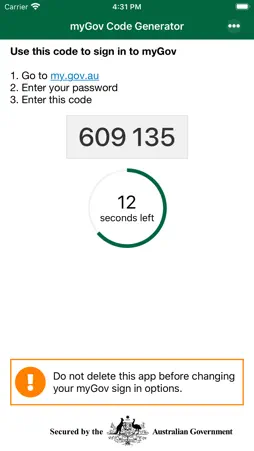
ABOUT THE APP The myGov Code Generator app creates codes. You enter a code from the app when you’re signing in to your myGov account at my.gov.au. You can’t sign in to your myGov account through the app. You use the code generated by the app instead of SMS codes or secret questions. SET UP THE APP After you download the app, you need to set it up on your device. The app will generate codes after you’ve finished setting it up. During set up: • we’ll ask you to read and accept the Terms of Use • we’ll ask you to set up SMS codes as your sign in back-up, if you use secret questions • your myGov sign in option will change to use a code from this app, instead of SMS codes or secret questions • your myGov account sign in settings will automatically register your device for the app. USING THE APP Once you’ve set up the app on your device: 1. go to my.gov.au 2. sign in to myGov with your username and password 3. open the app and enter the 6 digit code. UNINSTALLING THE APP OR GETTING A NEW DEVICE You could lose access to your myGov account if you: • uninstall the app from your device • get a new device. To prevent losing access to your account, you must change your myGov account sign in settings. IF YOU LOSE YOUR DEVICE If you lose your device with the app installed, you can still access your account with your sign in back-up. You’ll need to change your myGov account setting sign in options. If you don’t have a back-up, you’ll lose access to your account. APP TIMER AND CODE A new code will display every 30 seconds. A countdown timer resets each time a new code generates. You have a further 30 seconds to use the code before it expires. You’ll need to use a new code each time you sign in to your myGov account. You can copy and paste the code, if you sign in to my.gov.au on the same device. MORE HELP Go to my.gov.au or call the myGov helpdesk on 13 23 07 and select option 1.
What's New
Version 2.1.0 2020-01-31
Terms of use have been updated to change Department of Human Services references to Services Australia. Technical Analysis
Package Overview Basic metadata
Bundle ID
com.humanservices.mygovaccess Current Version 2.1.0
Minimum iOS 9.0
Package Size App Store Size
Package Metadata 0 / 5 version records
Detailed binary, privacy manifest, framework, and Info.plist results have not been indexed for this package yet. The verified App Store and archive metadata above remains available.
Known Version Records
0 version records with stored package metadata • 5 known version records
Stored metadata does not guarantee a package is currently available to download.
| Details | Version / IDs | Version date | Action |
|---|---|---|---|
| Not archived | App Store ID: 834531067 | Unknown | Request Version |
| Not archived | App Store ID: 833662889 | Unknown | Request Version |
| Not archived | App Store ID: 825764609 | Unknown | Request Version |
| Not archived | App Store ID: 825370836 | Unknown | Request Version |
| Not archived | App Store ID: 825201643 | Unknown | Request Version |