
Preview







Description
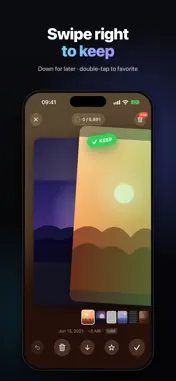
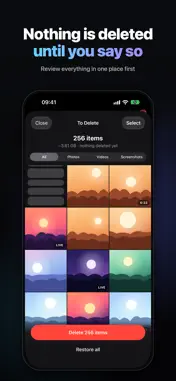
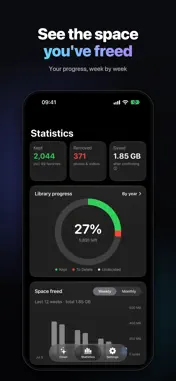
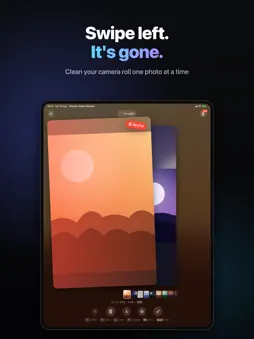
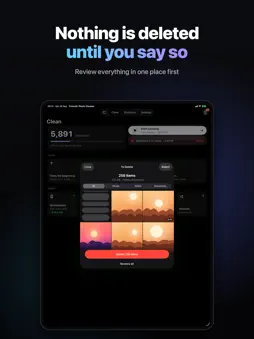
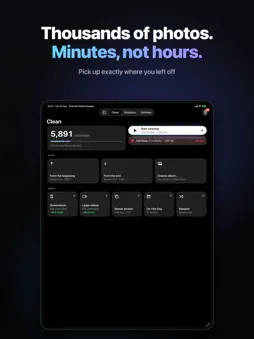
Your camera roll, finally under control. Trimroll shows your photos one at a time. Swipe left to delete, swipe right to keep. That's it. SWIPE THROUGH YOUR LIBRARY • Swipe left to delete, right to keep, down to decide later • Double-tap to add a favorite • Undo any swipe instantly • Deleted photos crumble into dust, so every swipe feels good • A filmstrip under the photo shows what's coming next NOTHING IS DELETED BY ACCIDENT Photos you swipe away go to your To Delete bin first. Review them in one place, restore anything you changed your mind about, and delete only when you're ready. iOS then asks you to confirm, and deleted photos stay in Recently Deleted in the Photos app for 30 days. PICK UP WHERE YOU LEFT OFF • Resume continues exactly where you stopped • Start from your newest or oldest photos any time, including the ones you just took • Clean one album or one month at a time SEE YOUR PROGRESS Track how much of your library you've sorted, how many photos you kept and removed, and how much space you've freed, week by week. PRIVATE BY DESIGN Your photos never leave your device. There are no accounts, and all sorting happens right on your iPhone or iPad. Subscriptions renew automatically unless cancelled at least 24 hours before the end of the current period. Manage or cancel them in your App Store account settings. Terms of Use: https://www.apple.com/legal/internet-services/itunes/dev/stdeula/ Privacy Policy: https://serhiiomelchenko.com/trimroll-app/privacy/
Technical Analysis
Package Overview Basic metadata
Bundle ID
com.trimroll.app Current Version 1.0
Minimum iOS 18.0
Package Size App Store Size
Package Metadata 0 / 0 version records
Detailed binary, privacy manifest, framework, and Info.plist results have not been indexed for this package yet. The verified App Store and archive metadata above remains available.
Developer Information
Known Version Records
0 version records with stored package metadata
Stored metadata does not guarantee a package is currently available to download.
| Details | Version / IDs | Version date | Action |
|---|