
Preview







Description
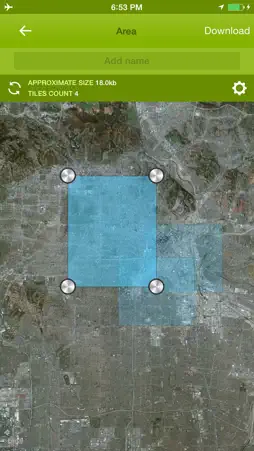
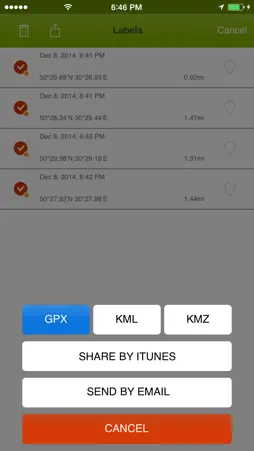
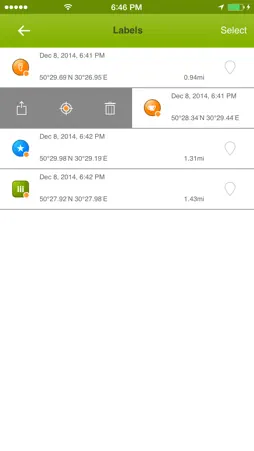
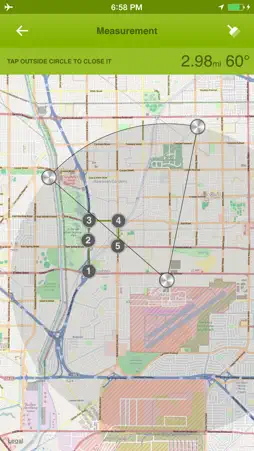
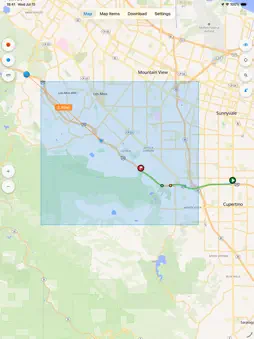
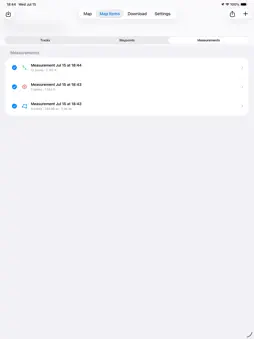
Offline Maps is a practical map companion for travel, hiking, cycling, field work, and any day when you want your map tools ready before the signal disappears. Open the app and start working directly on the map. Choose from Apple maps, OSM vector maps, OSM legacy maps, cycling, hiking, nautical, aeronautical, and other supported sources. Save map areas for offline use where downloads are supported, then keep exploring with your tracks, waypoints, measurements, and coordinate tools in one clean workspace. Record GPS tracks, pause and resume when needed, and keep an eye on your progress with live distance and speed statistics. Saved tracks can be searched, renamed, shown on the map, styled with solid colors or gradients, imported from common GPS formats, and exported when you need to share your route. Mark important places with waypoints, customize icons, rename them, search your waypoint list, and use waypoint tracking to see distance labels and guide lines on the map. Long-press the map or use your current position to create a new waypoint in seconds. Measure what matters in the field: lines, polylines, radius, circles, rectangles, and polygons. Drag points to adjust shapes, save measurements as map items, and export selected data when the job is done. Offline Maps also includes coordinate tools for Decimal, DMS, UTM, MGRS, Plus Code, and GeoHash formats. Copy or share individual coordinate values, open Google Maps links, and quickly search by pasted coordinates or map links. Built for modern iPhone and iPad, Offline Maps keeps the map at the center and places tracks, waypoints, and measurements together in Map Items so your important data stays easy to find. Key Features - Save supported map areas for offline use. - Browse multiple map sources, including Apple, OSM vector, OSM legacy, cycling, hiking, nautical, and aeronautical maps. - Record GPS tracks with pause, resume, background recording, recovery, and Live Activity support. - Import and export GPX, KML, KMZ, GeoJSON, TCX, and CSV track data. - Export track map images as PNG files. - Add, rename, search, show, hide, import, and export waypoints. - Track waypoint distances with guide lines and compact labels on the map. - Measure distances, radius, circles, rectangles, and polygon areas. - Manage tracks, waypoints, and measurements together in Map Items. - Work with Decimal, DMS, UTM, MGRS, Plus Code, and GeoHash coordinates. - Copy, share, and search coordinates, including supported Google Maps links. - Choose measurement units: metric, imperial, or nautical. - Keep the screen awake during navigation when needed. If you know more map sources please write us: [email protected] Terms of Use (EULA): https://www.apple.com/legal/internet-services/itunes/dev/stdeula/
What's New
Version 2.0.2 2026-10-01
More freedom to explore, online or off the grid. • Geo Docs: Browse public map libraries and import georeferenced PDF and GeoTIFF maps from files or a URL. • G... Technical Analysis
Package Overview Basic metadata
Bundle ID
com.lifewaresolutions.Offlinemaps Current Version 2.0.2
Minimum iOS 26.0
Package Size App Store Size
Package Metadata 1 / 2 version records
4.0 / 5.0 (2 ratings)
Detailed binary, privacy manifest, framework, and Info.plist results have not been indexed for this package yet. The verified App Store and archive metadata above remains available.
Price History (USA store)
4 recorded price change points. These are historical observations, not a guarantee of the current price.
| Recorded at | Price | Currency |
|---|---|---|
| 0.99 | USD | |
| 0.0 | USD | |
| 0.99 | USD | |
| 0.0 | USD |
Developer Information
Known Version Records
1 version record with stored package metadata • 2 known version records
Stored metadata does not guarantee a package is currently available to download.
| Details | Version / IDs | Version date | Action |
|---|---|---|---|
| 15.76 MB | v2.0.1 App Store ID: 837160879Build: 2.0.1 | 2026-08-26 06:28:50 | Get Version |
| Not archived | App Store ID: 811161889 | Unknown | Request Version |