
Preview







Description
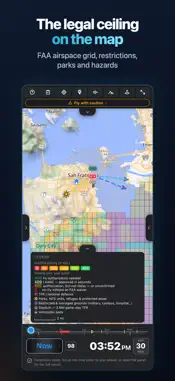
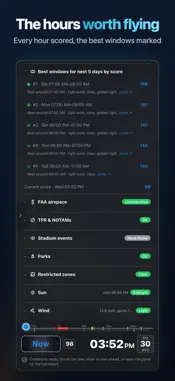
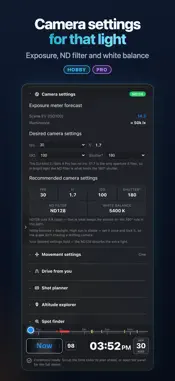
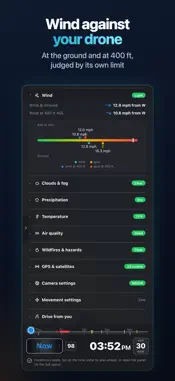
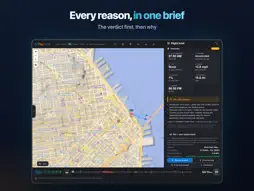
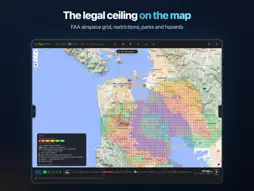
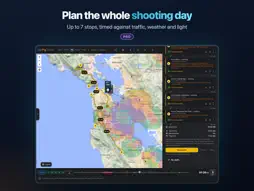
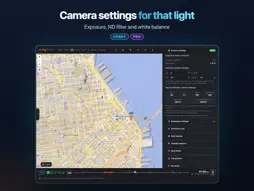
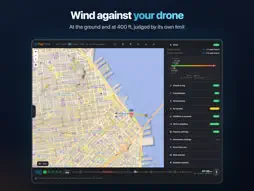
Know when the shot is best — not just whether you can fly. FlyDrone Planner turns everything a drone pilot has to check before a flight into one answer on one map. Tap a spot: you get a verdict, the reasons behind it, and the hours that are actually worth flying over the next days. THE BEST HOURS, NOT JUST "YES" OR "NO" A rolling timeline scores every hour for the spot and marks the windows worth shooting — 24 hours on Free, 48 on Hobby, up to a week on Pro. Scrub it and the whole brief — verdict, ceiling, wind, light — moves with it. BUILT FOR THE FIELD • A 37-item pre-flight checklist, grouped by phase • Your own fleet: the verdict is judged against the drone you are flying, using its wind limit • Saved spots that sync across your devices • A flight brief for the launch point, with its coordinates and one-tap driving directions • 3D terrain and 3D buildings on the map • A built-in user guide, with a video tutorial for every feature FREE • Go/no-go verdict for any spot: FAA airspace & LAANC ceiling, live TFRs, parks, restricted grounds, stadium game days, wildfires & smoke, helipads & airfields • Weather for your drone: wind at ground & 400 ft against its wind limit, gusts, clouds & fog, rain, visibility, temperature • Air quality, GPS satellites & Kp index • Sun: sunrise, sunset, golden & blue hour, sun ray on the map • The best window to fly in the next 24 hours, every hour scored • Map layers, points of interest, 3D terrain, the legal ceiling over your launch point • Pre-flight checklist (37 items) • 5 new spot analyses a day · 5 saved spots HOBBY • Everything in Free • Camera settings: exposure, ND filter, white balance for the light at that hour • Movement settings: gimbal & flight speeds for the shot, ready to dial into DJI Fly • Which way I'm facing: compass ray from where you stand (phone or tablet) • Drive time from Home with live traffic · traffic layer • Community spots layer • 48-hour forecast · up to 3 recommended windows • 50 spot analyses a day · 20 saved spots PRO • Everything in Hobby • Spoken brief: the verdict, why, and the numbers you pick, read aloud • Shot planner: distance, altitude, shooting ring on the map, frame preview • Altitude explorer: probe any point for its ceiling, controller reading, line of sight • AI Spot finder: real launch spots around either Home or between them • Trip planner: best order and times for up to 7 stops, with traffic; saved routes • Home 2 and one-way days • Sun path across the shoot window • Multi-drone fleet: which of your drones can fly the hour you pick • Up to 7-day forecast · up to 5 recommended windows • Unlimited spot analyses · unlimited saved spots · private spots COVERAGE The map works worldwide. The legal layers — FAA airspace, UASFM ceilings, TFRs, NPS boundaries — are US-focused; coverage beyond the US is on the roadmap. IMPORTANT FlyDrone Planner is an advisory planning tool, not legal clearance to fly. It shows official data and much more, but you are the pilot in command: verify NOTAMs, TFRs, LAANC and local rules before every flight. It does not file LAANC for you — it tells you which authorization you will need, and you file it with your LAANC provider or through FAA DroneZone. A free account is required so your spots and fleet follow you between devices. Privacy Policy: https://flydrone.app/privacy.html Terms of Service: https://flydrone.app/terms.html FlyDrone Hobby and FlyDrone Pro are auto-renewing subscriptions, monthly or annual. Payment is charged to your Apple ID account at confirmation of purchase. The subscription renews automatically unless it is cancelled at least 24 hours before the end of the current period; your account is charged for renewal within 24 hours before the period ends. Manage or cancel in your device's subscription settings after purchase. Prices are shown in the app before you buy.
What's New
Version 1.0.4 2026-11-18
- Warns when a GPS interference test covers your spot: the verdict turns to caution, because GPS may drift and Return-to-Home can fail. - Satellite data loads m...- Warns when a GPS interference test covers your spot: the verdict turns to caution, because GPS may drift and Return-to-Home can fail. - Satellite data loads more reliably. - Outside the US, a notice says that airspace and local rules are not checked there. - When Sign in with Apple can't finish on your device, the message now says what to check. - The sign-in sheet now names the app FlyDrone. - User guide updates. Technical Analysis
Package Overview Basic metadata
Bundle ID
app.flydrone Current Version 1.0.4
Minimum iOS 15.0
Package Size App Store Size
Package Metadata 0 / 0 version records
Detailed binary, privacy manifest, framework, and Info.plist results have not been indexed for this package yet. The verified App Store and archive metadata above remains available.
Developer Information
Known Version Records
0 version records with stored package metadata
Stored metadata does not guarantee a package is currently available to download.
| Details | Version / IDs | Version date | Action |
|---|