
Preview




Description
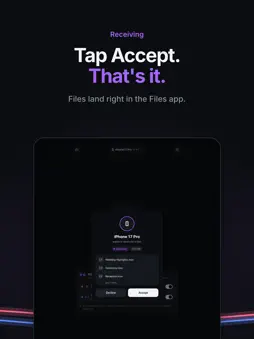
Slipstream is technically the fastest way to move big files between iPhone, iPad and Mac. Every other way uses one connection. Slipstream uses a cable and a direct wireless link at the same time, so the two speeds add up. WHY IT'S FAST • Two connections, one transfer. A USB cable and a direct wireless link carry the same file together. • In our tests, a 10 GB file went from iPhone to iPad in 1:23, at about 120 MB/s: 40 MB/s over the cable plus 80 MB/s over wireless. That's about 1.5× faster than wireless alone (AirDrop took 2:05) and about 3× faster than a USB cable alone (4:10). • These are our own measurements. Your speeds will vary with the device model, the condition of the devices, the cable and the wireless surroundings. • Unplug anytime. If one connection drops, the other one finishes the job. EASY TO USE • Open Slipstream on both devices. They find each other automatically. • Plug in a cable for extra speed, or send over wireless alone. • Tap the circle, pick your files and accept on the other side. On a Mac, just drag files onto the circle. • On iPhone and iPad, received files go to the Slipstream folder in the Files app. SAFE, START TO FINISH • Files go straight from one device to the other, never through a server or the cloud. • Every transfer is end-to-end encrypted with a fresh key. • No account, no sign-in, no tracking. Works between iPhone, iPad and Mac, in any direction.
What's New
Version 1.3 2026-11-10
Improved connection and app stability, and refined the UI. Technical Analysis
Package Overview Basic metadata
Bundle ID
com.singularity.slipstream Current Version 1.3
Minimum iOS 17.0
Package Size App Store Size
Package Metadata 0 / 0 version records
Detailed binary, privacy manifest, framework, and Info.plist results have not been indexed for this package yet. The verified App Store and archive metadata above remains available.
Developer Information
Known Version Records
0 version records with stored package metadata
Stored metadata does not guarantee a package is currently available to download.
| Details | Version / IDs | Version date | Action |
|---|