i-Clickr Remote for PowerPoint Lite App Icon

i-Clickr Remote for PowerPoint Lite

Productivity • Senstic
4+ v4.2.2 Recorded price: Free App Store →
★★★★★
★★★★★
(7 App Store ratings)
IPA Analysis
Technical Specs
Bundle ID com.yourcompany.iClickrLite
Version 4.2.2
Latest Recorded Package Size 31.2 MB
Minimum iOS 7.0
Devices iPhone, iPad, iPod touch
Catalog release date 2008-11-27
Latest recorded version date 2021-04-14
Features & Support
Vision Pro
Advisory 4+
Languages (1)
English
Top In App Purchases
No In App Purchases Listed

Preview

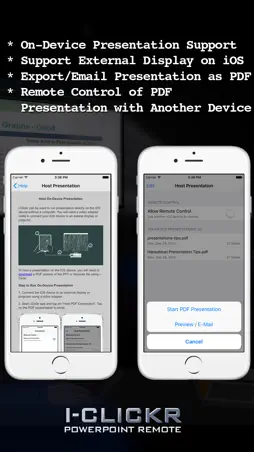
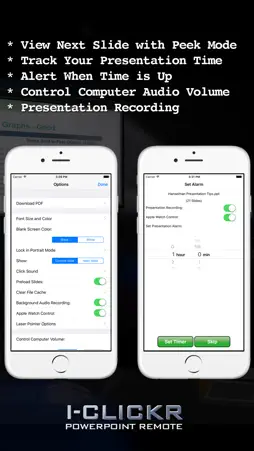
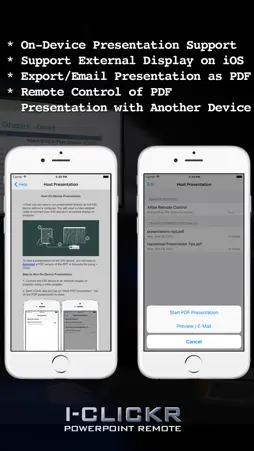
i-Clickr Remote for PowerPoint Lite screenshot 1 i-Clickr Remote for PowerPoint Lite screenshot 2 i-Clickr Remote for PowerPoint Lite screenshot 3 i-Clickr Remote for PowerPoint Lite screenshot 4 i-Clickr Remote for PowerPoint Lite screenshot 5 i-Clickr Remote for PowerPoint Lite screenshot 6 i-Clickr Remote for PowerPoint Lite screenshot 7 i-Clickr Remote for PowerPoint Lite screenshot 8 i-Clickr Remote for PowerPoint Lite screenshot 9 i-Clickr Remote for PowerPoint Lite screenshot 10 i-Clickr Remote for PowerPoint Lite screenshot 11 i-Clickr Remote for PowerPoint Lite screenshot 12 i-Clickr Remote for PowerPoint Lite screenshot 13 i-Clickr Remote for PowerPoint Lite screenshot 14 i-Clickr Remote for PowerPoint Lite screenshot 15 i-Clickr Remote for PowerPoint Lite screenshot 16 i-Clickr Remote for PowerPoint Lite screenshot 17 i-Clickr Remote for PowerPoint Lite screenshot 18 i-Clickr Remote for PowerPoint Lite screenshot 19 i-Clickr Remote for PowerPoint Lite screenshot 20 i-Clickr Remote for PowerPoint Lite screenshot 21 i-Clickr Remote for PowerPoint Lite screenshot 22 i-Clickr Remote for PowerPoint Lite screenshot 23 i-Clickr Remote for PowerPoint Lite screenshot 24 i-Clickr Remote for PowerPoint Lite screenshot 25 i-Clickr Remote for PowerPoint Lite screenshot 26 i-Clickr Remote for PowerPoint Lite screenshot 27 i-Clickr Remote for PowerPoint Lite screenshot 28 i-Clickr Remote for PowerPoint Lite screenshot 29 i-Clickr Remote for PowerPoint Lite screenshot 30 i-Clickr Remote for PowerPoint Lite screenshot 31 i-Clickr Remote for PowerPoint Lite screenshot 32 i-Clickr Remote for PowerPoint Lite screenshot 33 i-Clickr Remote for PowerPoint Lite screenshot 34 i-Clickr Remote for PowerPoint Lite screenshot 35

Description

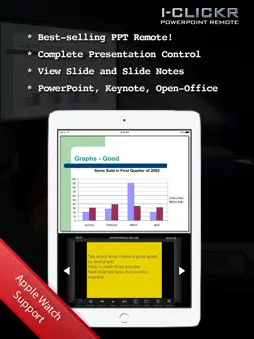
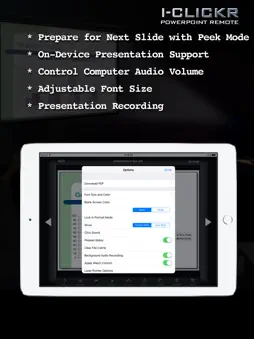
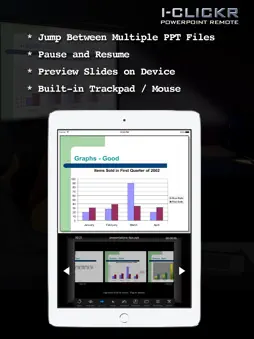
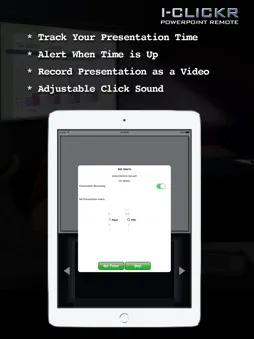
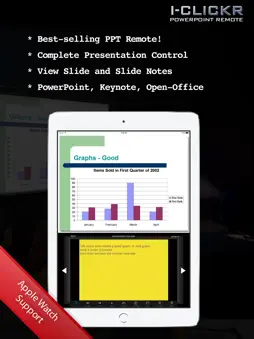
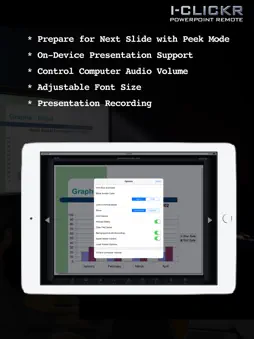
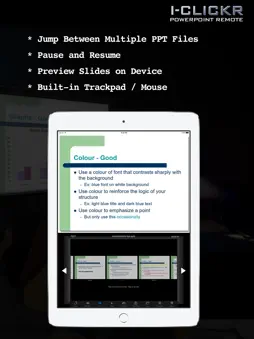
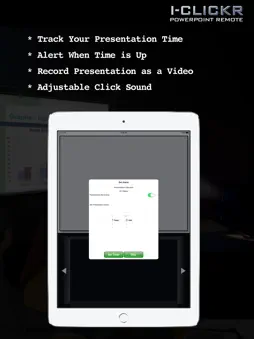
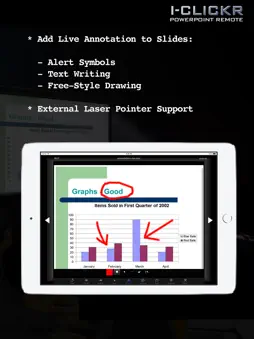
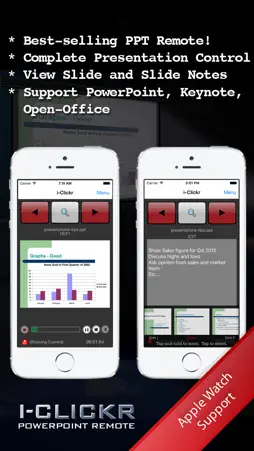
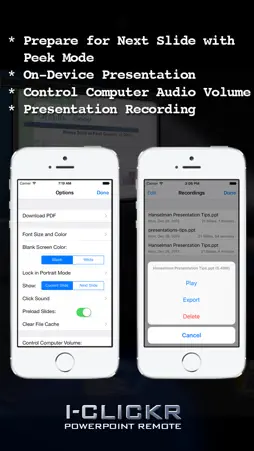
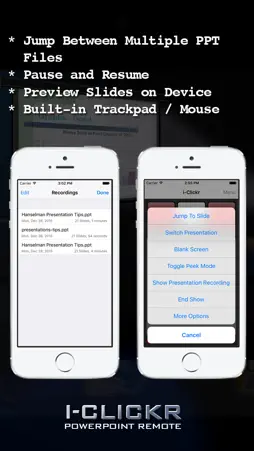
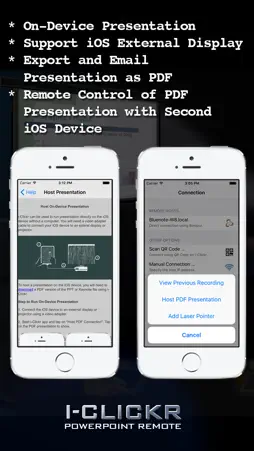
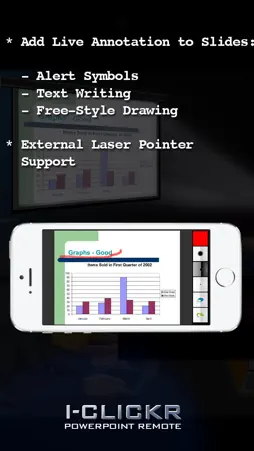
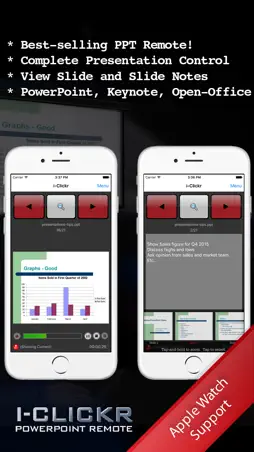
** NEW ** Now supports Apple Watch! ** NEW ** Now support Office 2016 and Office 365 Subscription. New York Times article on i-Clickr Remote: "PowerPoint presentations and the like are a bit easier to control remotely because, presumably, they are being viewed through a laptop. But the benefit is considerable. No longer tethered to your laptop, you can move around the room while still holding in your hand an image of what’s on the screen behind you. No more of that weird over-the-shoulder karaoke move when checking to see where you are in the presentation." Go to your next PowerPoint presentation IN STYLE with i-Clickr Remote for iPhone, iPad, and iPod Touch! Features: * Complete control of your PowerPoint presentation including animations. * Record your presentation (slides and your voice audio) into a movie as you present. * Share PDF version of the presentation with audience via E-Mail. * View your slides AND slide notes directly on your iOS device during your presentation. * Navigate through your slides with finger swipes and taps. * Grab your audience's attention with real-time annotations (Windows only). * Help you track your presentation time with onboard clock. * Set presentation alarm so that your iOS device will alert you with a silent buzz before your time runs out. * Pause and resume presentations. * Switch between multiple slideshow. * Work with both Windows and Mac Office (see below for the Office versions supported), iWork '09 Keynote on Mac, and OpenOffice on Windows. * Easy to set up with zero configuration. * No additional cost when using with multiple host computers. * NEW: Control presentation from your Apple Watch. * NEW: Control external laser pointer. Requirement: * On Windows, support all versions of Microsoft PowerPoint (the free Microsoft PowerPoint Viewer is not supported). Microsoft PowerPoint for Windows (version XP or above) is required at the host PC. * On Mac OS X, Office Mac 2004 or above, or iWork '09 Keynote is required. * WiFi connection between the host computer and your device, or connection using direct ad hoc network and the iOS’s personal hotspot. * Also support the FREE OpenOffice 3.1 on Windows. Limitation: * The free Lite version is limited to 15 pages of presentation. To download software required at your host computer (that is, the PC/Mac that will run your PowerPoint presentation), visit http://www.senstic.com/iPhone/iClickr/Download.aspx *** If you have problem getting i-Clickr to work, please contact us at [email protected], and we will help you fix the problem.

What's New

Version 4.2.2 2016-01-07
This update from Apple will improve the functionality of this app. No new features are included. * Fixed the issue with notes scrolling. * Added support to new...This update from Apple will improve the functionality of this app. No new features are included. * Fixed the issue with notes scrolling. * Added support to newer tablet model with larger screens. * Added support to external laser pointer devices such as i-Beamer. * Fixed a number of minor bugs.
Version 4.2.1 2015-11-30
* Fixed the issue with notes scrolling. * Added support to newer tablet model with larger screens. * Added support to external laser pointer devices such as i-B...* Fixed the issue with notes scrolling. * Added support to newer tablet model with larger screens. * Added support to external laser pointer devices such as i-Beamer. * Fixed a number of minor bugs.
Version 4.2 2015-11-15
* Added support to newer tablet model with larger screens. * Added support to external laser pointer devices such as i-Beamer. * Fixed a number of minor bugs.
Version 3.6 2013-12-11
* Fixed the issue of controlling computer audio .

App Store User Reviews

Bryce import 2016-11-13
★★★★★
★★★★★

Does not work. Only ends with an error.

I installed the software. And it's very clunky. You must connect which isn't too difficult your iPhone to the Mac. Then it will ask you to select your PowerPoin...I installed the software. And it's very clunky. You must connect which isn't too difficult your iPhone to the Mac. Then it will ask you to select your PowerPoint file. You cannot just have open a PowerPoint that you want to use, you have to go find it. None of that is too difficult until you start to try and play with it. I get an error that says unknown command on iOS. If then tells me I need to download and update the new version of I clicker for the Mac. The problem is I just download them both today. Why wouldn't it be the latest? The software is a waste. I would've considered buying the pro version if the free one worked even for the 15 slides it tells you it will.
Sdcouch 2025-04-29
★★★★★
★★★★★

Misleading

Tried to download this, but it takes you to a website for AI and other things. It is clearly not well set up and trying to load extra junk on your computer.
AStrand 2009-09-04
★★★★★
★★★★★

Nice concept -- flawed execution

I like the concept. I have the application working as "expected" sort-of. Only one time I have been able to see the presentation on the iTouch but normally I ca...I like the concept. I have the application working as "expected" sort-of. Only one time I have been able to see the presentation on the iTouch but normally I can see the notes. This application doesn't appear to handle network error recovery correctly. It is very easy to cause the server to hang or crash. You may have to connect to the Powerpoint multiple times to get it working. Sometims the forward or backward button appear to not work and then mysteriously the presentation may get the command 30 seconds later. This will be a nice application once connection and network issues are resolved.
ALT255 2016-06-10
★★★★★
★★★★★

Fill Version

Is there a full version?
pqqa 2009-07-16
★★★★★
★★★★★

Good app - does what it says!

I like this app! I didn't have any trouble installing or connecting my iPhone to the server app like others mentioned - very easy... and step by step instructio...I like this app! I didn't have any trouble installing or connecting my iPhone to the server app like others mentioned - very easy... and step by step instructions are on their website. The app functions great - I like the ability to see my slide notes and also to see the upcoming slide before it is displayed. The lite version is limited to 15 slides - which means I can't use it for work... my work presentation (which I give 1-3 times per week) is 28 slides... but I can certainly use it at church where the ppt is only 5-6 slides. I would like to see and END button that closes the presentation in the app (right now it is the ESC key on the computer). I don't plan to buy the Full version - $9.99 is too much for this... especially since I don't see any evidence of any recent updates or improvements to either the app or their website.
Jean Leigh 2012-06-04
★★★★★
★★★★★

Excellent app

This app saved my tail today in a presentation. Setup takes a few minutes but isn't difficult, just don't wait to do it until 2 minutes before your presentation...This app saved my tail today in a presentation. Setup takes a few minutes but isn't difficult, just don't wait to do it until 2 minutes before your presentation. Also, if you have an Airport Express, you can create a network anywhere so no needing to find a network to join. Stinks that the free only does 15 slides but the upgraded version is SO expensive. I ended up advancing my last 3 slides on my own rather than pay the 10 bucks. However, if you regularly make presentations and like to walk around, it is probably worth the money. Favorite thing was that I could view the speakers notes on my phone while walking around and speaking and clicking through the slides. Made for a seamless presentation.
donnie8745 2009-03-21
★★★★★
★★★★★

Great App with Excellent Support

I find this app to be very helpful in presenting. I have not had the problem of the wi-fi dropping the connection that the others experienced. You are able to f...I find this app to be very helpful in presenting. I have not had the problem of the wi-fi dropping the connection that the others experienced. You are able to forget about following the projection screen or worrying about managing paper notes in addition to running the presentation because it's all displayed on your iPod. I did have one problem with viewing the notes on my iPod during the presentation, but the I-Clickr support team was quick to assist me and had my issue resolved promptly (turns out I didn't have the most up to date version of the software). So glad to have found this app, and that it work with both my Mac laptop and work PC!
omnisean3000 2009-08-21
★★★★★
★★★★★

Nice

Sometimes very slow to change slides. Great app though. I am going to try it for my CAPSTONE project PowerPoint. At least see how it goes in rehersal. When at ...Sometimes very slow to change slides. Great app though. I am going to try it for my CAPSTONE project PowerPoint. At least see how it goes in rehersal. When at the end of slides where the page is blank and it says the end, trying to jump to slides crashes the app. Need to Fix that. Couldn't connect using the ad-hoc connection type with XP.?. Since playing with it for an hour it crashed about 5 times. Once it is connected it stays connected that is on the wifi connection. The crashes shouldn't have happened but were mainly from figuring everything out. Good app. Could not connect with vista on router or direct connect. Connection was there through router but would not connect. Did not use it for the presentation.
Murphdogg95 2011-04-19
★★★★★
★★★★★

Perfect!

Down loaded a free version an it was crap but this one saved the day. Worth the 9.99 fee. Presentation went flawlessly with no hiccups. They do say not to conne...Down loaded a free version an it was crap but this one saved the day. Worth the 9.99 fee. Presentation went flawlessly with no hiccups. They do say not to connect via wifi and it's true manually type in the IP address to pair your phone to the laptop. My only complaint is that the screen interface on the phone does rotate which will throw you off. Let's make the updated version keep it's vertical orientation all re time no matter if you rotate the phone during your presentation.
MoTank 2010-12-05
★★★★★
★★★★★

Works for me!!!

I just downloaded it on my iPhone and XP system and it fired up perfect using Bonjour the first time, second time, third time, ...you get the picture. I only di...I just downloaded it on my iPhone and XP system and it fired up perfect using Bonjour the first time, second time, third time, ...you get the picture. I only did some testing, but like what I'm seeing so far. Most of my presentations are less than 15 so it shouldn't be an issue. Would have gave it a 5 if I could have had all my controls on portrait, but landscape with a finger slide to advance the PP was fine to have all controls available. I do agree $10 is a little steep. I'd give $3 maybe even $5. End result is I'm impressed. Well done!!!

Technical Analysis

Package Overview Basic metadata
Bundle ID com.yourcompany.iClickrLite
Current Version 4.2.2
Minimum iOS 7.0
Package Size Latest Recorded Package Size
Package Metadata 3 / 32 version records
1.9 / 5.0 (7 ratings)
Detailed binary, privacy manifest, framework, and Info.plist results have not been indexed for this package yet. The verified App Store and archive metadata above remains available.

More by Senstic

Developer Information

Known Version Records

3 version records with stored package metadata • 32 known version records

Stored metadata does not guarantee a package is currently available to download.

Details Version / IDs Version date Action
i-Clickr Remote for PowerPoint Lite icon
31.2 MB
v4.2.2
App Store ID: 841382948Build: 9
2021-04-14 19:58:52 Get Version
i-Clickr Remote for PowerPoint Lite icon
Not archived
App Store ID: 814878329 Unknown Request Version
i-Clickr Remote for PowerPoint Lite icon
Not archived
App Store ID: 814516991 Unknown Request Version
i-Clickr Remote for PowerPoint Lite icon
Not archived
v4.1
App Store ID: 812341170Build: 4.1
2015-05-22 22:02:12 Request Version
i-Clickr Remote for PowerPoint Lite icon
Not archived
v4.0
App Store ID: 812313696Build: 4.0
2015-04-30 00:30:23 Request Version
i-Clickr Remote for PowerPoint Lite icon
Not archived
v3.10
App Store ID: 811343243Build: 3.10
2014-12-10 01:26:07 Request Version
i-Clickr Remote for PowerPoint Lite icon
Not archived
v3.9
App Store ID: 709142684Build: 3.9
2014-09-23 17:42:54 Request Version
i-Clickr Remote for PowerPoint Lite icon
Not archived
v3.8
App Store ID: 619402702Build: 3.8
2014-07-11 09:33:41 Request Version
i-Clickr Remote for PowerPoint Lite icon
Not archived
v3.7
App Store ID: 562522634Build: 3.7
2014-04-24 08:06:28 Request Version
i-Clickr Remote for PowerPoint Lite icon
Not archived
v3.6
App Store ID: 222222822Build: 3.6
2013-12-11 11:01:02 Request Version
i-Clickr Remote for PowerPoint Lite icon
Not archived
v3.5
App Store ID: 137322646Build: 3.5
2013-11-19 06:53:26 Request Version
i-Clickr Remote for PowerPoint Lite icon
Not archived
v3.4
App Store ID: 84022652Build: 3.4
2013-10-18 15:28:45 Request Version
i-Clickr Remote for PowerPoint Lite icon
Not archived
v3.3
App Store ID: 16660107Build: 3.3
2013-09-03 20:30:16 Request Version
i-Clickr Remote for PowerPoint Lite icon
Not archived
v3.2
App Store ID: 15470514Build: 3.2
2013-05-30 19:27:46 Request Version
i-Clickr Remote for PowerPoint Lite icon
Not archived
v3.1
App Store ID: 13850998Build: 3.1
2013-03-01 19:05:07 Request Version
i-Clickr Remote for PowerPoint Lite icon
Not archived
v3.0
App Store ID: 13206425Build: 3.0
2013-01-07 18:51:21 Request Version
i-Clickr Remote for PowerPoint Lite icon
Not archived
v2.3
App Store ID: 11031699Build: 2.3
2012-09-26 21:12:25 Request Version
i-Clickr Remote for PowerPoint Lite icon
Not archived
v2.2
App Store ID: 10481835Build: 2.2
2012-09-07 20:03:50 Request Version
i-Clickr Remote for PowerPoint Lite icon
Not archived
v2.1
App Store ID: 8179674Build: 2.1
2012-05-29 18:21:32 Request Version
i-Clickr Remote for PowerPoint Lite icon
Not archived
v2.0
App Store ID: 4860211Build: 2.0
2011-11-11 02:37:45 Request Version
i-Clickr Remote for PowerPoint Lite icon
Not archived
v1.7.1
App Store ID: 3443700Build: 1.7.1
2011-02-25 21:55:03 Request Version
i-Clickr Remote for PowerPoint Lite icon
Not archived
v1.7
App Store ID: 3414501Build: 1.7
2011-02-11 20:53:29 Request Version
i-Clickr Remote for PowerPoint Lite icon
Not archived
v1.6
App Store ID: 2938272Build: 1.6
2010-08-28 21:13:17 Request Version
i-Clickr Remote for PowerPoint Lite icon
Not archived
v1.5
App Store ID: 2744366Build: 1.5
2010-06-24 06:01:08 Request Version
i-Clickr Remote for PowerPoint Lite icon
Not archived
v1.4.2
App Store ID: 2446173Build: 1.4.2
2010-03-16 22:04:23 Request Version
i-Clickr Remote for PowerPoint Lite icon
Not archived
App Store ID: 2219397 Unknown Request Version
i-Clickr Remote for PowerPoint Lite icon
Not archived
App Store ID: 2141234 Unknown Request Version
i-Clickr Remote for PowerPoint Lite icon
Not archived
App Store ID: 2079862 Unknown Request Version
i-Clickr Remote for PowerPoint Lite icon
198.09 KB
v4.2.2
App Store ID: 1833923Build: 1.2
2009-07-08 20:20:26 Get Version
i-Clickr Remote for PowerPoint Lite icon
Not archived
App Store ID: 1500592 Unknown Request Version
i-Clickr Remote for PowerPoint Lite icon
Not archived
App Store ID: 1440712 Unknown Request Version
i-Clickr Remote for PowerPoint Lite icon
147.84 KB
v4.2.2
App Store ID: 1131761Build: 1.1
2008-11-23 19:51:24 Get Version