Preview





Description
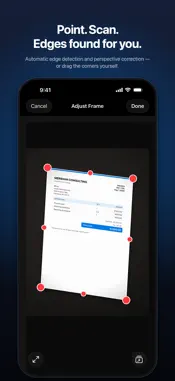
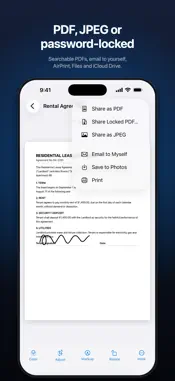
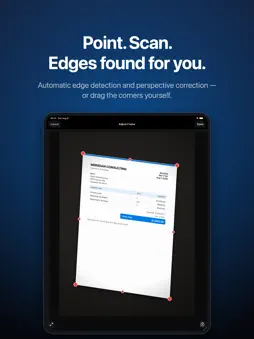
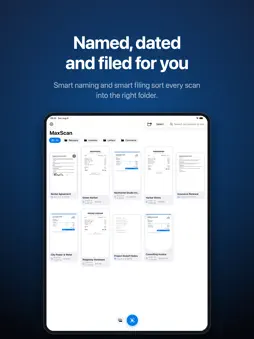
MaxScan turns your iPhone into a fast, private document scanner. Point the camera at a page and it is detected, captured and perspective-corrected automatically — a multi-page document is ready to share as PDF in seconds. MaxScan is free to use: scan as much as you like, with no watermark and no page limit. SCAN ANYTHING • Automatic edge detection with perspective correction • Adjust Frame: fine-tune the crop with draggable corners at any time • Import photos — documents are detected and cropped automatically • Color, grayscale and crisp black & white modes • Add, reorder, rotate and delete pages whenever you like SMART, SEARCHABLE LIBRARY • Text recognition (OCR) on every page — search your documents by their content (Pro) • Smart naming: scans title themselves from the recognized text (Pro) • Automatic categories: receipts, invoices, ID cards, letters and notes (Pro) • Smart filing sorts new scans into matching folders for you (Pro) • Folders, merge, and a Recently Deleted bin with 30-day recovery BUILT FOR RECEIPTS & EXPENSES • Totals, currencies and dates are detected on receipts automatically (Pro) • Export any folder as an expense CSV for spreadsheets and reports (Pro) SIGN & ANNOTATE • Draw your signature or highlight text right on the page (Pro) • Markup stays editable — change filters or rotate without losing it (Pro) SHARE IT YOUR WAY • PDF or JPEG, in three quality sizes • Searchable PDFs — the recognized text travels with the file (Pro) • Password-locked PDFs for sensitive documents (Pro) • “Email to myself” with a single tap • Save to Photos, print via AirPrint, AirDrop, Files and iCloud Drive PRIVATE BY DESIGN • Face ID & passcode lock • No accounts, no ads, no analytics — your documents never leave your device unless you share them FREE AND MAXSCAN PRO • Free: unlimited scanning, edge detection, filters, multi-page documents, folders and PDF or JPEG export — no watermark, no page limit • MaxScan Pro unlocks everything marked (Pro): search inside your scans, receipt totals with CSV export, password-locked PDFs, and signatures • A one-time purchase, not a subscription — restore it any time on your other devices Scan it once, find it forever — with MaxScan.
What's New
Version 1.2 2026-10-26
Made for iPhone Duo. • Fold to file: close iPhone Duo on a new scan and it files itself in the right folder — the page slips into the folder as the hinge close... Technical Analysis
Package Overview Basic metadata
Bundle ID
com.fmozcelik.maxscan Current Version 1.2
Minimum iOS 17.0
Package Size App Store Size
Package Metadata 0 / 0 version records
Detailed binary, privacy manifest, framework, and Info.plist results have not been indexed for this package yet. The verified App Store and archive metadata above remains available.
Known Version Records
0 version records with stored package metadata
Stored metadata does not guarantee a package is currently available to download.
| Details | Version / IDs | Version date | Action |
|---|