
Preview






Description
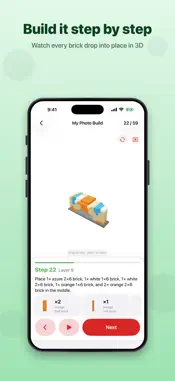
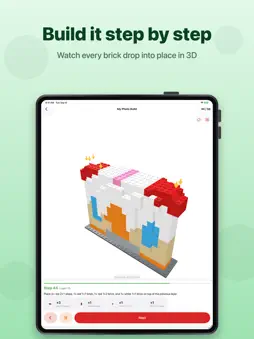
Give your next brick build a starting point: a photo, a car you love, or the pieces you already own. Brick Builder turns a clear photo into a simplified brick model with interactive 3D instructions and a parts list. Rotate and zoom the model, follow each placement, and see what you need before you start. BUILD FROM A PHOTO Choose a solid 3D model, a standing figure or a flat mosaic. Use one clear image, or add front and side photos to guide the shape. A single subject against a plain background works best. CREATE A CAR DISPLAY MODEL Choose a sports car, road or rally car, SUV, or open-wheel racer. Your photo supplies the colours, with more detailed bodywork, windows and wings in the most advanced setting. These are stylised display models with brick-built wheels, not exact replicas or rolling vehicles. FIND IDEAS FOR YOUR OWN PIECES Photograph separated bricks to estimate your inventory. Review and correct the detected parts, then compare them with the included builds. See which models match, which can use different colours, and which pieces are missing. FOLLOW THE BUILD IN 3D • Animated instructions with rotation and zoom • Parts lists with standard design numbers • 28 ready-made models, from small builds to detailed structures • Adjustable complexity and pieces per step • Support for ten languages PHOTO PROCESSING ON YOUR DEVICE Photo analysis runs locally on your iPhone or iPad. Your photos are not uploaded for processing. No account, ads or tracking. FREE AND PRO The ready-made library and brick scanner are included free. Try five photo builds. For more, Brick Builder Pro offers unlimited photo builds through an annual subscription or a one-time lifetime purchase. Privacy Policy: https://www.sebaexhibits.com/privacy/brick-builder Terms of Use: https://www.apple.com/legal/internet-services/itunes/dev/stdeula/ Brick Builder is an independent app. It is not affiliated with, authorised by or endorsed by any brick manufacturer.
Technical Analysis
Package Overview Basic metadata
Bundle ID
com.fatihozcelik.BrickBuilder Current Version 1.0
Minimum iOS 17.0
Package Size App Store Size
Package Metadata 0 / 0 version records
Detailed binary, privacy manifest, framework, and Info.plist results have not been indexed for this package yet. The verified App Store and archive metadata above remains available.
Known Version Records
0 version records with stored package metadata
Stored metadata does not guarantee a package is currently available to download.
| Details | Version / IDs | Version date | Action |
|---|