Preview




Description
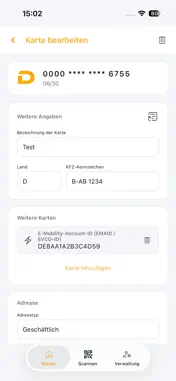
DriveID Authenticator protects your fuel card from unauthorized use. The app acts as a second factor of authentication (MFA): Before a transaction or registration with online merchants, toll operators, and mobility service providers can be completed, you confirm the authorization directly on your smartphone—quickly, securely, and without any additional hardware. Here’s how it works: Register your fuel card once in the app. For each transaction, the app generates a one-time CVC code, which you enter on the merchant’s payment or registration page. Alternatively, you’ll receive a push notification with the transaction details and can confirm or decline it with a single tap. Your benefits – Protection against misuse and card fraud – No SMS TANs, no additional devices – Supports multiple fuel cards simultaneously – Store vehicle data directly in the app – Biometric security (fingerprint / Face ID) Requirements: The app requires registration with your card issuer. Please contact your fleet manager or card provider to activate DriveID Authenticator for your card. For more information, visit https://driveid.app
What's New
Version 1.0.12 2026-10-25
• Add cards with a verification code: For supported card issuers, simply enter the card's verification code (e.g. WACC) – the card is checked online and ready t... Technical Analysis
Package Overview Basic metadata
Bundle ID
app.driveid.authenticator Current Version 1.0.12
Minimum iOS 15.0
Package Size App Store Size
Package Metadata 0 / 0 version records
Detailed binary, privacy manifest, framework, and Info.plist results have not been indexed for this package yet. The verified App Store and archive metadata above remains available.
Developer Information
Known Version Records
0 version records with stored package metadata
Stored metadata does not guarantee a package is currently available to download.
| Details | Version / IDs | Version date | Action |
|---|