
Preview



Description
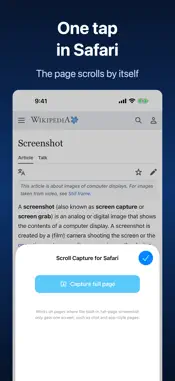
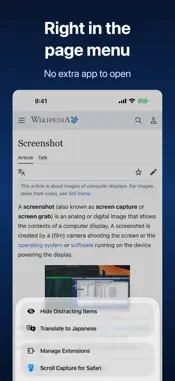
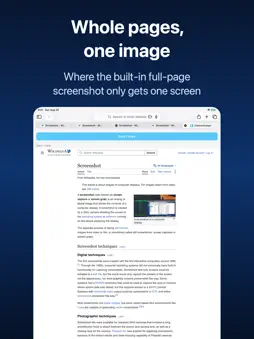
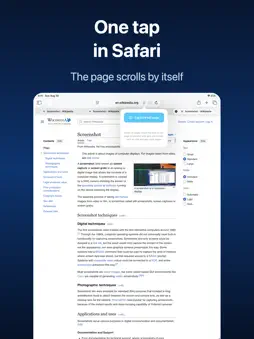
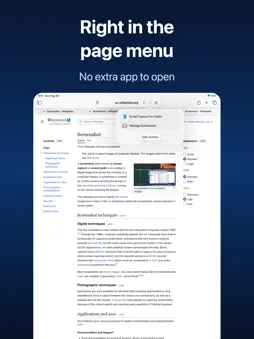
Ever tried the built-in full-page screenshot and got just one screen? Scroll Capture fixes that. One tap in Safari, the page scrolls by itself, and you get the whole thing as a single image — including pages that scroll inside a box, where the built-in option stops short. Pages too long for one image are saved at full quality as several images (or as a PDF) instead of being scaled down. WHY SCROLL CAPTURE • Works where the built-in full-page screenshot doesn't: chat conversations, app-style sites, dashboards, and any page whose content scrolls inside a frame • Also great for long articles, feeds, receipts and order histories • Fixed headers, floating toolbars and cookie banners are detected and removed, so they don't repeat in every segment • Segments are matched pixel by pixel, so seams line up cleanly • You get an image (PNG or JPEG), not a PDF — easy to share, mark up and paste anywhere HOW IT WORKS 1. Open the page in Safari 2. Tap the extension button in the address bar and choose Scroll Capture 3. Tap "Capture full page" — the page scrolls automatically 4. Tap "Save / Share" and choose "Save Image" PRIVACY Everything happens on your device. Pages you capture are never uploaded, and the extension doesn't collect any data. No account, no sign-in, no ads. NOTES • Pages that load content endlessly (infinite feeds) are captured up to a reasonable length • Works on iPhone and iPad with Safari on iOS 15.6 or later One-time purchase. No subscription.
What's New
Version 1.0.10 2026-10-24
• Now optimized for iPhone Duo. Capture the whole page as one image at full screen width, unfolded or on the outer screen when folded. • The setup guide in the ... Technical Analysis
Package Overview Basic metadata
Bundle ID
seiya.kawano.ScrollCaptureForSafari Current Version 1.0.10
Minimum iOS 15.6
Package Size App Store Size
Package Metadata 0 / 0 version records
Detailed binary, privacy manifest, framework, and Info.plist results have not been indexed for this package yet. The verified App Store and archive metadata above remains available.
Developer Information
Known Version Records
0 version records with stored package metadata
Stored metadata does not guarantee a package is currently available to download.
| Details | Version / IDs | Version date | Action |
|---|