
Preview



Description
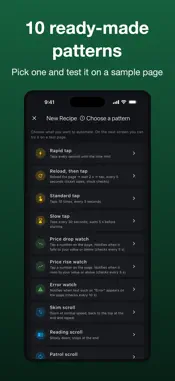
Tired of tapping the same spot over and over? Multi Web Auto Clicker is a browser that automates repetitive web actions — auto-tap, auto-scroll and auto-refresh — plus a Watch & Notify mode for prices or error messages. Save your favorite setups as Recipes and re-run them with one tap. Easy 3 steps: 1) Pick a pattern (fast tapping, reload-then-tap, price watch and more). 2) Try it on the built-in test page and tune the interval or threshold. 3) Enter the page URL and save. Features - Auto-tap: place up to 20 tap points; set interval, repeat count and start delay; optional reload-then-tap. - Watch & Notify: pick a number on screen and get alerted when it goes below/above your threshold; keyword detection; sound and vibration. - Auto-scroll: up or down, three speeds, choose the end behavior. - Auto-refresh: reload each pane at your interval. - Multi-web: view up to 4 pages at once; full-screen a pane with address bar and desktop-mode toggle. - Built-in test pages to set things up safely without external sites. Note: This app assists web-page actions inside its own in-app browser only. It does not control other apps or the OS. Watch and automation run only while the app is open. Free. Terms of Use (EULA): https://www.apple.com/legal/internet-services/itunes/dev/stdeula/ Privacy Policy: https://fillapps.com/privacy/
What's New
Version 1.0.10 2026-10-12
• Fixed a possible crash when quitting the app on Mac • Minor improvements Technical Analysis
Package Overview Basic metadata
Bundle ID
com.s.kawano.multiWebAutoClicker Current Version 1.0.10
Minimum iOS 15.6
Package Size App Store Size
Package Metadata 0 / 0 version records
Detailed binary, privacy manifest, framework, and Info.plist results have not been indexed for this package yet. The verified App Store and archive metadata above remains available.
Developer Information
Known Version Records
0 version records with stored package metadata
Stored metadata does not guarantee a package is currently available to download.
| Details | Version / IDs | Version date | Action |
|---|