Preview








Description
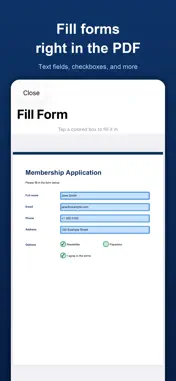
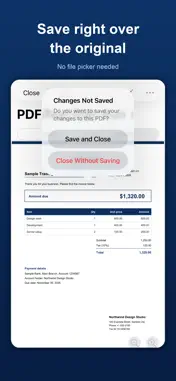
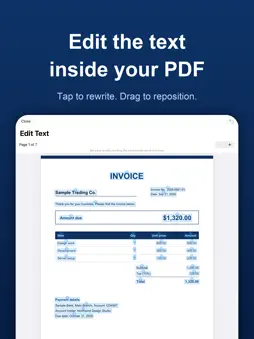
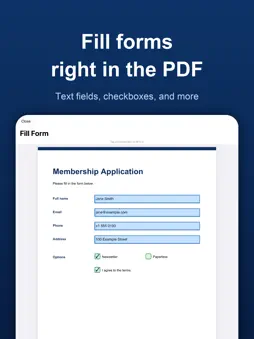
PDF Text Edit-Kun: edit the actual text inside your PDFs, right on your iPhone or iPad. Need to fix a date, an amount, or a typo in a receipt, contract, or form? PDF Text Edit-Kun rewrites the text itself instead of turning the page into an image, so the original layout stays intact. Everything happens on your device. Your files are never uploaded. ■ KEY FEATURES • Edit text in place Rewrite, add, delete, and move text inside your PDFs. Tap a text block, edit it, and see the result right away. • Change color, size, and font Switch between Text, Color, and Size tabs for the text you selected. Choose from preset colors or any custom color, set the size in points, and pick a font (including your own font files). • Sign and fill forms Create a signature from your name and place it anywhere on the page. Fill in form fields, checkboxes, and radio buttons in PDFs that have them. • Organize pages Delete and reorder pages, and merge several PDFs into one. • Passwords and properties Set or remove open and edit passwords. Edit the title, author, subject, and keywords. • Compare before and after Flip between the original and your edited version with one tap. • Save over the original Choose Save and Close to overwrite the PDF you opened, with no file picker. Or export a copy instead. ■ PRIVATE BY DESIGN PDF Text Edit-Kun works fully offline. Your documents never leave your device, so sensitive files are safe to edit. ■ LITE AND PRO • Lite (free): Shows an ad banner. Edit one PDF per day. Viewing is unlimited. • Pro Monthly (auto-renewing subscription): ¥300 per month. No ads and unlimited editing. • Pro Lifetime (one-time purchase): ¥1,500. No ads and unlimited editing. (Prices are shown in your local currency in the App Store.) The monthly subscription is charged to your Apple Account when you confirm the purchase and renews automatically unless you cancel at least 24 hours before the end of the current period. You can manage or cancel it in Settings > Apple Account > Subscriptions. Terms of Use (EULA): https://donutdrop.me/PDFEditKun/en/eula.html Privacy Policy: https://donutdrop.me/PDFEditKun/en/privacy.html ■ LANGUAGES English and Japanese. The app follows your device's language setting. ■ GOOD TO KNOW Some PDFs, depending on how they were created, contain text that can't be edited. In that case the app tells you and leaves your PDF unchanged. Please do not use this app to forge or falsify documents. We'd love your feedback and bug reports.
What's New
Version 2.3 2026-10-07
Version 2.3 • The app is now available in English. The language follows your device settings. • Editing text in English PDFs is more reliable: fixed an issue wh...Version 2.3 • The app is now available in English. The language follows your device settings. • Editing text in English PDFs is more reliable: fixed an issue where changing the length of words or numbers could garble a line. • The website and legal links in Settings now match the app's language. • Many small improvements and fixes. Technical Analysis
Package Overview Basic metadata
Bundle ID
com.pdfeditkun.app Current Version 2.3
Minimum iOS 17.0
Package Size App Store Size
Package Metadata 0 / 0 version records
Detailed binary, privacy manifest, framework, and Info.plist results have not been indexed for this package yet. The verified App Store and archive metadata above remains available.
Developer Information
Known Version Records
0 version records with stored package metadata
Stored metadata does not guarantee a package is currently available to download.
| Details | Version / IDs | Version date | Action |
|---|