
Preview



Description
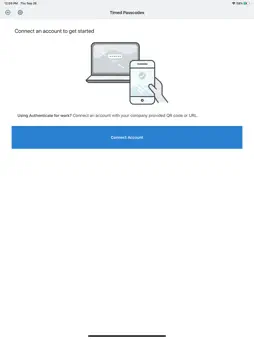
SecureAuth Authenticate is a modern mobile app that verifies your identity so you can securely access your apps. SecureAuth Authenticate supports multi-factor authentication (MFA) for personal, work, or school apps and accounts. The authenticator generates 6-digit one-time passcodes/tokens (OTP codes) used commonly in two-factor authentication (2FA) flows. SecureAuth Authenticate for personal use Secure your personal accounts from account takeover with 2-step verification. SecureAuth Authenticate lets you protect your personal Gmail, Outlook, LinkedIn, Dropbox, and thousands of other cloud apps. Personal features: • Supports multiple accounts • Quick QR code set up • Works offline without Wi-Fi or data connection SecureAuth Authenticate for business use SecureAuth Authenticate provides additional strong authentication benefits when paired with SecureAuth IDaaS in corporate deployments. The app is designed to work with adaptive and passwordless authentication for cloud/SaaS and on-prem app single sign-on (SSO) scenarios. Business-critical features: • Push notifications – Prompt to approve/deny a login that requires MFA • Symbol-to-accept – High-security prompt requiring user to match a specific symbol • Unlock detection – Security protection when phone lock protection is disabled • Anti-cloning – Security protection when phone OS is cloned to another phone • PIN protection – Prompt to enter PIN to display OTP code • Offline mode – Generates OTP code for MFA-protected Windows or MacOS login • QR code or activation link enrollment – Convenient methods to configure the app Getting started Follow 2FA or MFA setup steps in the app you want to protect. Once you scan the QR code or enter a setup code, your account will be set up for 2FA. Visit https://www.secureauth.com/secureauth-authenticate to get started.
What's New
Version 25.3.04 2026-11-02
- Improved stability Technical Analysis
Package Overview Basic metadata
Bundle ID
com.gosecureauth.saoath Current Version 25.3.04
Minimum iOS 16.6
Package Size App Store Size
Package Metadata 1 / 69 version records
Detailed binary, privacy manifest, framework, and Info.plist results have not been indexed for this package yet. The verified App Store and archive metadata above remains available.
Developer Information
Known Version Records
1 version record with stored package metadata • 69 known version records
Stored metadata does not guarantee a package is currently available to download.
| Details | Version / IDs | Version date | Action |
|---|---|---|---|
 Not archived | App Store ID: 815432455 | Unknown | Request Version |
| Not archived | App Store ID: 815405989 | Unknown | Request Version |
| Not archived | App Store ID: 815167109 | Unknown | Request Version |
| Not archived | App Store ID: 815163184 | Unknown | Request Version |
| Not archived | App Store ID: 815088327 | Unknown | Request Version |
| Not archived | App Store ID: 815031176 | Unknown | Request Version |
| Not archived | App Store ID: 812870458 | Unknown | Request Version |
| Not archived | App Store ID: 812749330 | Unknown | Request Version |
| Not archived | App Store ID: 812334379 | Unknown | Request Version |
| Not archived | App Store ID: 642052690 | Unknown | Request Version |
| Not archived | App Store ID: 593583358 | Unknown | Request Version |
| Not archived | App Store ID: 591442952 | Unknown | Request Version |
| Not archived | App Store ID: 590132735 | Unknown | Request Version |
| Not archived | App Store ID: 572452669 | Unknown | Request Version |
| Not archived | App Store ID: 389992713 | Unknown | Request Version |
| Not archived | App Store ID: 360822657 | Unknown | Request Version |
| Not archived | App Store ID: 218082636 | Unknown | Request Version |
| Not archived | App Store ID: 95262665 | Unknown | Request Version |
| Not archived | App Store ID: 85513669 | Unknown | Request Version |
| Not archived | App Store ID: 84113045 | Unknown | Request Version |
| Not archived | App Store ID: 73582665 | Unknown | Request Version |
| Not archived | App Store ID: 22464235 | Unknown | Request Version |
| Not archived | App Store ID: 16712433 | Unknown | Request Version |
| Not archived | App Store ID: 15985238 | Unknown | Request Version |
| Not archived | App Store ID: 15921187 | Unknown | Request Version |
| Not archived | App Store ID: 15747870 | Unknown | Request Version |
| Not archived | App Store ID: 15683441 | Unknown | Request Version |
| Not archived | App Store ID: 14965994 | Unknown | Request Version |
| Not archived | App Store ID: 14587251 | Unknown | Request Version |