
Preview


Description
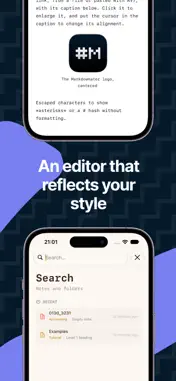
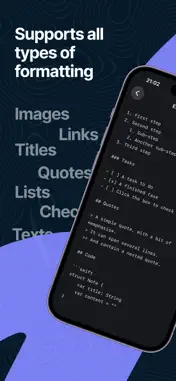
Markdownator is a Markdown note editor built for frictionless writing on Mac, iPhone and iPad. Your notes sync through iCloud and follow you everywhere. TWO WAYS TO WRITE • Transparent mode: the syntax fades away, the formatting stays. You see your headings, lists and code the way they will be read, while keeping full control of the text. • Markdown mode: the syntax stays visible as you type, for those who like to see every mark. Switch between them anytime. ALL OF MARKDOWN Headings, bold, italic, strikethrough, highlight, bulleted and numbered lists, task checkboxes, quotes, tables, dividers, links and code blocks with syntax highlighting. Insert images from the web, a file, your photo library or simply by pasting, then add a caption. WRITE FASTER Type "/" at the start of a line to open the command menu: heading, list, table, code… Keep typing to filter, press Return to insert. An outline built from your headings lets you move through long notes with ease. STAY ORGANIZED Folders and subfolders, recent notes, instant search. Import your existing .md and .txt files. Your notes remain standard Markdown text: no proprietary format, no lock-in. MAKE IT YOURS Pick your typeface (sans-serif, serif or monospace), size, line spacing and column width. Your settings sync across your devices.
What's New
Version 1.2.0 2026-11-08
NEW DESIGN - Liquid Glass: glass buttons, menus, toolbars and cards on iPhone, iPad and Mac. - Mac: your wallpaper shows through the window, blurred, behind th...NEW DESIGN - Liquid Glass: glass buttons, menus, toolbars and cards on iPhone, iPad and Mac. - Mac: your wallpaper shows through the window, blurred, behind the sidebar. - A new home page: your recent notes as glass cards (swipe through them on iPhone), your folders as tiles, and a summary of the day under the greeting. - Folder pages: tap a folder on the home page to see its subfolders and notes, and create a note right inside it. A breadcrumb and the Back button (⌘[ on Mac, ⌘] for Forward) take you back where you were. FIXES - Lists: turning a line you already typed into a list keeps the cursor at the end of the text. Return now adds the next bullet below, instead of an empty bullet above. - Tab and Shift-Tab in a list keep the cursor at the same spot in the text. - Return on an empty nested list item moves it up one level instead of leaving the list. Technical Analysis
Package Overview Basic metadata
Bundle ID
com.sebastienk.markdownator Current Version 1.2.0
Minimum iOS 26.0
Package Size App Store Size
Package Metadata 0 / 0 version records
Detailed binary, privacy manifest, framework, and Info.plist results have not been indexed for this package yet. The verified App Store and archive metadata above remains available.
Developer Information
Known Version Records
0 version records with stored package metadata
Stored metadata does not guarantee a package is currently available to download.
| Details | Version / IDs | Version date | Action |
|---|