Preview









Description
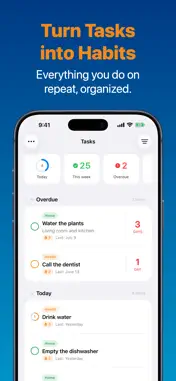
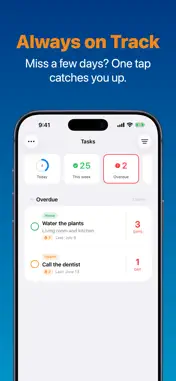
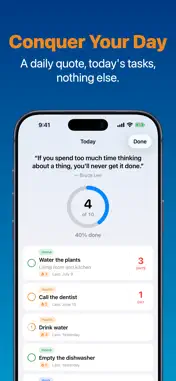
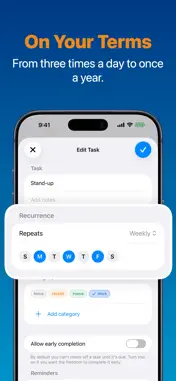
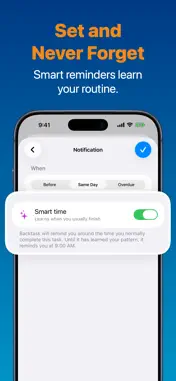
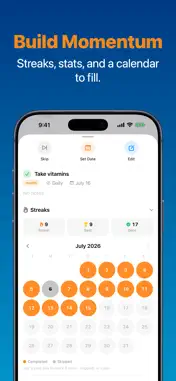
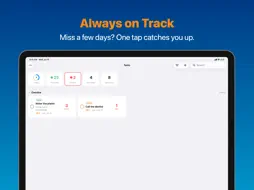
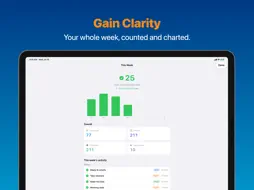
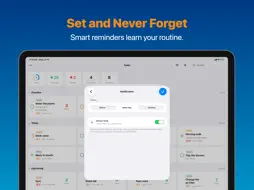
Recurring tasks you can count on. Native, private, synced with iCloud. Walk the pup, change the air filter, pay the rent, call your parents. Backtask reminds you when each task comes back around, and it doesn't guilt-trip you when you forget. That forgiving part is really the whole point. Most reminder apps just pile up on you. Miss a few days and you're stuck tapping "done" over and over to clear the backlog. Backtask works the other way around. Forget to check something off, and it quietly skips the ones you missed and marks today's as done, all in a single tap. You're caught up, and you never feel behind. It's careful in the other direction too. Tasks stay locked until they're actually due, so you can't tap a recurring task multiple times and push it weeks into the future. Every check-off is real, and so is every streak. At the top of your list there's a Today summary too. A small progress ring, and quick counts for what's overdue, due today, and coming up. It makes a plain to-do list feel like something worth finishing. Tap the ring and you get a focus view for the day: a quote up top, a big ring in the middle, and only the tasks that matter right now. Each one you finish slides off the list. A few things it does well: • Recurring tasks your way: every day, every few days, weekly, bi-weekly, or monthly • Daily tasks can even repeat two or three times a day • Smart reminders that learn your routine and appear on time • A Home Screen widget that shows what's due • Streaks and stats with a month calendar for each task • A day streak that grows each day you clear everything • Colorful categories • Undo that works Your tasks stay yours. There's no account to create, no tracking, and no ads. Everything syncs between your iPhone, iPad, and Mac over your own iCloud. Backtask is free for up to 5 tasks, with all of the above included. If you need more room, Pro gets you unlimited tasks plus reminders that keep nudging until a task is actually done, for just .99 per year. Made in Kentucky by Seb Fontan (that's me). I read and reply to every email, and your feedback is always welcome. Backtask Pro is an auto-renewing subscription. Your Apple Account is charged when you confirm the purchase, and it renews each year unless you turn off auto-renew at least 24 hours before the current period ends. You can manage or cancel anytime in your Apple Account settings. Privacy Policy: https://backtask.app/privacy Terms of Use (EULA): https://www.apple.com/legal/internet-services/itunes/dev/stdeula/
What's New
Version 1.1 2026-10-13
Improved • Completing a task on one device now clears its reminders on your other devices right away • Restore Purchase now tells you when there's no subscripti... Technical Analysis
Package Overview Basic metadata
Bundle ID
app.backtask.Backtask Current Version 1.1
Minimum iOS 26.5
Package Size App Store Size
Package Metadata 0 / 0 version records
Detailed binary, privacy manifest, framework, and Info.plist results have not been indexed for this package yet. The verified App Store and archive metadata above remains available.
Developer Information
Known Version Records
0 version records with stored package metadata
Stored metadata does not guarantee a package is currently available to download.
| Details | Version / IDs | Version date | Action |
|---|