Preview




Description
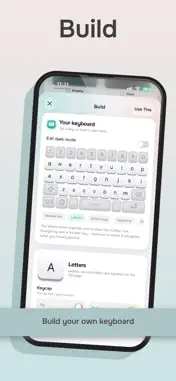
NuKey transforms your iPhone keyboard into a personalised typing experience that looks, sounds and feels like your own. Create a custom keyboard by choosing colours, key styles, legends and animated lighting effects. Add satisfying mechanical switch sounds inspired by popular switch types, then preview your creation before you start typing. Features include: • Build and save custom keyboard designs • Choose from ready-made themes • Add animated keyboard lighting effects • Enjoy a collection of mechanical switch sounds • Personalise key legends and layouts • Browse and type emoji with ease • Add your own words for a more personal typing experience • Select your preferred keyboard language • Share keyboard designs using QR codes • Preview sounds and themes inside the app Whether you prefer a clean, understated keyboard or something colourful and expressive, NuKey gives you the tools to make every tap your own. Some themes, sounds and customisation features may require NuKey Pro.
What's New
Version 2.0.5 2026-11-11
HDR is here. Make your keyboard glow! NuKey now draws in HDR, brighter than white, with the same bright highlights you see in photos and video on iPhone. You c...HDR is here. Make your keyboard glow! NuKey now draws in HDR, brighter than white, with the same bright highlights you see in photos and video on iPhone. You choose where and how strong: • Switch HDR on for individual keys in the keyboard builder • Give the knob, both toggle switches, the push button, the Dictate button and the toolbar their own HDR setting • Add HDR to your lighting effects, so the glow itself goes beyond white • Set the strength yourself, from a gentle lift to a halo HDR needs iOS 26 or later and an iPhone with an HDR display. NEW: Quick Pad (NuKey Pro) Hold the emoji key and choose Quick Pad. A pad of your own shortcuts slides out from the right, just like the numpad. Every key starts as a +. Tap one to give it a job, and hold a key to clear it. A key can: • Step to your next or previous saved layout or keyboard design • Run Fix grammar, Shorter, Friendlier, Formal and more on what you've written • List your saved phrases and social posts, ready to tap • Dictate, open the numpad, undo, delete a word and open any tool Tap the space bar to put the pad away. NEW: Draw Add a Draw key to the Quick Pad and sketch right on the keyboard. Pick a colour and a pen thickness, then hold your finger still to snap a rough circle, oval, triangle, rectangle or line into a perfect one. Tap Copy and your drawing goes to the clipboard as a transparent PNG, ready to paste. (Copying needs Allow Full Access.) Layout, your way • New layout options for iPhone and iPhone Duo: change a slider and get the layout you want • New top row height adjustment in Layout Emoji • New custom emoji section: tap the cube at the end of the emoji row • New emoji download section to install custom emoji packs Smarter writing • Proofreading is improved and now has its own dedicated section • Next Move is much smarter at picking up dates, reminders, calls, places and more from what you type Quick Text, tidied up • New Show in Phrases switch: choose which saved phrases appear in the keyboard's Phrases list, with an optional title for each. Typo fixes can keep expanding as you type without cluttering the list • Hold a phrase chip to switch Show in Phrases on or off • Deleting a phrase or word now asks you to confirm first Thanks for using NuKey. If you like it, a rating or a review means a lot. Got an idea? Tell us from Support in the app. Technical Analysis
Package Overview Basic metadata
Bundle ID
show.NuKey Current Version 2.0.5
Minimum iOS 18.0
Package Size App Store Size
Package Metadata 0 / 0 version records
Detailed binary, privacy manifest, framework, and Info.plist results have not been indexed for this package yet. The verified App Store and archive metadata above remains available.
Known Version Records
0 version records with stored package metadata
Stored metadata does not guarantee a package is currently available to download.
| Details | Version / IDs | Version date | Action |
|---|