Preview


Description
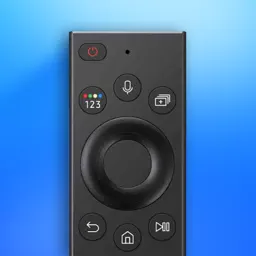
Turn your phone into the ultimate smart remote control for Samsung TV. Whether you need an instant replacement for a lost TV remote, want a backup controller, or need a faster way to browse your favorite streaming apps, this universal TV remote app gives you effortless control right from your phone. Why choose this smart remote controller for your TV? - Full Volume & Channel Control: Easily adjust audio levels, instantly mute your TV, and quickly surf live channels directly from your iPhone screen, giving you complete command without needing the original physical remote. - Instant Wi-Fi Remote Setup: Automatically detects your Samsung Smart TV over your local network for instant, zero-delay pairing without extra hardware or complex codes. - Complete Replacement Remote: Access full navigation, power, volume up/down, channel switcher, mute, and playback controls just like an original physical remote control. - Built-in Keyboard: Type and searche directly from your iOS keyboard to skip tedious on-screen typing. - Fluid Touchpad Controller: Swipe and navigate through menus and apps with smooth, precision gesture controls. - Voice Search Support: Speak commands and queries straight into your iPhone for fast, hands-free entertainment lookup. Looking for screen mirroring & media casting? - TV Cast for Photos & Videos: Cast videos, photos, and web media straight to the big screen in high resolution to share memories with family and friends. - Wireless Screen Sharing: Enjoy smooth media playback over local Wi-Fi with no cables or HDMI adapters needed. Which TVs are compatible? Broad Samsung TV Compatibility: Designed to support most Samsung Smart TVs, including Neo QLED, QLED, OLED, Crystal UHD, 4K, and 8K models. How to Connect - Ensure your iPhone/iPad and your Samsung TV are connected to the same Wi-Fi network. - Open the app and tap your TV from the auto-detected list. - Allow the connection prompt on your TV screen to enjoy instant wireless remote control and TV casting. Premium Features Unlock unlimited access to advanced remote controls. Disclaimer This app is an independent remote controller and is not affiliated with, sponsored by, or endorsed by Samsung Electronics Co., Ltd. Privacy Policy: https://sites.google.com/view/smartremote-privacy-policy/home Terms of Use: https://sites.google.com/view/smartremote-termsofuse/home
What's New
Version 1.0.4 2026-11-01
- Added a lifetime access purchase option. - Enhanced user experience. Technical Analysis
Package Overview Basic metadata
Bundle ID
com.seamobitech.TVRemoteForSamsung Current Version 1.0.4
Minimum iOS 17.0
Package Size App Store Size
Package Metadata 0 / 0 version records
Detailed binary, privacy manifest, framework, and Info.plist results have not been indexed for this package yet. The verified App Store and archive metadata above remains available.
Developer Information
Known Version Records
0 version records with stored package metadata
Stored metadata does not guarantee a package is currently available to download.
| Details | Version / IDs | Version date | Action |
|---|