
Preview




Description
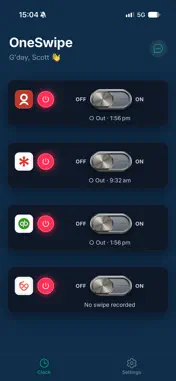
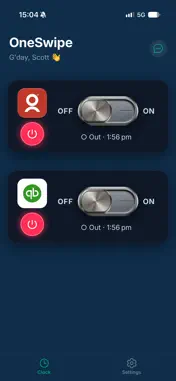
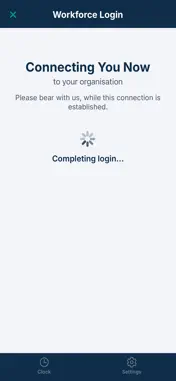
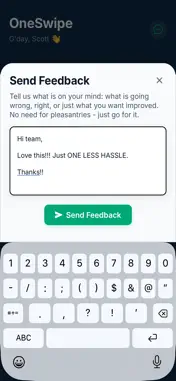
Clocking in and out of work should be the easiest part of your day - not a daily frustration. Every shift used to start with the same tedious routine: opening a slow workforce app, fighting through confusing menus, waiting for authentication, not even interfacing with your password apps very well, and tapping through multiple screens just to mark a start or finish time. Being disheartened by that clunky process day after day inspired the creation of OneSwipe. What began as a personal solution to eliminate daily shift headaches for myself has expanded into a powerful tool supporting major workforce management systems worldwide. OneSwipe transforms your shift routine into a single, effortless motion. Connect your workforce providers and enjoy the relief of swiping right to clock in and swiping left to clock out. If even THAT is a little too much for you, you can enable Siri shortcuts too - for a voice-activated clock in and out experience! Even simpler - if your employer engages with us to supply NFC tags, you can use Siri automations to make it a one-tap clock in and out process. Key Features: * One-Swipe Simplicity: Clock in with a swipe right, clock out with a swipe left. No multi-screen navigation, no unnecessary delays. * Multi-System Support: Connect and manage your accounts across major workforce and timesheet providers globally from a single dashboard. * Add Siri shortcuts for clocking in and out, for any provider. For example, "Start Shift" will fire off the connection process, and then also clock you in! * Clear Visual Status: Instant status illumination ensures you always know when your account is authenticated and your shift is active. * Seamless Daily Routine: Designed to remove daily friction so you can focus on your shift and get on with your day. * NFC tag integration: use Siri automations, along with a Siri Shortcut to streamline your clock in experience with localised NFC tags (if your employer supports them). * Privacy & Reliability: Securely stores credentials locally on your device with high-grade encryption - ONLY on your device. Safe and secure, your data is yours, always. We don't even record your individual clock in and out actions - they are purely relayed to your payroll and timekeeping system itself. Simplify your shift today with OneSwipe. If your employer uses any of the following systems, you'd be silly not to give this a go - see how it removes a little friction from your life. Well, for me, it removed a LOT. -- Currently Implemented and Tested -- Workforce Deputy QuickBooks Time Employment Hero -- Coming Soon! -- UKG (Kronos) Tanda Rippling A Personal Message from the owner: "Behind OneSwipe is a real person who stood in your shoes every single shift and built this app out of genuine frustration with existing systems. I am dedicated to your satisfaction and continuously improving this app. If you ever run into an issue, you want to request support for a new workforce platform, or simply want to share your experience, please use the built-in feedback function. Every message lands squarely on my desk, and I take pride in resolving issues quickly and expanding system support. I would love to hear back if OneSwipe has made your daily work routine just a little bit easier - but no pressure! Just enjoy using this app. I certainly do." *** IMPORTANT SUBSCRIPTION DISCLOSURE *** - Title: OneSwipe Annual Subscription - Length: 1 year (includes 14-day free trial) - Price: I hope you do see it like us, that for the price of a milkshake (USD $6.99) per year, you can so easily clock in and out of these above systems. - Payment will be charged to your Apple ID account at confirmation of purchase. Subscription automatically renews unless canceled at least 24 hours before the end of the current period. Terms of Use (EULA): https://www.apple.com/legal/internet-services/itunes/dev/stdeula/ Privacy Policy: https://oneswipe.app/privacy.html *** IMPORTANT SUBSCRIPTION DISCLOSURE ***
What's New
Version 3.3.1 2026-11-06
Better information and advice in the case of using incorrect credentials. Technical Analysis
Package Overview Basic metadata
Bundle ID
com.oneswipe.app Current Version 3.3.1
Minimum iOS 15.1
Package Size App Store Size
Package Metadata 0 / 0 version records
Detailed binary, privacy manifest, framework, and Info.plist results have not been indexed for this package yet. The verified App Store and archive metadata above remains available.
Known Version Records
0 version records with stored package metadata
Stored metadata does not guarantee a package is currently available to download.
| Details | Version / IDs | Version date | Action |
|---|