Preview



Description
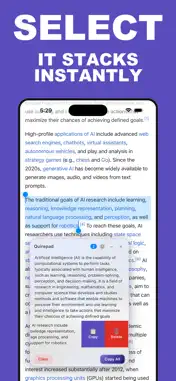
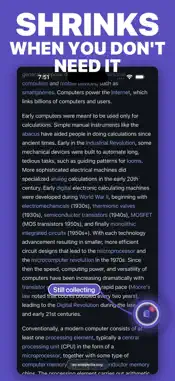
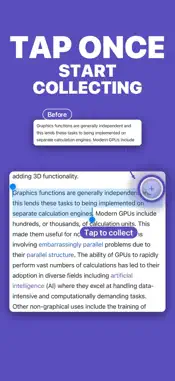
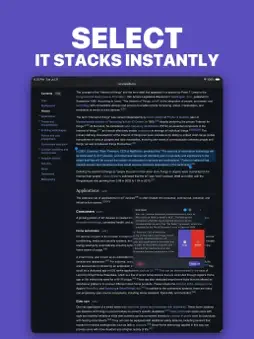
Quirepad is a small, focused tool for anyone who copies text from the web more than once at a time, built specifically for how you actually read on iPhone and iPad. The problem it solves: you are reading a long article, a research paper, or documentation, and you need three or four separate pieces of text, not the whole page. Selecting with your finger cannot skip the lines in between. And copying one piece, pasting it, then scrolling back for the next one breaks your reading flow every single time, especially on a smaller screen. Quirepad fixes this. Turn it on, and every piece of text you select gets added to a small floating box right on the page. Keep reading. Switch tabs. Select more. When you are done, tap Copy All and everything you gathered is merged into your clipboard, ready to paste anywhere, grouped by the page it came from. HOW IT WORKS -Tap the Quirepad icon in Safari to arm it. A small badge confirms it is active. -Select any text on any page. A small + button appears, tap it, and the text is added to the box. -Switch tabs or pages freely. Quirepad keeps collecting across all of them, and groups snippets by source with a clear divider. -Made a mistake? Delete any single snippet, or copy just one, right from the box. Nothing is final until you say so. -Tap Copy All to merge everything into your clipboard as one clean block of text, ready to paste into your notes, your document, or an email. BUILT FOR HOW YOU ACTUALLY READ Quirepad works the same way on your iPhone, iPad, and Mac, so the habit carries over wherever you are reading. Most tools like this only exist on Chrome and only on desktop. Quirepad was built Safari first, with real support for how much harder it is to copy multiple pieces of text on a phone. Turn on Keep Formatting to preserve bold, italics, and links when you paste into a rich text document. Turn on Include Sources to automatically add the page title and link above each group of snippets, useful for citations and research notes. PRIVACY Everything Quirepad collects stays on your device. There is no account, no analytics, no tracking, and nothing is ever sent anywhere. Your reading and your notes are yours. Quirepad is a quiet, purpose-built tool. It does one thing, and it tries to do it well.
What's New
Version 1.2 2026-08-21
Snippets now paste with the spacing they had on the page instead of inheriting the site's own margins on top of your document's. Pages that used to paste with t...Snippets now paste with the spacing they had on the page instead of inheriting the site's own margins on top of your document's. Pages that used to paste with two or three blank lines between every line now land tight. • Exactly one blank line between two snippets, nothing extra • Paragraph breaks, line breaks, lists, headings and code blocks keep their shape • Links, bold, italic and underline still come through with Keep formatting on • Text copied from a dark-themed page no longer pastes light-on-white Technical Analysis
Package Overview Basic metadata
Bundle ID
com.saurabhdev.quirepad Current Version 1.2
Minimum iOS 15.0
Package Size App Store Size
Package Metadata 0 / 0 version records
Detailed binary, privacy manifest, framework, and Info.plist results have not been indexed for this package yet. The verified App Store and archive metadata above remains available.
Known Version Records
0 version records with stored package metadata
Stored metadata does not guarantee a package is currently available to download.
| Details | Version / IDs | Version date | Action |
|---|