Preview


Description
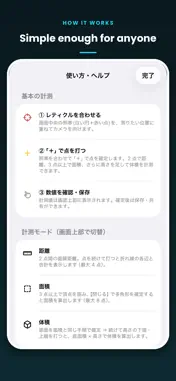
Measure is a high-precision AR ruler app that uses Apple's latest AR technologies (ARKit / RealityKit) to smartly measure real-world lengths and distances with just your phone. It's a lifesaver whenever a tape measure isn't within reach—choosing furniture for a move, rearranging a room, taking measurements for DIY projects, or checking the size of a package. ◆ Key Features 1. [Easy Tap Measuring] Simply aim the crosshair at the center of the screen at your target and press the "+" button to plot measurement points intuitively. 2. [Multi-Point Measuring] Plot up to four consecutive points at once and review the distance between each of them at a glance. 3. [Reliable Undo / Reset] Includes a one-step "Undo" function and a full one-tap reset, so you can keep measuring smoothly without worrying about mistakes. 4. [cm / m Unit Switching] Instantly switch the display unit between centimeters (cm) and meters (m) to match the size of what you're measuring. 5. [Spatial Labels] Distances are displayed in real time as 3D labels along the measurement line in AR space, so you can grasp sizes visually and intuitively. ◆ How to Use 1. Launch the app and allow access to the camera. 2. Gently move your camera around so it can recognize a surface, such as a flat floor or wall. 3. Aim the center crosshair at the starting point you want to measure and tap the "+" button. 4. Move the crosshair to the next point (the endpoint) and tap the "+" button again to display the distance. ◆ Perfect For - Anyone who wants to quickly measure available space before buying furniture or appliances - Anyone who wants to easily check room dimensions for DIY or redecorating - Anyone who needs to quickly measure package dimensions (length, width, height) for resale and flea-market apps - Anyone who finds it a hassle to carry a traditional tape measure around ◆ Privacy You Can Trust This app is designed with your privacy as the top priority. - It runs fully offline, with no server communication whatsoever. - Camera footage is processed in real time only on your device; nothing is ever transmitted or stored externally. - No personal information is collected through first-party code (only the minimum necessary anonymized data is used to display ads). ◆ Notes * This app is a measuring tool based on AR (augmented reality) technology. In environments that are too dark, on featureless smooth white walls, or where there are many reflective objects such as mirrors, surfaces may not be recognized correctly. For professional uses that require precise measurements, we recommend using it together with a physical tape measure.
What's New
Version 1.0.2 2026-09-28
• Added English language support • Added support for larger text sizes (Dynamic Type) • Added haptic feedback for key actions (can be turned off in Settings) • ...• Added English language support • Added support for larger text sizes (Dynamic Type) • Added haptic feedback for key actions (can be turned off in Settings) • Added an in-app link to the Privacy Policy Technical Analysis
Package Overview Basic metadata
Bundle ID
com.nounin.Distantia Current Version 1.0.2
Minimum iOS 16.6
Package Size App Store Size
Package Metadata 0 / 3 version records
Detailed binary, privacy manifest, framework, and Info.plist results have not been indexed for this package yet. The verified App Store and archive metadata above remains available.
Developer Information
Known Version Records
0 version records with stored package metadata • 3 known version records
Stored metadata does not guarantee a package is currently available to download.
| Details | Version / IDs | Version date | Action |
|---|---|---|---|
| Not archived | App Store ID: 892112794 | Unknown | Request Version |
| Not archived | App Store ID: 888693807 | Unknown | Request Version |
| Not archived | App Store ID: 885783441 | Unknown | Request Version |