Preview



Description
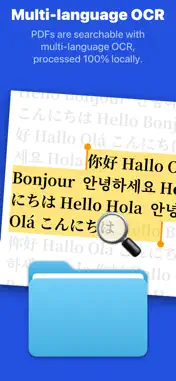
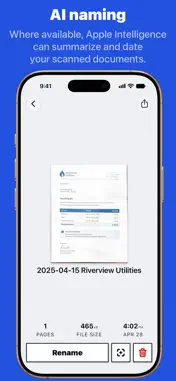
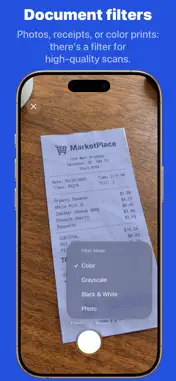
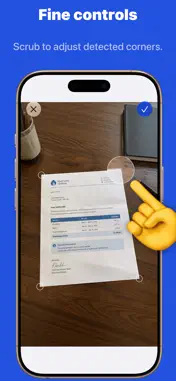
ScanDone is the scanner for people who don’t want another app to manage. Point it at the page, scan, send the PDF to Mail, Messages, Files, Notes or any other app, and be done. No library, no account, no ads. ◎ Scan and send - Edge detection finds the page, crops it and straightens it on its own. - Four color modes: color document, black-and-white document, grayscale and photo. - Scan as many pages as you need in one go. They become a single PDF. - Scan several documents in a row and they line up in a queue, so you can send them all off in one batch. - Mark up a scan before it goes: doodle on it, highlight a passage or fill in a form. - Scan presets for fixed page sizes (A4, A5, B5, US Letter, Legal, Half Letter, receipt, business card, sticky note), one long-press away. - Two scan qualities, for sharp archives or small attachments. ◎ Searchable PDFs, in any language Every scan gets a text layer, so the PDF is searchable in Files, Mail and any PDF reader, and its text can be selected and copied. - The language is detected on its own. Nothing to choose, nothing to download. - Mixed languages on one page work too: a Chinese contract with English names, a Japanese receipt with a Latin address. - 30+ languages, including English, French, German, Spanish, Portuguese, Italian, Chinese, Japanese, Korean, Russian, Ukrainian, Arabic, Thai and Vietnamese. - Text recognition runs entirely on your iPhone. No page leaves the device. ◎ Smart file names With Apple Intelligence, each scan can be named from its own text, with a title and the document’s date, so a scan is filed as 2026-10-14 Utility bill.pdf instead of Scan.pdf. The text is handled on the device or by Apple’s Private Cloud Compute, neither we nor Apple keep a record of it, and you can turn it off. ◎ Nothing to tidy ScanDone keeps no library and asks for no account. Scans wait in the queue until you’ve sent them, then one tap clears them. They live in a temporary folder that iOS cleans out, and they are never backed up. Your documents live where you sent them. ◎ Free every day, or one purchase for life - Free: one document a day, forever, with text recognition, presets and quality settings included. - Pro: unlimited documents for a one-time purchase. No subscription. Share it with up to five people through iCloud Family Sharing. - Not sure yet? There’s a week pass, and it never auto-renews. Scan, send, done.
What's New
Version 2026.9 2026-11-04
ScanDone has a new design, built around function rather than decoration. Every screen is laid out for the task at hand: scan, send, done. Document queue: scan ...ScanDone has a new design, built around function rather than decoration. Every screen is laid out for the task at hand: scan, send, done. Document queue: scan several documents in a row and they line up in a queue, so you can send them all off in one batch. Mark-up: doodle on a scan, highlight a passage or fill in a form, then save your changes back to the scan before sending it off. Technical Analysis
Package Overview Basic metadata
Bundle ID
studio.sasquatch.just-scanner Current Version 2026.9
Minimum iOS 26.2
Package Size App Store Size
Package Metadata 1 / 11 version records
0.0 / 5.0 (0 ratings)
Detailed binary, privacy manifest, framework, and Info.plist results have not been indexed for this package yet. The verified App Store and archive metadata above remains available.
Developer Information
Known Version Records
1 version record with stored package metadata • 11 known version records
Stored metadata does not guarantee a package is currently available to download.
| Details | Version / IDs | Version date | Action |
|---|---|---|---|
| Not archived | App Store ID: 890719553 | Unknown | Request Version |
| Not archived | App Store ID: 889306725 | Unknown | Request Version |
| Not archived | App Store ID: 888371079 | Unknown | Request Version |
| 11.1 MB | v2026.7 App Store ID: 888126366Build: 2026.7 | 2026-10-01 14:07:25 | Get Version |
| Not archived | App Store ID: 885391759 | Unknown | Request Version |
| Not archived | App Store ID: 883551808 | Unknown | Request Version |
| Not archived | App Store ID: 878668447 | Unknown | Request Version |
| Not archived | App Store ID: 874251520 | Unknown | Request Version |
| Not archived | App Store ID: 871892204 | Unknown | Request Version |
| Not archived | App Store ID: 871692673 | Unknown | Request Version |
| Not archived | App Store ID: 871476854 | Unknown | Request Version |