
Preview





Description
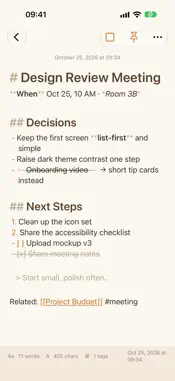
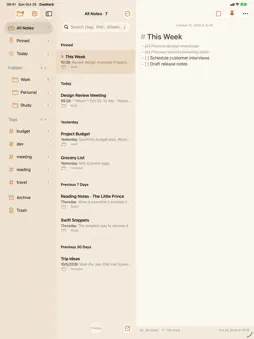
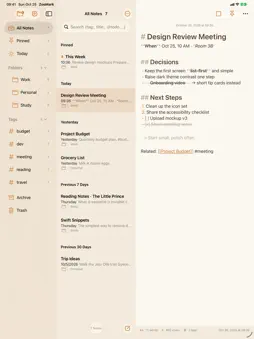
ZooMark is a Markdown notes app for macOS. As you type, formatting appears instantly, while your text stays clean and portable. Write lightly and clearly in Markdown — no fussy formatting required. ■ Features · Hybrid Markdown editor — bold, italic, headers, lists, to-dos, and code render like formatting as you type, while the source stays plain Markdown text. · Split preview — Editor / Split / Preview modes. In Split, edit on the left and watch the rendered document (with GFM tables and links) on the right at the same time. · Folders — organize notes like Apple Notes; drag to reorder and nest them, and move multiple notes into a folder at once. · Hashtags & internal links — gather notes with #tags, and connect them with [[Title]] wiki links. · Powerful search — find notes fast with tag:, title:, @todo, and "exact phrase" operators. · Themes — light and dark themes (Honey Bear, Solar Cream, Panda, Tasmanian Devil Black, and more), set inside the app independent of the system appearance. · Note lock — hide sensitive notes behind Touch ID or a password. · Import · Export · Share — import .md files; save notes as Markdown, HTML, TXT, or PDF, or share them to other apps. · iCloud sync & backup — when signed in to iCloud, all folders and notes sync and back up across your devices automatically.
What's New
Version 1.5.2 2026-11-08
• The launch screen now shows a one-line introduction under the ZooMark name. • The launch text stays readable on small screens and with larger text sizes. Technical Analysis
Package Overview Basic metadata
Bundle ID
SWZ.ZooMark Current Version 1.5.2
Minimum iOS 18.0
Package Size App Store Size
Package Metadata 0 / 0 version records
Detailed binary, privacy manifest, framework, and Info.plist results have not been indexed for this package yet. The verified App Store and archive metadata above remains available.
Known Version Records
0 version records with stored package metadata
Stored metadata does not guarantee a package is currently available to download.
| Details | Version / IDs | Version date | Action |
|---|