
Preview


Description
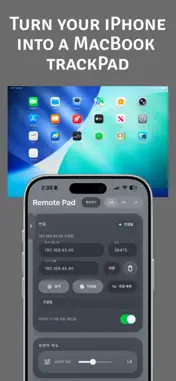
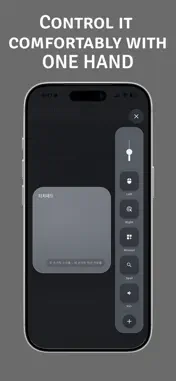
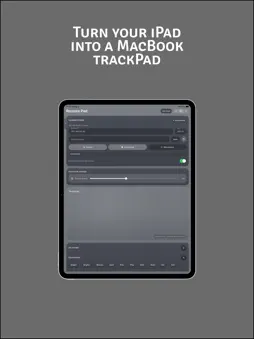
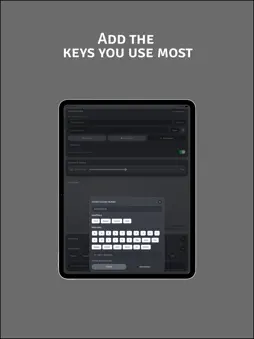
Please make sure to install the desktop/laptop companion app as well: https://remote-pad.vercel.app/ Use your iPhone as a trackpad, keyboard, and shortcut remote to control your desktop more conveniently. With simple finger gestures, you can quickly move the pointer, click, scroll, and enter text. Even when your laptop or desktop is connected to a monitor, TV, or projector, you can control it easily with just your iPhone. It is useful in many situations such as work, presentations, media playback, and general remote control. Key Features • Use your iPhone like a remote trackpad • Control pointer movement, clicking, and scrolling with finger gestures • One-handed mode for easier use with one hand • Quickly access frequently used functions with dedicated buttons • Control system functions such as brightness, volume, Mission Control, and Spotlight • Add your own custom shortcut combinations • Build your own control layout with the buttons you use most • Quickly send text entered on your iPhone to the connected computer • Discover nearby devices and connect easily on the same Wi-Fi network Quick Setup • Install the desktop app: https://remote-pad.vercel.app/ • Connect your iPhone and computer to the same Wi-Fi network • Search for nearby devices in the app and connect right away Use Cases • Control slides during presentations • Control media from bed or the sofa • Trigger frequently used shortcuts while working • Enter simple text without using a physical keyboard Requirements • A supported desktop device • Connection to the same Wi-Fi network • Desktop app installation required
Technical Analysis
Package Overview Basic metadata
Bundle ID
com.remopad.app Current Version 1.0
Minimum iOS 13.0
Package Size App Store Size
Package Metadata 0 / 1 version records
Detailed binary, privacy manifest, framework, and Info.plist results have not been indexed for this package yet. The verified App Store and archive metadata above remains available.
Developer Information
Known Version Records
0 version records with stored package metadata • 1 known version records
Stored metadata does not guarantee a package is currently available to download.
| Details | Version / IDs | Version date | Action |
|---|---|---|---|
| Not archived | App Store ID: 884071776 | Unknown | Paid / Arcade |