Preview







Description
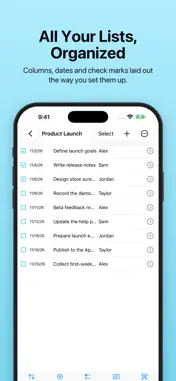
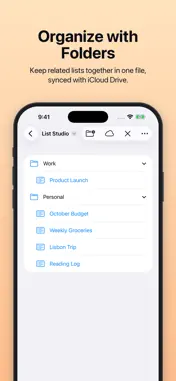
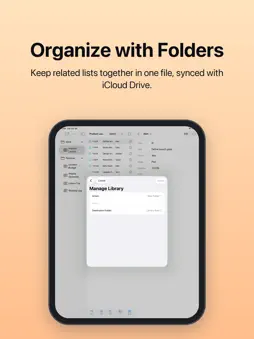
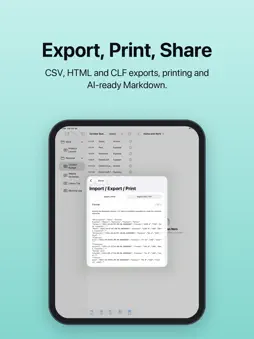
List Studio is a focused organizer for lists and records on iPhone and iPad. Open your existing CLF list files or start fresh from a template, then read, edit and export your records with the folders, lists and columns you already use. START QUICKLY • 10 starter templates: daily tasks, groceries, income and expenses, travel packing, project tasks, habits, reading log, belongings and warranties, meeting follow-ups and routine checks • Include example items or begin with an empty list READ AND FIND • Browse folders, lists and child items in their original outline • Rows follow your ListPro column layout, including two-line rows, so more of each item is visible • Table view with dates, check marks, flags, ratings and notes, or a simple title and notes list • Search that keeps matching items in context, unchecked and flagged filters, and sorting by any column • Collapse and expand item trees • Basic statistics and a monthly activity chart EDIT WITH CONFIDENCE • Add items and child items with column-based forms • Edit right below the list, or open the full editor • Select multiple items to edit values, duplicate, move, indent or delete • Undo and redo • Create, rename, reorder and move folders and lists, and customize columns TOTALS, IMPORT AND EXPORT • Totals and category subtotals • Import and export CSV and TSV • Export HTML, XML and RSS • Bring lists in from another CLF file • Export a whole file, a single list, selected items or one year as a CLF copy • Print with the system print sheet PRIVATE AND IN YOUR CONTROL • Your files stay where you save them: on your device, in iCloud Drive or with another file provider • Protected files can be unlocked with Face ID or Touch ID after you enable it with the file password; credentials stay in this device's Keychain • Every edit keeps a local recovery copy that you can review, export or delete • Sync conflicts are never merged silently: List Studio keeps every version and lets you choose • Export selected records as Markdown for your own AI tools; you preview them first and nothing is sent automatically Use the same file on iPhone, iPad and Mac by saving it to iCloud Drive and opening it in List Studio on each device. ABOUT CLF FILES List Studio reads and writes the CLF list format. Keep a backup of your original file before editing it, and test edited files in any other app you use them with.
What's New
Version 1.1.1 2026-11-11
What's New: [New Feature] The item detail view now shows your current position in the list and lets you jump directly to the previous or next visible item usin...What's New: [New Feature] The item detail view now shows your current position in the list and lets you jump directly to the previous or next visible item using toolbar buttons or keyboard shortcuts (⌥⌘↑, ⌥⌘↓), following your active search, filters, and sort order. [Improvement] iPhone/iPad: On iPad, creating or editing an item now opens directly in the full-screen editor for a more spacious writing experience, while respecting window mode if you switch back. Technical Analysis
Package Overview Basic metadata
Bundle ID
com.missflash.list-studio Current Version 1.1.1
Minimum iOS 18.0
Package Size App Store Size
Package Metadata 0 / 0 version records
Detailed binary, privacy manifest, framework, and Info.plist results have not been indexed for this package yet. The verified App Store and archive metadata above remains available.
Developer Information
Known Version Records
0 version records with stored package metadata
Stored metadata does not guarantee a package is currently available to download.
| Details | Version / IDs | Version date | Action |
|---|