
Preview





Description
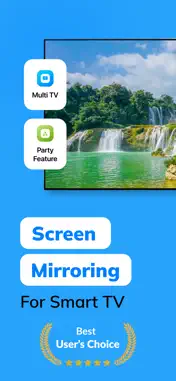
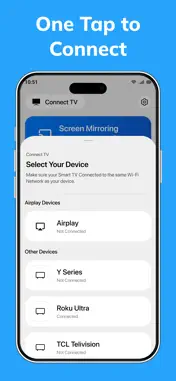
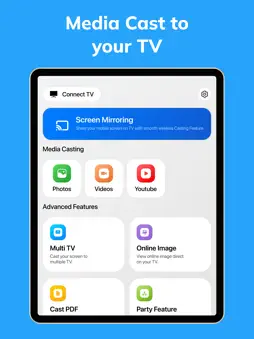
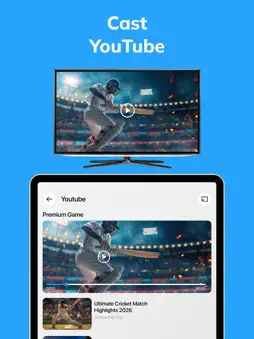
Mirror your iPhone to any Smart TV in seconds! Watch videos, cast photos, stream YouTube, and share presentations on the big screen with smooth, wireless screen mirroring and low latency performance. Enjoy seamless screen mirroring for Smart TVs anytime, anywhere. Stream movies, cast videos, share presentations, and enjoy wireless entertainment directly from your iPhone or iPad. Whether you want to upgrade your family movie nights, share holiday memories, present classroom presentations, or stream web content wirelessly, Smart TV Cast & Mirroring makes wireless TV connection fast, simple, and reliable. Why Users Love Smart TV Cast & Mirroring: • Fast wireless Screen Mirroring with smooth real-time streaming Mirror your iPhone or iPad screen in real time with stable performance and low latency. Perfect for daily streaming of mobile apps, mobile gaming, online classes, and live demos. • HD Video & Photo Cast to TV Easily cast local videos and photo albums from your camera roll to your Smart TV. Relive your favorite memories on the big screen with smooth HD playback—ideal for family photo sharing. • YouTube Cast Support Stream YouTube videos directly to your TV for a better viewing experience. Watch content comfortably on a larger screen with easy in-app playback controls during your weekend entertainment. • Advanced Multi-TV Casting Go beyond single-screen casting! Connect and cast media to multiple compatible Smart TVs at the same time—perfect for home parties, family gatherings, or multi-room setups. • PDF & Document Presenter Access and present PDFs, files, and spreadsheets directly on your TV screen. Upgrade your workflow for business presentations, office work, classrooms, and study sessions. • Real-Time Live Camera Casting Turn your phone into a live camera stream and display it instantly on your TV screen. Perfect for interactive tutorials, cooking demonstrations, teaching, or creative content creation. • Interactive Party Mode Experience Create an immersive, shared entertainment hub by syncing media playback across supported TVs and devices during gatherings, celebrations, or daily entertainment. • Smart & Premium Interface Clean design with Light Mode, Dark Mode, and smooth navigation to match your preference and improve usability in any environment. Download Smart TV Cast & Mirroring today and enjoy fast, reliable, and wireless screen casting on the big screen anytime. Perfect For: - Family photo sharing, movie nights & weekend entertainment - Wireless business presentations, office work & meetings - Online classes, lectures & classroom presentations - Mobile gaming sessions & live streaming on a big screen - Multi-screen entertainment during home parties & gatherings How It Works (Easy 3-Step Setup): 1. Connect your iPhone/iPad and Smart TV to the same Wi-Fi network. 2. Open the app and let it automatically scan for available devices. 3. Select your Smart TV and start wireless screen mirroring or casting instantly! Note: For a seamless experience, please ensure your Smart TV supports wireless screen mirroring and is connected to the same Wi-Fi network as your iOS device. Privacy Policy : https://iosapp2025.blogspot.com/2026/03/privacy-policy-for-smart-tv-cast-mirror.html Terms of use : https://sites.google.com/view/smarttv-terms-condition/home
What's New
Version 1.1 2026-05-27
• Faster TV Detection – Your Smart TV now appears quicker for faster and smoother connections. • Improved Screen Mirroring Performance – Enjoy smoother streamin...• Faster TV Detection – Your Smart TV now appears quicker for faster and smoother connections. • Improved Screen Mirroring Performance – Enjoy smoother streaming with reduced latency and better stability. • New “TV Not Found?” Help Guide – Added quick troubleshooting tips to help you connect instantly. • Performance Improvements & Bug Fixes – We fixed crashes and improved overall app reliability for a better casting experience. Technical Analysis
Package Overview Basic metadata
Bundle ID
com.screenmirroring.tvcast.app Current Version 1.1
Minimum iOS 16.6
Package Size App Store Size
Package Metadata 1 / 2 version records
Detailed binary, privacy manifest, framework, and Info.plist results have not been indexed for this package yet. The verified App Store and archive metadata above remains available.
Developer Information
Known Version Records
1 version record with stored package metadata • 2 known version records
Stored metadata does not guarantee a package is currently available to download.
| Details | Version / IDs | Version date | Action |
|---|---|---|---|
| 263.46 MB | v1.1 App Store ID: 886188395Build: 1.1 | 2026-05-27 21:12:11 | Get Version |
| Not archived | App Store ID: 883699991 | Unknown | Request Version |