
DayHarbor: AI Focus Planner
Preview


Description
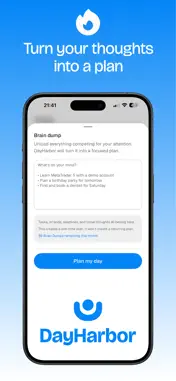
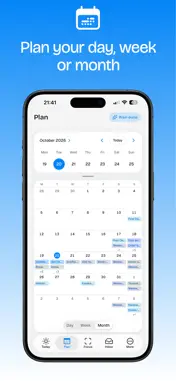
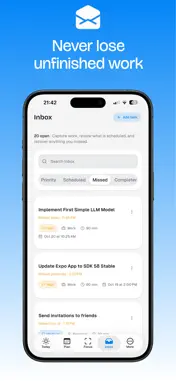
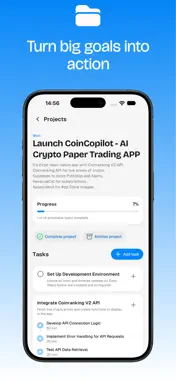
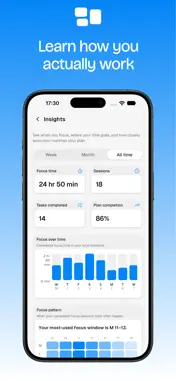
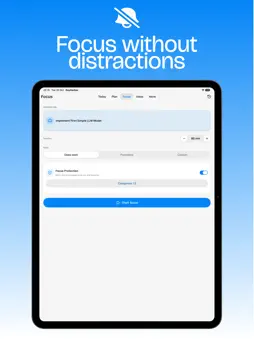
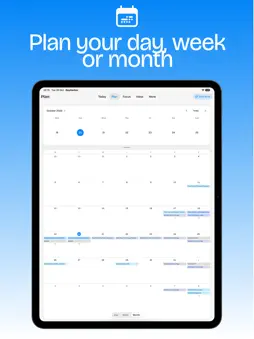
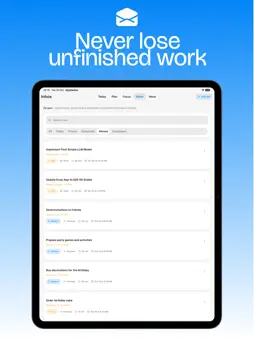
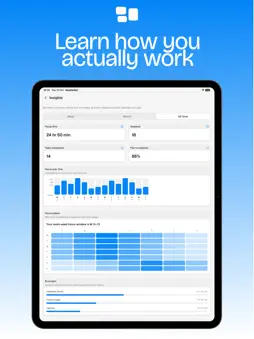
Plan your day. Protect your focus. DayHarbor is an AI-powered daily planner designed to turn everything competing for your attention into a realistic plan — then help you stay focused on what matters next. BRAIN DUMP → REALISTIC PLAN Start with whatever is on your mind. Add tasks, goals, errands, deadlines, or loose thoughts in your own words. DayHarbor identifies the actionable work, estimates the effort involved, and helps organise it into a realistic plan for your day. KNOW WHAT TO DO NEXT Your Today view brings your plan, next task, progress, and unscheduled work together in one calm place. Instead of constantly deciding what to work on, you can see what matters now and keep moving forward. PLAN YOUR TIME, NOT JUST YOUR TASKS Use Day, Week, and Month views to understand how your work fits into your schedule. Move tasks, adjust timing, and reshape your plan when priorities change — without rebuilding your day from scratch. FOCUS WITHOUT DISTRACTIONS Choose a task and start a Deep Work, Pomodoro, or custom Focus session. With Focus Protection, you can temporarily restrict selected distracting apps while you focus, helping you create space for uninterrupted work. RECOVER WHEN PLANS CHANGE Not every day goes as expected. DayHarbor keeps unfinished scheduled work visible so you can move it to a better time, return it to your Inbox, or decide what should happen next. Your plan can adapt without losing track of important work. TURN BIG GOALS INTO ACTION Organise larger goals into projects, tasks, and subtasks. DayHarbor helps you keep projects connected to concrete actions you can actually complete, instead of letting them become another list you rarely revisit. BUILD ROUTINES THAT KEEP MOVING Create recurring tasks for everyday routines, weekdays, weekends, or specific days of the week. Spend less time recreating regular work and more time actually doing it. PLAN AROUND YOUR REAL SCHEDULE Optionally connect selected calendars to see existing commitments alongside your DayHarbor plan. Calendar events remain read-only in DayHarbor, helping you plan around meetings and appointments without changing your existing calendar. LEARN HOW YOU ACTUALLY WORK Insights help you understand your focus time, completed sessions, planning accuracy, and progress over time. Use those patterns to build plans that better match the way you work. BUILT FOR CLARITY DayHarbor is for people who want less time managing a productivity system and more clarity about what to do next. Start with what is on your mind. DayHarbor will help you turn it into a plan — and protect the time to get it done. Terms of Use: https://dayharbor.app/terms Privacy Policy: https://dayharbor.app/privacy
Technical Analysis
Package Overview Basic metadata
Bundle ID
app.dayharbor Current Version 1.0.0
Minimum iOS 16.4
Package Size App Store Size
Package Metadata 0 / 0 version records
Detailed binary, privacy-manifest, framework, and Info.plist results have not been indexed for this package yet. The verified App Store and archive metadata above remains available.
Developer Information
Known Version Records
0 version records with stored package metadata
Stored metadata does not guarantee a package is currently available to download.
| Details | Version / IDs | Version date | Action |
|---|
Sources and limitations
This page combines App Store catalog metadata, historical version records, and archived package scans where available. Ratings are from the App Store, and technical findings are observations rather than certifications. Data freshness, compatibility, availability, and analysis limitations apply.
Stored catalog source: USA App Store storefront. A catalog collection timestamp is not available on this page; displayed metadata is not a live availability, price, or installation check.