Preview






Description
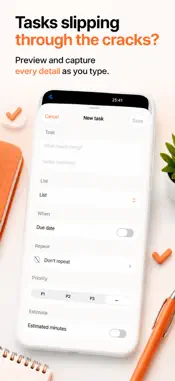
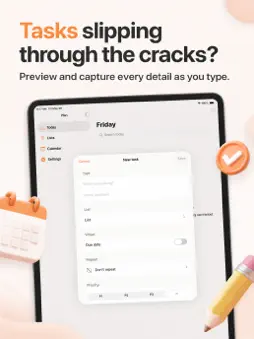
Stop wasting time staring at a flat list of tasks and wondering what to tackle first. Turn your daily jobs into a clear, manageable plan, add new tasks straight away, and reduce the headache of missed reminders and confusing lists. Quickly add a task from the Today quick-add bar and tap return to save it instantly. See smart preview chips pop up as you type, showing priority, due date, list suggestions and tags. Tap Plan my day to create a timeline for today that fits around your calendar events. Check suggested start and finish times, priority dots, and a brief note for each task. Use Smart Sort to organise your tasks when calendar details are unavailable, so you get an ordered day regardless. Search Today by title, notes, list or tag for quick access to the right task. Add extra details like notes, due time, estimated duration, priority ratings, task lists, and tags. Break bigger jobs into steps by creating subtasks under main tasks. Set recurring tasks with ready-made options like Every weekday, or customise your own repeat schedule. Receive unlimited reminders at tasks’ due times and see a reminder chip when active. Mark tasks done with a single tap and let recurring jobs auto-reset for future cycles. Browse your Lists with pending task counts, colour codes, and optional emoji for easy identification. Use the Calendar tab to view tasks by day alongside a simple monthly calendar. Share your daily plan as plain text from the timeline or review screen. Export your task data to the Files app when you want a backup or copy. Monday mornings feel easier when you tap Plan my day and instantly see what to prioritise, which tasks fit around meetings, and what can wait. Adding tasks on the move is just as quick: type a note like buy milk tomorrow at 6pm with tags and priority and watch the preview chips tidy it up before saving. When a recurring job comes back next week, its reminder and subtasks return too. If you prefer working from search, Spotlight can take you straight to the task. Todo List Planner helps busy people add tasks, organise their to do lists, and build a realistic daily plan. What sets it apart is how much happens right on your phone: quick captures, smart task clean-up, one-tap daily planning, reminders, calendar view, plan sharing, widgets, Spotlight search and its own Focus timer from a planned task. You never need a computer to order your day. Recurring tasks and unlimited reminders are free to use. Choosing Plan my day requires calendar access to avoid busy periods, and notification access is only requested to send your task reminders. If you want a combined todo list, task planner, reminders and calendar organiser, start with Today and plan your day in just one tap. Terms of Use (EULA) - http://www.apple.com/legal/itunes/appstore/dev/stdeula
What's New
Version 1.3 2026-07-17
Bug fixes and enhancements Technical Analysis
Package Overview Basic metadata
Bundle ID
com.bach.todolist Current Version 1.3
Minimum iOS 26.0
Package Size App Store Size
Package Metadata 1 / 6 version records
0.0 / 5.0 (0 ratings)
Detailed binary, privacy manifest, framework, and Info.plist results have not been indexed for this package yet. The verified App Store and archive metadata above remains available.
Developer Information
Known Version Records
1 version record with stored package metadata • 6 known version records
Stored metadata does not guarantee a package is currently available to download.
| Details | Version / IDs | Version date | Action |
|---|---|---|---|
 Not archived | App Store ID: 888119668 | Unknown | Request Version |
| Not archived | App Store ID: 886317828 | Unknown | Request Version |
| Not archived | App Store ID: 885179131 | Unknown | Request Version |
| 4.6 MB | v1.0 App Store ID: 841649226Build: 1.0 | 2021-04-20 07:03:46 | Get Version |
| Not archived | App Store ID: 825156537 | Unknown | Request Version |
| Not archived | App Store ID: 818684199 | Unknown | Request Version |